Weet by Speach inc
Record and share engaging video messages and screen captures asynchronously
Weet is a cool tool that aims to make communication visual, fast, and flexible. I think it’s fair to say that in a time when endless Zoom calls clog our calendars, Weet offers a refreshing alternative. This browser-based tool lets you record your screen, webcam, or both, then share polished video messages with colleagues or clients. No need to wrestle with scheduling or endure buffering woes. It’s a tool that feels like it was built for the modern, scattered workforce, where clarity and speed matter.
What sets Weet apart is its AI-driven polish. The auto-transcription feature, for instance, churns out subtitles in over 30 languages, making your videos accessible to diverse teams. Noise cancellation scrubs away background hums, and the magic trim feature snips out awkward pauses or interruptions with a single click. You can even rearrange video sections or add interactive chapters, which is a boon for creating structured tutorials. I particularly like the ability to add annotations or call-to-action buttons, turning a simple screencast into an engaging guide. Integration with tools like Slack and Microsoft Teams means you can share videos directly in your workflow, cutting down on email ping-pong.
But it’s not all smooth sailing. Some users report occasional bugs, especially with the Chrome extension, where videos might fail to download or process correctly. This can be frustrating if you’re racing against a deadline. The AI video processing, while impressive, sometimes stumbles with complex backgrounds, leading to inconsistent results. Compared to competitors like Loom or Vidyard, Weet’s feature set is robust but not as mature in some areas, like advanced analytics or enterprise-grade security options. Loom, for example, offers deeper viewer insights, which Weet lacks. Still, Weet’s pricing feels accessible, with a free tier and a paid plan that’s competitive for small teams, though larger organizations might need more scalability.
The real surprise? Weet’s collaborative workspace. Teammates can respond to your video with their own screencasts, audio, or text comments, creating a threaded conversation that feels alive. It’s like a mini-forum for each video, which I find incredibly practical for brainstorming or troubleshooting. The ability to update videos post-sharing — without redoing the whole thing — is another clever touch. Imagine tweaking a training video without starting from scratch. That’s a time-saver.
For those dipping their toes into asynchronous video, Weet is a solid pick. Start with the free version to test its core features. Experiment with the Chrome extension for quick recordings, but keep an eye on file exports to avoid hiccups. Integrate it with your team’s existing tools to maximize its value. If you’re in a small team or a solo creator, Weet’s simplicity and AI smarts will likely win you over.
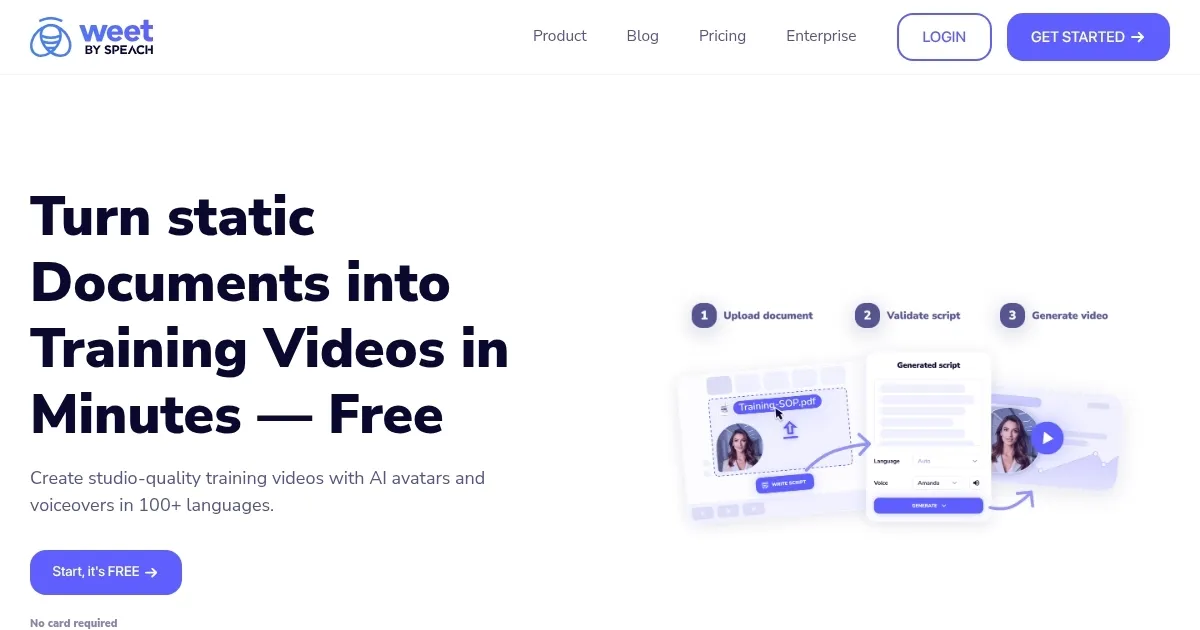
Homepage Screenshot 📸
Video Overview 🎬

What are the key features? ✨
- Auto-Transcription: Generates accurate subtitles in over 30 languages for accessibility.
- Noise Cancellation: Removes background noise from recordings for clear audio.
- Magic Trim: Automatically cuts unnecessary segments like pauses or interruptions.
- Collaborative Workspace: Allows teammates to respond with video, audio, or text comments.
- Integration: Seamlessly connects with Slack and Microsoft Teams for easy sharing.
Who is it for? 🤔
Examples of what you can use it for 💡
- Remote Team Lead: Records training videos with chapters for new hires to follow.
- Customer Support Agent: Shares screencasts to troubleshoot client issues visually.
- Educator: Creates engaging lecture videos with subtitles for students.
- Freelance Designer: Sends project walkthroughs to clients with interactive annotations.
- Marketing Professional: Produces quick campaign demos for team feedback.
Pros & Cons ⚖️
- Easy-to-use browser-based interface
- AI-driven editing saves time
- Strong integration with Teams, Slack
- Free plan suits small teams
- Limited advanced analytics
- Occasional AI processing errors
FAQs 💬
Ready to try Weet?
Record and share engaging video messages and screen captures asynchronously
Visit Weet