logo-darklogo-darklogo-darklogo-dark
  • Home
  • Browse
    • Assistant
    • Coding
    • Image
    • Productivity
    • Video
    • Voice
    • Writing
    • All Categories
    • AI Use Cases
  • My Favorites
  • Suggest a Tool
✕
Home › 3D Imaging ›

3D AI Studio

Published by Dusan Belic on October 27, 2024

3D AI Studio

3D
3D AI Studio Homepage
Categories 3D Imaging

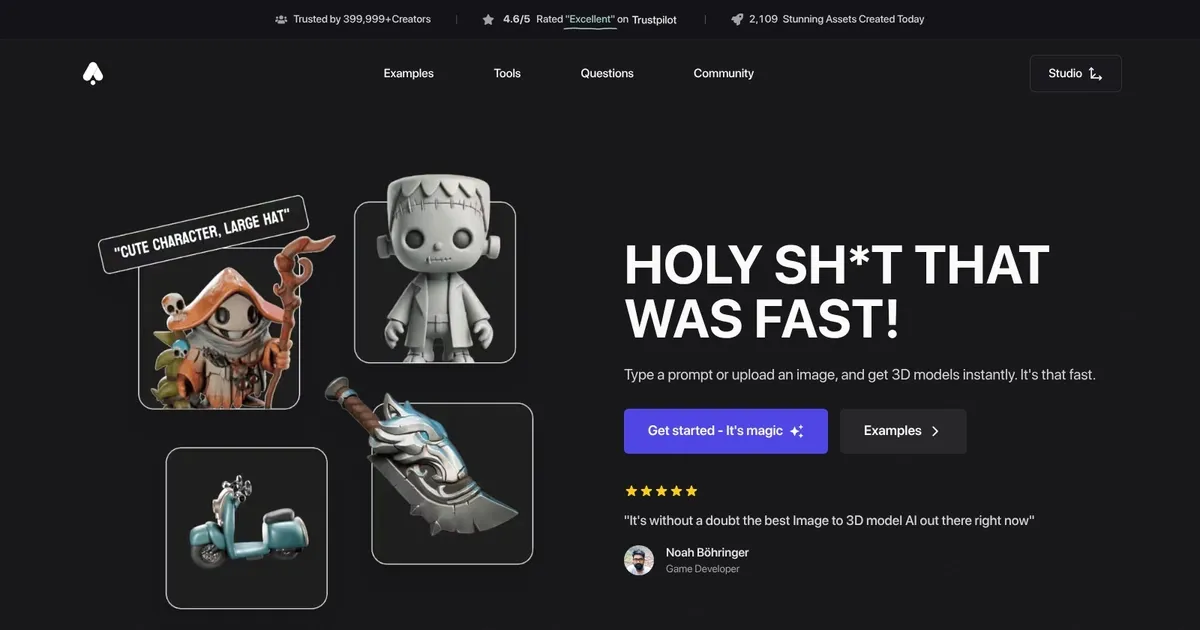
3D AI Studio - screenshot

An advanced platform that streamlines the process of generating high-quality 3D models using AI

3D AI Studio

3D AI Studio is an advanced platform designed to streamline the process of generating high-quality 3D models using AI technology. In that sense, it offers an intuitive and user-friendly interface that allows designers, developers, and creative professionals to create detailed 3D assets from simple text prompts or images in a matter of seconds. This makes it ideal for applications such as 3D printing, game development, and animation.

Or to put it differently, by leveraging artificial intelligence, 3D AI Studio simplifies the traditionally complex and time-consuming task of 3D modeling — allowing users to focus more on the creative aspects of their projects.

One of 3D AI Studio’s key features is its “Text to 3D” and “Image to 3D” tools, which enable users to generate 3D models by either typing a description or uploading an image. The created models are of high-quality and also optimized for various formats — including FBX, OBJ, and STL — ensuring compatibility with different workflows and tools. In addition, the platform provides AI-powered texturing and remeshing features, further enhancing the quality of the generated models.

3D AI Studio can be especially valuable for professionals working in industries such as video game development, animation, and 3D printing — as it reduces production times while maintaining high standards of model quality. That being said, we should mention that users have praised 3D AI Studio for its efficiency — noting that it has helped them create complex models much faster than traditional methods.

3D AI Studio offers a range of subscription plans for different user needs, including a starter plan that allows 10 model generations per month. It’s an excellent tool for anyone looking to enhance their 3D workflow, whether they are seasoned professionals or newcomers to the field.

3D AI Studio Homepage
Categories 3D Imaging

What are the key features? ⭐

  • 3D model generation: Quickly generates 3D models from text prompts or images in seconds.
  • AI texturing: Offers advanced AI-powered texturing and remeshing for high-quality assets.
  • Multiple 3D formats supporter: The tool supports multiple 3D formats, allowing seamless integration into different platforms.
  • Library: 3D AI Studio provides access to a large 3D asset library with regular updates.
  • Privacy included: Private and secure model generation, ensuring user privacy.

Who is it for? 🤔

3D AI Studio targets game developers, 3D designers, animation professionals, and businesses needing rapid 3D model generation. It also appeals to hobbyists in 3D printing and those seeking to streamline creative workflows using AI-driven tools for efficiency and high-quality outputs.

Examples of what you can use it for 💭

  • Game developers can use it to create custom 3D assets for projects
  • Designers can rapidly prototype 3D models for visual presentations
  • Animation and film industries can use it for creating quick, unique models
  • E-commerce businesses can use 3D models to enhance product visuals
  • 3D printing enthusiasts can use it to generate custom designs for prints

Pros & Cons ⚖️

  • Quickly generates 3D models from text or images
  • AI-driven texturing and model optimization features
  • Extensive library for design assets
  • You might need time to fully utilize all the features

FAQs 💬

What inputs can I use to generate 3D models?
You can start with text prompts describing your idea or upload 2D images like photos, sketches, or illustrations. High-resolution, clear inputs tend to give the best results.
How long does it take to generate a 3D model?
Fast modes produce models in 20-30 seconds, while higher-quality options with detailed textures and geometry usually take 2-4 minutes.
Do I need 3D modeling experience to use this tool?
No, the platform is built for beginners and pros alike. The AI handles most of the complex work, so you can create usable assets even without prior experience.
What file formats can I export my models in?
Exports include GLB (great for web/AR), FBX (for game engines), OBJ, USDZ (Apple AR), STL (3D printing), DAE, and BLEND for Blender.
Can the generated models be used for 3D printing?
Yes, many users successfully print models, especially with high-quality settings and the Quad-Remesh tool to optimize for clean, printable geometry.
Is it possible to refine or edit the generated models?
Absolutely. Tools like AI texturing let you apply or paint materials, and remeshing helps clean up topology for better results.
How does image-to-3D work with single vs multiple images?
Single images work well and generate quickly, but uploading multiple angles (3-5 photos) improves accuracy on occluded parts and overall detail.
Are the generated 3D models suitable for game development?
Yes, many game devs use it for assets. Optimized meshes, good topology options, and exports like FBX make them ready for Unity or Unreal with minimal cleanup.
What makes this tool different from other AI 3D generators?
It combines multiple leading AI models in one platform, plus extras like AI image/video tools and remeshing, often giving better flexibility and value.
Can I use this for commercial projects?
Yes, users retain full rights to their generated assets, making it safe for professional work, client projects, or selling on marketplaces.

Related tools ↙️

  1. mnml.ai mnml.ai An AI design assistant for architects and interior designers for creating high-quality renders
  2. Avaturn Avaturn Create realistic and customizable 3D avatars for your metaverse, game, or app
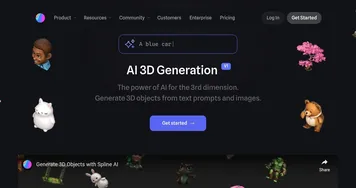
  3. Spline AI Spline AI Generate 3D objects, animations, and textures using prompts
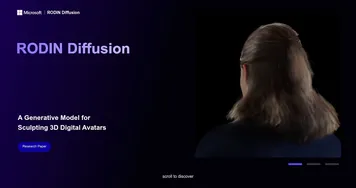
  4. RODIN Diffusion RODIN Diffusion A generative model for sculpting highly detailed 3D digital avatars
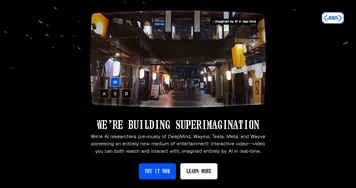
  5. Odyssey Odyssey Generates cinematic 3D worlds from images for film and gaming
  6. Blackshark.ai Blackshark.ai Creates photorealistic 3D digital twins from satellite imagery using AI
Last update: January 13, 2026
Share
Promote 3D AI Studio
light badge
Copy Embed Code
light badge
Copy Embed Code
light badge
Copy Embed Code
About Us | Contact Us | Suggest an AI Tool | Privacy Policy | Terms of Service

Copyright © 2026 Best AI Tools
415 Mission Street, 37th Floor, San Francisco, CA 94105