logo-darklogo-darklogo-darklogo-dark
  • Tool Categories
    • 🎨Art & Creative Design505
    • 🏢Business Management644
    • 💻Coding & Development515
    • 👮Detection83
    • 🧠General Use727
    • 🏥Health & Wellness55
    • 📷Image & Photo Analysis100
    • 🖼️Image Generation & Editing618
    • 📐Interior & Architectural Design37
    • 🎓Learning & Education483
    • ⚖️Legal & Finance90
    • 🎭Lifestyle & Entertainment236
    • 📢Marketing & Advertising627
    • 🎧Music & Audio138
    • 👔Office & Workplace1,014
    • 🔬Research & Data Analysis372
    • 👥Social Media245
    • 🎥Video Generation & Editing426
    • 👧🏻Virtual Companion135
    • 🎤Voice Generation & Editing381
    • ✍️Writing & Editing808
    • All Categories
    • AI Use Cases
  • News
  • Events
    • Academic Conferences
    • Developer Conferences
    • Expos / Trade Shows
    • Industry Summits
    • Workshops / Training
    • All Events
    • Past Events
  • Saved Tools
  • Suggest a Tool
✕
Home › Video Generation & Editing › Video Generation› Odyssey
Odyssey

Odyssey

Generates cinematic 3D worlds from images for film and gaming

Odyssey is an AI tool that generates photorealistic 3D worlds from 2D images for film, gaming, and interactive media. Its flagship feature, Explorer, uses gaussian splats to create detailed, editable 3D environments. Users input an image or text prompt, and the tool produces a 3D scene in about 10 minutes. These worlds are compatible with creative software like Blender, Houdini, and Unreal Engine. Odyssey’s recent collaboration with Garden Studios in London validated its use in virtual production stages. The tool is backed by Pixar co-founder Ed Catmull, emphasizing its focus on storytelling.

Explorer excels in photorealism. It can generate scenes like an abandoned industrial complex or a lush Japanese garden with high fidelity. The gaussian splat technology ensures intricate details, making worlds suitable for professional film and gaming projects. Outputs are editable, allowing creators to refine scenes in external tools. Odyssey is also exploring motion generation, with early research showing dynamic elements like flowing water or fire. This sets it apart from competitors like Runway, which focuses on video, and Luma AI, which generates simpler 3D models.

Generation time is a drawback, averaging 10 minutes per world. This can slow down rapid prototyping. The tool requires familiarity with 3D workflows, which may challenge beginners. Pricing details are not public, but Odyssey likely targets professional studios, making it potentially costlier than tools like Luma AI. Its focus on photorealistic 3D worlds is narrower than Runway’s broader video capabilities.

Odyssey’s strength lies in its cinematic output. It suits projects requiring immersive, high-quality environments. The tool is still developing, with plans to improve speed and add real-time generation. Motion features are in early stages but show promise.

For best results, use high-quality images as inputs. Test outputs in your preferred 3D software to ensure compatibility. Monitor Odyssey’s updates for faster generation and motion capabilities.

Visit Odyssey ↗
Categories
🎥 Video
📹 Video Generation 🎞️ Animation Generation 📝 Text to Video
🎨 Art
🧊 3D Modeling
💻 Coding
🎮 Game Generation
🖼️ Image
🧊 3D Imaging

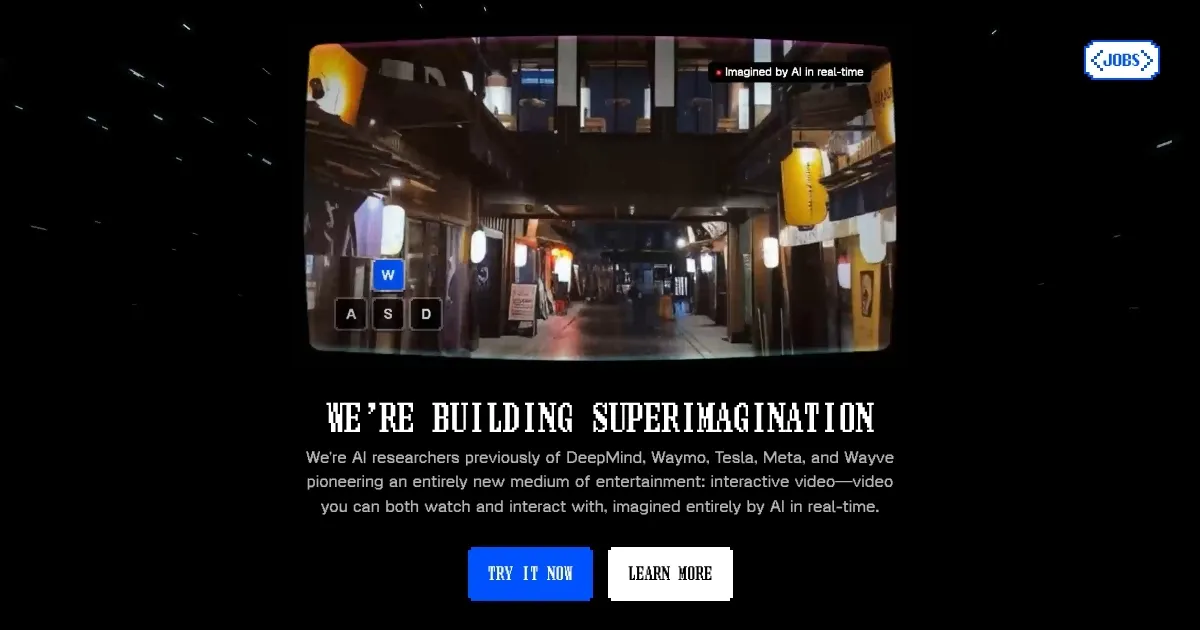
Homepage Screenshot 📸

Odyssey screenshot

Video Overview 🎬

Odyssey - Video Overview

What are the key features? ✨

  • Explorer: Transforms 2D images into detailed 3D worlds for film and gaming.
  • Gaussian Splats: Uses advanced 3D rendering for photorealistic environments.
  • Editable Outputs: Allows world customization in tools like Blender and Unreal.
  • Motion Research: Early work on dynamic elements like water and fire in 3D.
  • Virtual Production: Proven compatibility with professional studio workflows.

Who is it for? 🤔

Odyssey is designed for filmmakers, game developers, and creative studios aiming to craft immersive, photorealistic 3D environments without extensive manual modeling. It suits professionals comfortable with 3D workflows who need high-quality, editable worlds for projects like feature films, AAA games, or virtual production. Small studios and indie creators with some technical know-how can also benefit, though beginners might need time to adapt.

Examples of what you can use it for 💡

  • Filmmaker: Creates detailed 3D sets from concept art for virtual production.
  • Game Developer: Builds immersive game levels from simple image prompts.
  • Creative Studio: Prototypes photorealistic environments for client pitches.
  • Animator: Generates 3D backgrounds for animated films using text prompts.
  • VR Developer: Designs realistic virtual reality worlds for interactive experiences.

Pros & Cons ⚖️

  • Photorealistic 3D world generation
  • Editable in popular 3D tools
  • Suits film and gaming needs
  • 10-minute generation time
  • Steep learning curve

FAQs 💬

What is Odyssey’s main function?
Generates 3D worlds from images for film and gaming.
What is Explorer?
Odyssey’s flagship tool for creating photorealistic 3D environments.
What are gaussian splats?
A 3D rendering method for highly detailed, realistic scenes.
Can I edit Odyssey’s outputs?
Yes, worlds are editable in tools like Blender and Unreal.
How long does generation take?
About 10 minutes per 3D world.
Is Odyssey suitable for beginners?
Best for users familiar with 3D workflows.
What industries benefit most?
Film, gaming, and virtual production studios.
How does Odyssey compare to Runway?
Odyssey focuses on 3D worlds, Runway on video generation.
Is motion generation available?
It’s in early research, not fully available yet.
Where can I test Odyssey?
Check Odyssey’s website for trial or demo access.

Ready to try Odyssey?

Generates cinematic 3D worlds from images for film and gaming

Visit Odyssey ↗

Odyssey alternatives 🔗

  1. Kling AI Kling AI Generates cinematic videos from text or images with realistic motion
  2. Veo Veo Generates high-quality videos with audio from text or image prompts
  3. Runway Runway Generates and edits AI-powered videos from text prompts
  4. Sora Sora Generates hyperrealistic videos from text prompts with synchronized audio
  5. Adobe Firefly Adobe Firefly Generates images, videos, audio, and vectors using AI.
  6. Google AI Studio Google AI Studio Prototypes AI solutions using Gemini models in a browser-based IDE
Share
Odyssey screenshot enlarged
Promote Odyssey
light badge
Copy Embed Code
dark badge
Copy Embed Code
neutral badge
Copy Embed Code
Best AI Tools

Discover the best AI tools for any use case

Explore
  • Tool Categories
  • AI Use Cases
  • AI Events
  • AI News
  • Saved Tools
Company
  • About Us
  • Contact Us
  • Media & Partnerships
  • Suggest a Tool
Legal
  • Privacy Policy
  • Terms of Service
Copyright © 2026 Best AI Tools 415 Mission Street, 37th Floor, San Francisco, CA 94105