logo-darklogo-darklogo-darklogo-dark
  • Home
  • Browse
    • Assistant
    • Coding
    • Image
    • Productivity
    • Video
    • Voice
    • Writing
    • All Categories
    • AI Use Cases
  • My Favorites
  • Suggest a Tool
✕
Home › Art & Creative Design›
Published by Dusan Belic on October 8, 2024

A1.art

A1.art
A1.art Homepage
Categories Art & Creative Design
An AI platform that allows users to create and customize various digital artwork effortlessly

A1.art

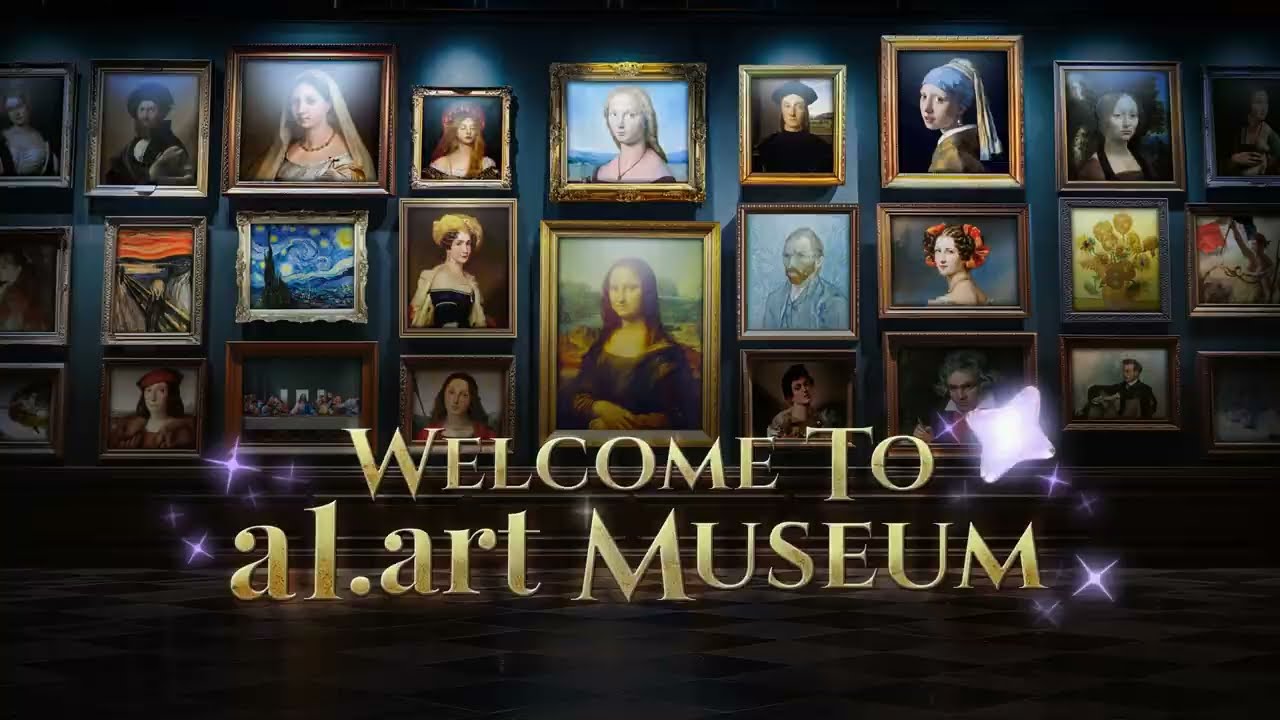
A1.art is an AI platform that allows users to create and customize various digital artwork effortlessly. It offers a range of features, including the ability to generate artistic portraits, transform personal photos into different art styles, and produce realistic avatars or cartoon characters.

Users can easily upload images, apply filters, or use prompts to create unique visual outputs. The platform is designed for casual users and professionals, offering templates for quick results while allowing deeper customization for those with specific artistic goals.

A1.art shines at generating personalized avatars inspired by themes like Star Trek, anime, and more — making it particularly popular among social media users looking for creative profile pictures. It also supports remixing famous characters, allowing users to reimagine iconic figures in new artistic contexts. Moreover, A1.art facilitates seamless background changes and the creation of high-quality ID photos that make it practical for various professional and personal use cases.

The platform runs on a freemium model, meaning users can start creating images for free — with advanced features and higher output quality requiring a paid subscription. This is meant to make it accessible to a broad audience, from hobbyists to digital marketers looking to streamline content creation.

All in all, A1.art is a user-friendly tool that democratizes the creation of AI-generated art, offering flexibility and simplicity to both beginners and more seasoned artists.

A1.art Homepage
Categories Art & Creative Design

Video Overview ▶️

A1.art - Video Overview

What are the key features? ⭐

  • AI art creation: AI-powered tools allow users to generate unique digital art, allowing for the creation of personalized and professional-grade artwork.
  • App building platform: A1.art enables users to create their own AI-driven art applications, expanding the creative possibilities for artists and developers.
  • Extensive library: The platform offers over 3,000 apps, including various avatar styles (e.g., anime, 3D) and creative tools like emoji packs and artistic fonts.
  • User-friendly interface: A1.art emphasizes simplicity, making it accessible for users of all skill levels, with intuitive tools that make AI art creation easy.
  • Cross-platform compatibility: The platform is web-based, allowing access from any device (desktop, tablet, or smartphone).

Who is it for? 🤔

A1.art targets a broad audience, including digital artists, content creators, designers, art collectors, and businesses looking to enhance their visual content. The platform's user-friendly tools make it ideal for both beginners and professionals. It also appeals to individuals interested in experimenting with AI to create personalized avatars, social media content, or professional digital art for various projects. Ultimately, it is built for anyone looking to merge creativity with advanced technology, offering a space for collaboration, exploration, and innovation in digital art.

Examples of what you can use it for 💭

  • Experiment with innovative digital artwork, blending AI and traditional techniques for unique creations
  • Creators can generate visually engaging images, avatars, and emojis to enhance social media presence and interactions
  • Designers and artists can use A1.art to produce high-quality digital art for client projects or portfolios
  • Explore and acquire AI-generated art, creating collections that bridge the gap between technology and traditional art forms

Pros & Cons ⚖️

  • Makes it easy to create digital art with AI
  • Over 3000 tools for different art styles
  • Suitable for all skill levels
  • The full set of features isn't free (and that's ok)

FAQs 💬

What is A1.art?
A1.art is an online AI platform that lets you generate images and videos from text prompts using thousands of creative apps and filters. It works like a big digital art studio where anyone can build or try out styles for portraits, scenes, or animations in seconds. I think it's especially handy for quick ideas without needing fancy skills.
How do I get started with A1.art?
Just head to the site, sign up for free, and pick an app or enter a prompt like "a cowboy girl in a desert." Hit run, and it spits out results you can tweak or share. No downloads needed, it all happens in your browser.
What kinds of content can I create on A1.art?
You can make static images, animated GIFs, short videos, avatars, couple photos, or even fitness-themed edits from selfies. Prompts for cultural festivals or fun scenes like "couples holding pandas" turn into vibrant outputs fast. It's versatile for personal or social media stuff.
Is A1.art suitable for beginners?
Absolutely, the interface is simple with ready-made templates and daily free credits to experiment. You don't need art training, just describe what you want, and the AI handles the rest. Some users say it feels intuitive right away.
Can I create videos with A1.art?
Yes, it supports AI video generation from prompts or images, like turning a portrait into an animated clip. Features include face swaps and motion effects, all in under five seconds for short ones. It's great for dynamic content without pro software.
What makes A1.art different from other AI art tools?
It stands out with over 5,000 user-built apps and millions of photo filters, plus an open community to remix ideas. Unlike some that lock you into one style, here you can build your own app in minutes. Probably the community aspect keeps it fresh.
Does A1.art work on mobile devices?
Yep, there's an Android app on Google Play for on-the-go generation, with the same text-to-image and style tools. It syncs with the web version, so your creations carry over. Users mention it's smooth without ads.
Can I customize or edit generated images on A1.art?
Sure, tools like inpainting, upscaling, and background removal let you refine outputs. Upload a photo and apply filters for things like vintage looks or emoji styles. It's not full Photoshop, but enough for quick polishes.
Is there a community or sharing feature in A1.art?
Definitely, you can browse recent generations, like user prompts for festivals or portraits, and run them yourself. Share your work easily, and the platform shows views and likes to see what's popular. Feels collaborative, like a shared art board.
What file formats does A1.art support for outputs?
It exports images as PNG or JPG, and videos in MP4, all in high-res up to ultra-HD after enhancing. You can download or share directly to socials. Keeps quality crisp without watermarks on free tiers.
Visit A1.art

Related tools ↙️

  1. MyArchitectAI MyArchitectAI Transforms architectural designs and sketches into photorealistic renders in seconds using AI
  2. SVG AI SVG AI Transforms text prompts into scalable vector icons and logos instantly
  3. Imajinn Imajinn Transforms user photos into artistic images and custom visuals using AI
  4. Typeset Typeset Automates design and writing for ebooks, presentations, and social graphics quickly
  5. Architect Render Architect Render Generates photorealistic architectural renderings from sketches, photos, or designs in seconds
  6. Flowstep Flowstep Generates user flows, wireframes, and UI designs from simple text prompts
Last update: December 21, 2025
Share
Promote A1.art
light badge
Copy Embed Code
dark badge
Copy Embed Code
neutral badge
Copy Embed Code
About Us | Contact Us | Suggest an AI Tool | Privacy Policy | Terms of Service

Copyright © 2026 Best AI Tools
415 Mission Street, 37th Floor, San Francisco, CA 94105