
Adobe Express

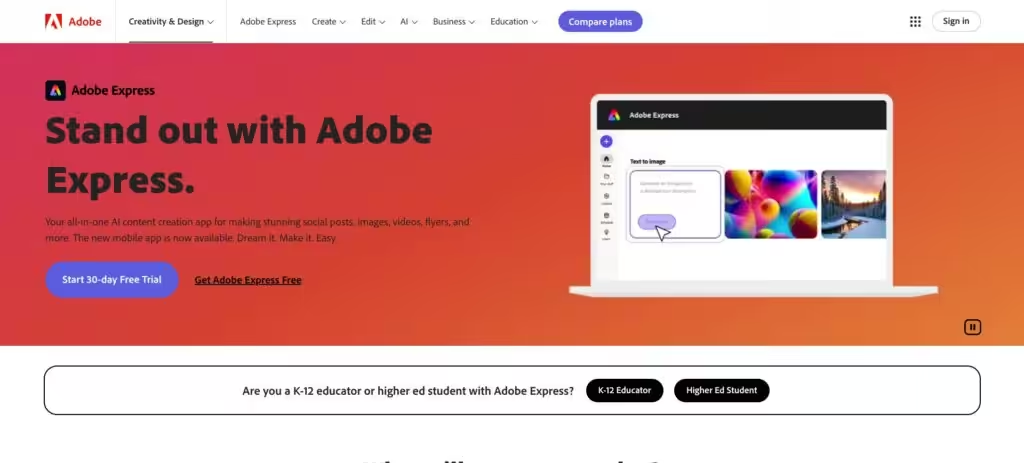
Adobe Express is a dynamic, AI-powered platform that enables you to create professional-grade designs, photos, and videos with ease. Its AI Assistant (beta) lets users prompt and refine content, making it simple to craft polished visuals without deep design skills. The tool integrates seamlessly with Adobe’s ecosystem, like Photoshop and Firefly, so brand assets are always within reach. You can create a flyer, edit a video, or resize content for social media in minutes, which is perfect for fast-paced workflows. The drag-and-drop video editing and one-click resize features stand out, streamlining tasks that usually take hours. It’s built for accessibility, syncing across desktop and mobile for on-the-go creation.
The brand kits feature, available on the Premium plan, ensures teams stay consistent with fonts and colors, a must for collaborative projects. Video editing is surprisingly intuitive, with bulk editing and self-recording options that make producing content feel effortless. The free plan offers a robust set of tools, including templates and basic editing, while the Premium plan unlocks advanced features like enhanced AI capabilities. Compared to competitors like Canva, Adobe Express offers tighter integration with Adobe’s suite, though Canva has a larger template library. Figma is another rival, but it’s more focused on UI/UX design than general content creation.
The AI Assistant, while innovative, is still in beta, so it can be inconsistent with complex prompts. It’s also limited to English, which might frustrate non-English speakers. The mobile app, although functional, lacks the desktop’s smoothness, which can slow down mobile workflows. Users seeking advanced customization may find Adobe Express less robust than Photoshop, but its simplicity is its greatest strength. The pricing model, with a free tier and a Premium option, feels competitive with Canva and similar tools, offering good value for small businesses or solo creators.
The resize feature is a highlight, allowing you to adapt designs for multiple platforms with a single click. This is ideal for social media managers who need to repurpose content fast. The video tools, including direct export to Vimeo, make it easy to create engaging clips without needing separate software. Teams benefit from real-time collaboration, especially with Creative Cloud integration, which keeps projects aligned. Students can utilize professional templates to enhance their class projects or portfolios.
Potential drawbacks include the beta status of some AI features, which can be perceived as experimental. Advanced users might crave more control, and mobile users may notice occasional performance hiccups. Still, the tool’s ease of use and cross-platform syncing make it a strong choice for quick, high-quality content creation. The free plan is generous, but teams will likely need the Premium plan for full functionality.
For new users, start with the free plan to explore templates and basic editing. Experiment with the AI Assistant for quick designs, and use the resize tool to test content across platforms. Teams should consider the Premium plan for collaboration and brand consistency. Start with simple projects to get a feel for the tool’s strengths.
Video Overview ▶️

What are the key features? ⭐
- AI Assistant: Generates and refines designs with user prompts.
- One-Click Resize: Adapts designs for various platforms instantly.
- Brand Kits: Applies consistent fonts and colors for teams.
- Video Editing: Simplifies video creation with drag-and-drop tools.
- Creative Cloud Integration: Syncs with Photoshop and Firefly.
Who is it for? 🤔
Examples of what you can use it for 💭
- Social Media Manager: Crafts platform-specific posts with one-click resizing.
- Small Business Owner: Designs flyers and logos with brand consistency.
- Student: Creates bold presentations using professional templates.
- Marketing Team: Collaborates in real-time with Creative Cloud integration.
- Content Creator: Edits videos with drag-and-drop and direct Vimeo export.
Pros & Cons ⚖️
- Intuitive AI-driven design tools
- Seamless Adobe ecosystem integration
- Fast one-click resize feature
- Robust free plan for beginners
- Beta AI can be inconsistent
- Mobile app lacks desktop polish








