logo-darklogo-darklogo-darklogo-dark
  • Home
  • Browse
    • Assistant
    • Coding
    • Image
    • Productivity
    • Video
    • Voice
    • Writing
    • All Categories
    • AI Use Cases
  • My Favorites
  • Suggest a Tool
✕
Home › Art & Creative Design›
Published by Dusan Belic on November 7, 2024

AI Genie

AI Genie
AI Genie Homepage
Categories Art & Creative Design

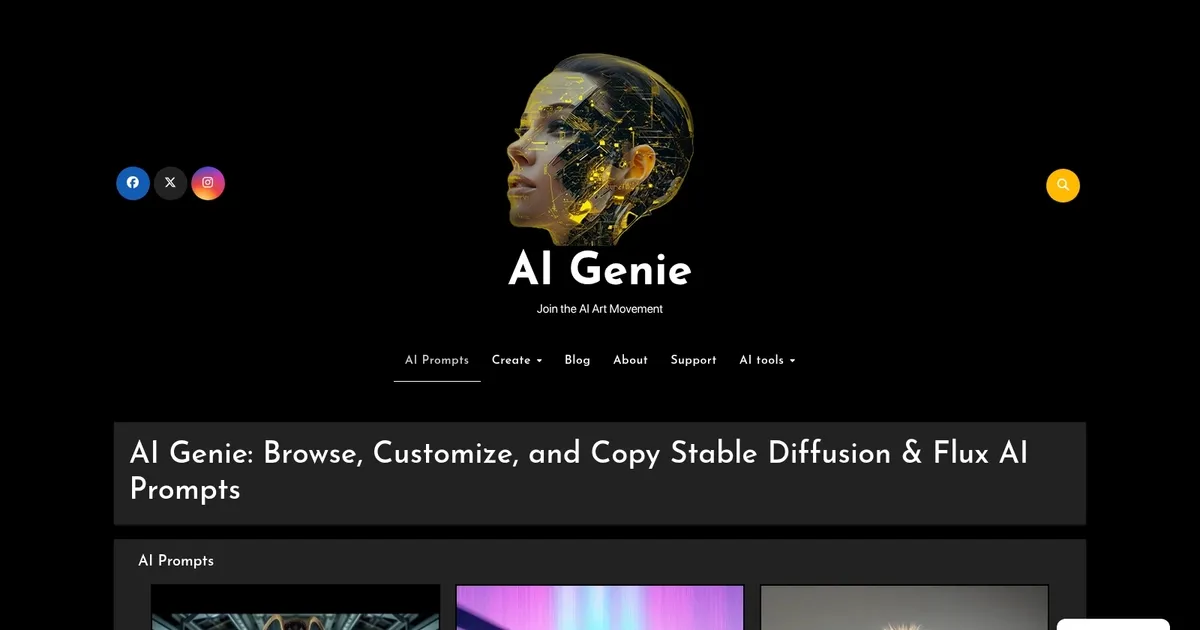
AI Genie - screenshot

Create and share unique AI-generated art with ease

AI Genie

AI Genie is a cutting-edge application designed to empower users to create and share unique AI-generated art. By leveraging advanced models like Stable Diffusion and Flux, the platform enables artists of all levels to transform their digital visions into reality. Users can craft detailed portraits, dynamic animations, and more — all through intuitive text prompts. This ensures that both novices and seasoned creators can easily navigate the tool’s features, fostering a seamless creative experience.

AI Genie comes with an extensive template library, which serves as a wellspring of inspiration for users. The “Inspire” button offers fresh ideas, while tools like outpainting and object replacement allow for expansive and personalized creations. These capabilities enable users to extend images beyond their original boundaries and replace elements within photos. In addition, AI Genie supports the generation of images and video clips.

Aside from its creative tools, AI Genie fosters a vibrant community where users can share their masterpieces and engage with fellow artists. This social aspect encourages collaboration and provides a platform for showcasing individual creativity. The app’s integration with social media allows for easy sharing of artwork and prompts, further enhancing its community-driven approach. Furthermore, AI Genie offers an integrated prompt generator that assists users in crafting effective prompts to guide the AI in producing desired outputs.

AI Genie is available for download on the App Store, making it accessible to a broad audience of iOS users.

By combining advanced AI technology with a focus on user experience and community engagement, AI Genie offers great creative control and opportunities for artists around the world.

AI Genie Homepage
Categories Art & Creative Design

What are the key features? ⭐

  • Prompt Browsing: Explore a curated collection of detailed, thematic prompts for Stable Diffusion and Flux models.
  • Prompt Customization: Easily edit and personalize any displayed prompt before copying it.
  • Copy to Clipboard: One-click copying of full prompt text for immediate use in AI generators.
  • User-Generated Content (UGC): Browse and draw inspiration from community-submitted prompts and ideas.
  • Stable Video Diffusion Focus: Many prompts include guidance for turning static images into short cinematic videos.

Who is it for? 🤔

AI Genie helps digital artists, hobbyist creators, content makers, and anyone experimenting with Stable Diffusion or Flux who wants inspiration without starting every prompt from scratch. Its especially useful for people who enjoy browsing ideas, refining language, and exploring cinematic or surreal styles but already have a preferred generation tool or interface.

Examples of what you can use it for 💭

  • Digital Artist: Quickly finds styled prompts to jumpstart concept art or character designs in Flux.
  • AI Art Hobbyist: Browses thematic examples to learn better prompting techniques and copy ready-to-tweak text.
  • Content Creator: Grabs cinematic image-to-video prompts for short social media clips or storyboards.
  • Surrealism Enthusiast: Discovers detailed romantic or dreamlike setups to experiment with in Stable Diffusion.
  • Beginner Prompt Engineer: Studies high-quality examples to understand how descriptive words influence output.

Pros & Cons ⚖️

  • Curated, high-quality prompts
  • Relaxed, blog-style browsing
  • Easy copy and edit
  • Video diffusion ideas included
  • No built-in generation
  • Limited search filters

FAQs 💬

What models does AI Genie support?
It focuses on prompts for Stable Diffusion and Flux, with many examples tailored for Stable Video Diffusion image-to-video workflows.
Can I generate images directly on AI Genie?
No, the platform provides prompts you copy and use in your preferred Stable Diffusion or Flux interface, such as Automatic1111, ComfyUI, or hosted services.
Is there a cost to use AI Genie?
The homepage shows no visible pricing or subscription walls; content appears freely accessible for browsing and copying.
How do I submit my own prompt?
Look for the UGC category or contact options; the site encourages community contributions but specific submission steps may require exploring further.
Are the prompts beginner-friendly?
Yes, many include clear explanations of style, mood, and parameters, making them useful for learning while still offering depth for advanced users.
Does it work with Flux models?
Yes, the site explicitly mentions Flux alongside Stable Diffusion, with prompts designed to perform well in both ecosystems.
Can I use these prompts commercially?
Prompt text itself is generally free to adapt, but always check the terms of the generator you use and any community guidelines for outputs.
Visit AI Genie

Related tools ↙️

  1. MyArchitectAI MyArchitectAI Transforms architectural designs and sketches into photorealistic renders in seconds using AI
  2. SVG AI SVG AI Transforms text prompts into scalable vector icons and logos instantly
  3. Imajinn Imajinn Transforms user photos into artistic images and custom visuals using AI
  4. Typeset Typeset Automates design and writing for ebooks, presentations, and social graphics quickly
  5. Architect Render Architect Render Generates photorealistic architectural renderings from sketches, photos, or designs in seconds
  6. Flowstep Flowstep Generates user flows, wireframes, and UI designs from simple text prompts
Last update: February 23, 2026
Share
Promote AI Genie
light badge
Copy Embed Code
dark badge
Copy Embed Code
neutral badge
Copy Embed Code
About Us | Contact Us | Suggest an AI Tool | Privacy Policy | Terms of Service

Copyright © 2026 Best AI Tools
415 Mission Street, 37th Floor, San Francisco, CA 94105





