logo-darklogo-darklogo-darklogo-dark
  • Home
  • Browse
    • Assistant
    • Coding
    • Image
    • Productivity
    • Video
    • Voice
    • Writing
    • All Categories
    • AI Use Cases
  • My Favorites
  • Suggest a Tool
✕
Home › Video Generation & Editing ›

AI Studios

Published by Dusan Belic on July 10, 2023

AI Studios by DeepBrain AI

AI
AI Studios Homepage
Categories Video Generation & Editing
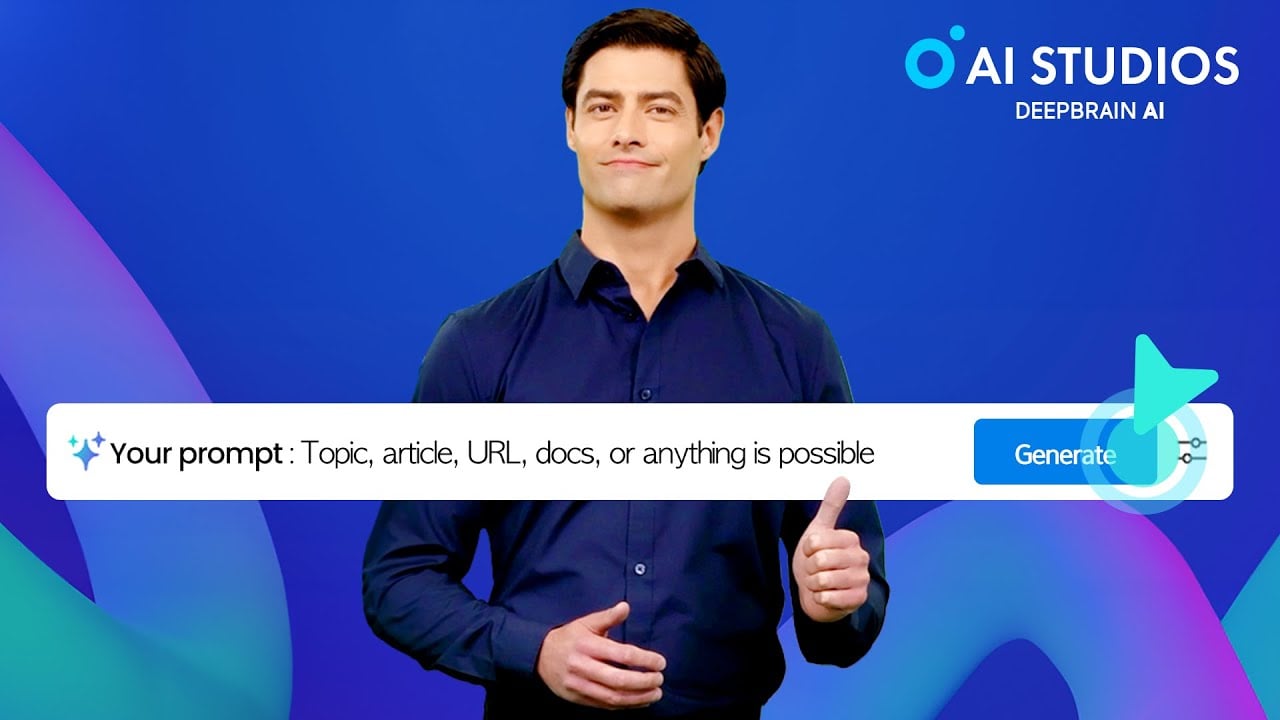
Generate videos qickly using simple text scripts

AI Studios

Formerly called DeepBrain AI, AI Studios is a sophisticated tool that aims to redefine video creation with the help of artificial intelligence. The platform can generate high-quality videos that incorporate lifelike AI avatars, offering a wide range of applications from marketing to educational content creation. Also, with the integration of ChatGPT – AI Studios can also create scripts, making the video production process both efficient and versatile.

Its suite of features includes a rich selection of text-to-speech options in over 80 languages, over 100 studio-quality voices, and the capacity to transform various forms of content — such as text, URLs, PDFs, blogs, articles, and PowerPoint presentations into engaging videos​​.

AI Studios’ avatars can mimic human movements and expressions closely, thereby enhancing the realism of the videos produced. The platform supports more than 80 languages and offers various customizable templates along with a straightforward interface.

As such, AI Studios is a cost-effective solution for video production, offering various pricing plans that make it accessible for individuals, small businesses, and larger enterprises looking for an efficient and high-quality video creation tool.

To sum it up, if you need an easy way to create a fancy video – check out AI Studios. Its ability to create lifelike, engaging, and professional videos with minimal effort and cost positions it as a valuable tool for a wide range of users. From marketers and content creators to educators and businesses, AI Studios offers a powerful platform to enhance their digital content and reach wider audiences. Pretty cool.

AI Studios Homepage
Categories Video Generation & Editing

Video Overview ▶️

What are the key features? ⭐

  • Lifelike AI avatars: AI Studios allows you to create videos using AI avatars that look and act like real humans. These avatars can also speak in natural tones and display realistic facial expressions and movements.
  • Multilingual support: With support for over 80 languages, AI Studios makes it easy to produce content for a global audience.
  • Integration with ChatGPT: AI Studios integrates seamlessly with ChatGPT, allowing you to generate scripts for your videos quickly.
  • Templates and editing tools: The platform offers over 65 templates and a variety of editing tools, making it easy to customize your videos to fit your style or brand.
  • Efficient video production: AI Studios eliminates the need for expensive equipment or hiring actors and crew, making professional video production accessible to everyone.

Who is it for? 🤔

AI Studios targets a broad market that includes marketers, businesses across various industries, content creators, educators, and fitness professionals. Marketers can use it to create compelling videos to showcase products or services, while businesses might leverage it for promotional content, training materials, or customer service videos. Content creators, including YouTubers and social media influencers, can enhance their digital presence with engaging AI-generated videos. In addition, educators and fitness professionals can produce instructional or motivational content, making complex information more accessible and workouts more engaging​​​​​​.

Examples of what you can use it for 💭

  • Create engaging and professional videos for marketing campaigns, advertisements, or social media posts
  • Educators and trainers can leverage AI Studios to produce instructional videos, online courses, or tutorials
  • Social media influencers can use AI Studios to craft captivating videos for platforms like Instagram, YouTube, or TikTok
  • Businesses can create AI-generated videos for customer service, offering FAQs, product explanations, or troubleshooting guides
  • Individuals can use AI Studios to create personalized video messages for events such as birthdays, anniversaries, or special occasions

Pros & Cons ⚖️

  • An easy way to create fancy videos
  • Great for marketers, educators, small businesses, etc.
  • Multi-language support helps you reach new audiences
  • The competition is fierce in this (video avatar) market

FAQs 💬

What is AI Studios, and who is it for?
AI Studios is a cloud-based AI platform by DeepBrain AI that lets you create professional videos from text, scripts, or URLs using realistic avatars and voices, no cameras or editing skills needed. It's ideal for content creators, marketers, educators, and businesses looking to produce quick, scalable videos for social media, e-learning, or ads. I think it shines most for beginners who want human-like results without the hassle.
How does AI Studios work for turning text into video?
You start by pasting a script or URL into the workspace, pick an avatar and voice, then the AI generates scenes, narration, and visuals automatically in minutes. It supports templates for faster starts, and you can tweak scripts for instant regenerations. Users say it's straightforward, probably cutting production time by hours.
Can I create custom AI avatars in AI Studios?
Yes, you can make custom avatars from a photo, short video clip, or even product images to match your brand or needs. With over 2,000 ready-made options, it's flexible for personalization. This feature might be a game-changer for marketers wanting tailored spokespeople.
What languages does AI Studios support for dubbing and translation?
It handles 150+ languages with natural dubbing, lip-sync, and voice cloning to keep the original tone intact. Perfect for global content, like turning English videos into Spanish ones seamlessly. Reviews highlight how accurate it feels, though complex accents could vary.
Is there a free version of AI Studios to try?
Absolutely, the free plan gives you limited credits for short videos, image generation, and basic dubbing to test core features. It's great for dipping your toes in without commitment. Just note caps on length and exports, so paid plans unlock more.
How realistic are the AI avatars and voices in AI Studios?
Avatars look and move like real people with natural expressions and lip-sync, backed by 2,000+ voices in various accents. They're powered by advanced models for emotional depth, but some users mention minor glitches in complex emotions. Overall, it probably fools most viewers at first glance.
What integrations does AI Studios offer?
It includes API access for automating workflows and connects with tools like ChatGPT for script generation or conversational avatars. No huge ecosystem yet, but it's enough for teams to embed in apps. This keeps things simple, I suppose.
Can AI Studios help with educational or marketing videos?
Yes, it excels at converting PDFs, PPTs, or product links into lectures or ads with avatars explaining concepts. Marketers love the UGC-style shorts for TikTok or YouTube. It's versatile, though you might need edits for super niche topics.
How secure is AI Studios for enterprise use?
It meets ISO 27001, SOC 2, and GDPR standards with deepfake detection and team controls. Enterprises get unlimited workspaces and support, making it trustworthy for sensitive content. Probably overkill for solo users, but solid.
What are some limitations of AI Studios?
Video generation can slow during peaks, and avatar customization has bounds for ultra-specific looks. It's not ideal for heavy animation needs. Still, for most text-to-video tasks, it delivers reliably.

Related tools ↙️

  1. muse.ai muse.ai Hosts and searches videos with AI-powered precision for seamless content management
  2. SendFame SendFame An AI-powered platform that lets users create personalized video messages with celebrity voices
  3. Boolvideo Boolvideo Turns text, ideas, or images into polished videos using AI automation
  4. Flux AI Flux AI Uses AI to generate images and videos from textual prompts and images
  5. AI Video Cut AI Video Cut Converts long videos into short, viral-ready clips for social media platforms
  6. Affogato Affogato An advanced platform for creating consistent, character-driven images and videos using AI
Last update: December 18, 2025
Share
Promote AI Studios
light badge
Copy Embed Code
light badge
Copy Embed Code
light badge
Copy Embed Code
About Us | Contact Us | Suggest an AI Tool | Privacy Policy | Terms of Service

Copyright © 2026 Best AI Tools
415 Mission Street, 37th Floor, San Francisco, CA 94105