muse.ai
Hosts and searches videos with AI-powered precision for seamless content management
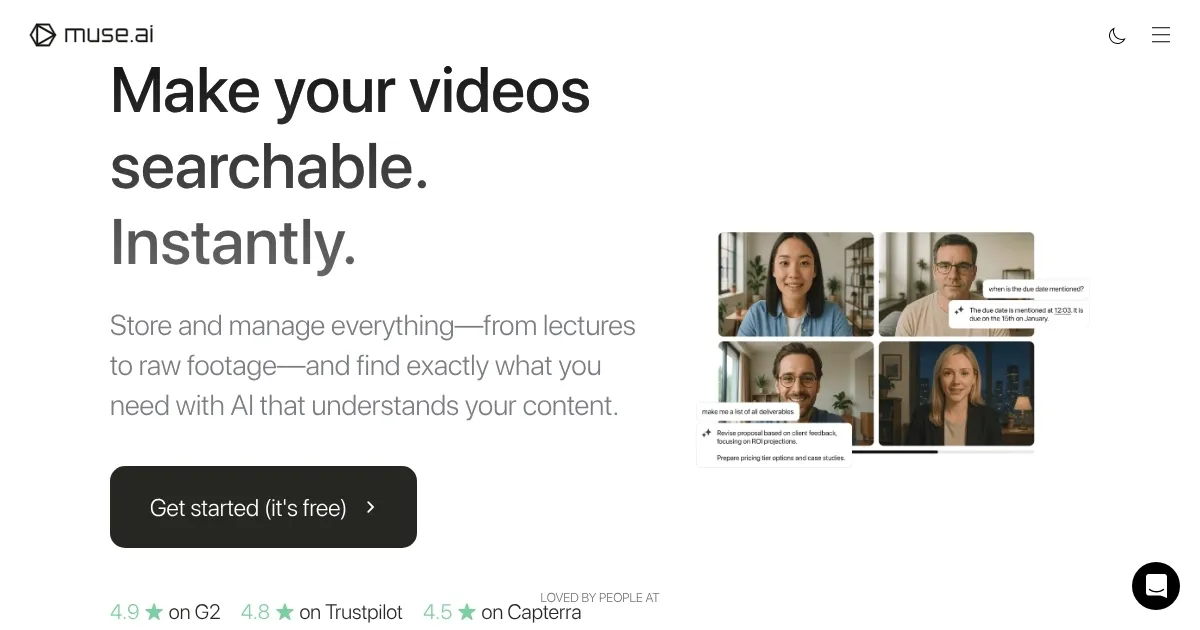
Muse.ai caught my attention with its promise: video hosting that’s not just a storage bin but a smart, searchable vault. I think it’s safe to say it delivers, and then some. This platform, born in San Francisco in 2015, is built for creators, educators, and businesses who want their videos to work harder. It’s not about flashy gimmicks; it’s about practical, AI-driven tools that make your video library feel alive. You upload a video, and Muse.ai’s artificial intelligence gets to work, analyzing speech, text, objects, and even actions to create a searchable index. Need to find the exact moment someone mentions “quarterly results” in a two-hour webinar? Type it in, and boom, you’re there.
The embedded player is a standout. It’s clean, customizable, and responsive, playing nicely on any device, from phones to smart TVs. You can tweak it with your own CSS for a branded look or stick with the user-friendly interface for quick setups. I particularly like the in-video search feature, which lets viewers jump to specific moments — say, a product demo in a long tutorial — without scrubbing through endlessly. The platform also supports AirPlay and Chromecast, so your audience can watch on their terms. Analytics are robust, tracking view counts, engagement, and time watched, giving creators insight into what’s resonating.
But it’s not perfect. Some users, especially those with non-English content like Arabic or Urdu, find the AI’s transcription and labeling less accurate, which can limit its usefulness for multilingual libraries. The lack of a free trial might also raise eyebrows — you have to commit upfront, though a 72-hour refund window softens the blow. Compared to competitors like Vimeo or Loom, Muse.ai’s pricing feels competitive for small teams, offering unlimited uploads and no bandwidth caps under a fair-use policy. However, Vimeo’s broader language support and Wistia’s marketing-focused tools might edge out for specific needs.
What surprised me? The clipping tool. You can snip short segments from long videos and share them instantly, perfect for social media teasers or highlighting key points. It’s a small feature but a game-changer for marketers. The platform also offers geo-restrictions, password protection, and limited-use links, giving you control over who sees your content. For educators, the ability to organize videos into collections and sub-collections makes it a breeze to manage course materials.
If you’re considering Muse.ai, start by uploading a few test videos to see how the AI indexing works for your content. Play with the embed options on your website to match your brand’s vibe. If you’re dealing with non-English videos, reach out to their support team first to confirm compatibility. It’s a solid choice for those who value searchability and flexibility, but test the waters before diving in fully.
Homepage Screenshot 📸
Video Overview 🎬
What are the key features? ✨
- In-Video Search: Finds specific moments by indexing speech, text, objects, and actions.
- Customizable Player: Embeds a responsive HTML5 player with CSS styling options.
- Analytics Dashboard: Tracks view counts, engagement, and watch time for insights.
- Clipping Tool: Creates short, shareable video segments from longer content.
- Team Collaboration: Adds seats for secure team access and content management.
Who is it for? 🤔
Examples of what you can use it for 💡
- Educator: Organizes lecture videos into collections for easy student access.
- Marketer: Embeds branded videos on websites with analytics for engagement tracking.
- Content Creator: Clips highlights from long videos for social media promotion.
- Business Owner: Shares password-protected training videos with team members.
- Event Organizer: Streams event recordings with searchable transcripts for attendees.
Pros & Cons ⚖️
- Advanced AI search finds exact video moments.
- Customizable player matches brand aesthetics.
- Robust analytics track viewer engagement.
- No free trial available.
- Non-English transcription less accurate.
FAQs 💬
Ready to try muse.ai?
Hosts and searches videos with AI-powered precision for seamless content management
Visit muse.ai