logo-darklogo-darklogo-darklogo-dark
  • Tool Categories
    • 🎨Art & Creative Design505
    • 🏢Business Management644
    • 💻Coding & Development514
    • 👮Detection83
    • 🧠General Use728
    • 🏥Health & Wellness55
    • 📷Image & Photo Analysis100
    • 🖼️Image Generation & Editing618
    • 📐Interior & Architectural Design37
    • 🎓Learning & Education483
    • ⚖️Legal & Finance90
    • 🎭Lifestyle & Entertainment236
    • 📢Marketing & Advertising627
    • 🎧Music & Audio138
    • 👔Office & Workplace1,014
    • 🔬Research & Data Analysis373
    • 👥Social Media245
    • 🎥Video Generation & Editing426
    • 👧🏻Virtual Companion135
    • 🎤Voice Generation & Editing381
    • ✍️Writing & Editing808
    • All Categories
    • AI Use Cases
  • News
  • Events
    • Academic Conferences
    • Developer Conferences
    • Expos / Trade Shows
    • Industry Summits
    • Workshops / Training
    • All Events
    • Past Events
  • Saved Tools
  • Suggest a Tool
✕
Home › Video Generation & Editing › Video Generation› Boolvideo
Boolvideo

Boolvideo

Turns text, ideas, or images into polished videos using AI automation

Boolvideo is an AI-powered platform that transforms text, ideas, or images into fully-edited videos with minimal user effort. It offers features like Script to Video, Idea to Video, and Animate Image with AI, targeting content creators, marketers, and businesses. The platform uses AI to generate scripts, select stock footage, add voiceovers, and apply transitions, producing videos in minutes. Its interface is intuitive, requiring no prior editing experience, and it integrates with social media for easy sharing.

Script to Video converts text into narrated videos with stock media, while Idea to Video generates content from basic concepts. Animate Image with AI turns static images into dynamic clips, ideal for product showcases. The template library offers customizable options for various platforms. Compared to Synthesia, Boolvideo is more user-friendly but less robust in avatar customization. Against Pictory, it offers faster rendering for short clips but struggles with longer videos.

Users appreciate the time-saving automation and template variety. The pricing is mid-range, competitive with tools like InVideo. However, rendering times for longer videos can be slow, and AI-selected visuals occasionally mismatch the input. Social media integration simplifies sharing, and the platform supports multiple formats like 16:9 or 9:16.

Drawbacks include limited control for complex projects and occasional AI missteps in visual selection. Recent user feedback on Reddit highlights the platform’s ease of use but notes the need for manual adjustments. The tool excels for quick, professional videos but isn’t suited for intricate editing.

To use Boolvideo effectively, input clear text or ideas, review AI-generated visuals, and leverage templates for platform-specific needs. Test the free trial to evaluate its fit for your workflow.

Visit Boolvideo ↗
Categories
🎥 Video
📹 Video Generation 📝 Text to Video ✏️ Video Editing 📲 Short Video Generation 📺 Commercial Generation
📢 Advertising
🎨 Ad Creative 🚀 Marketing

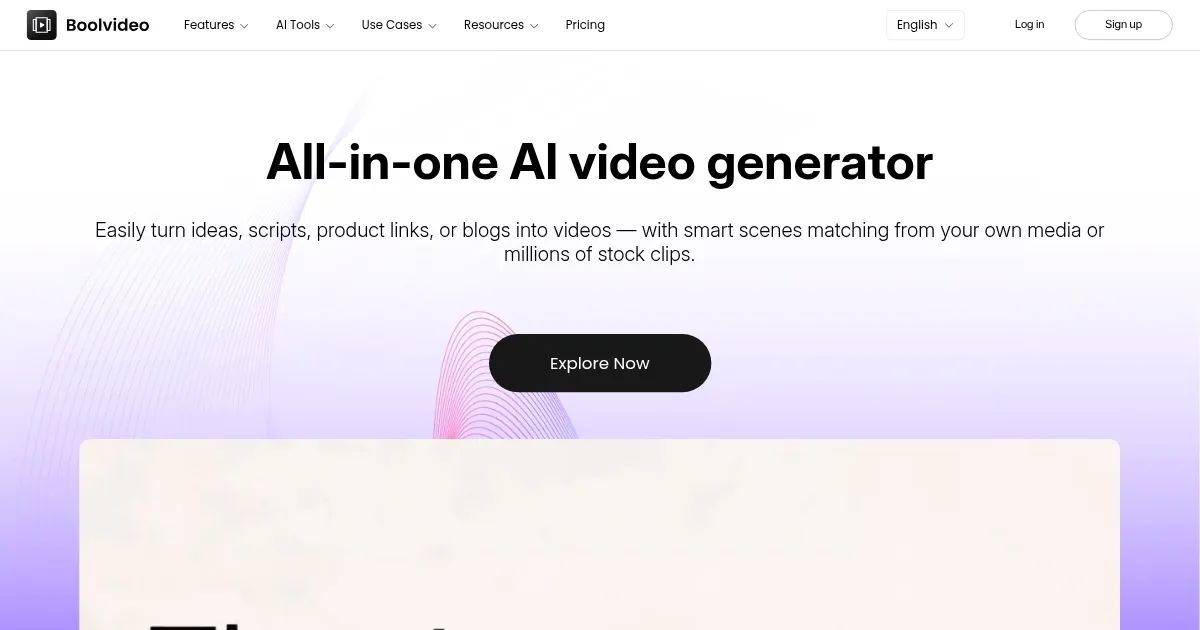
Homepage Screenshot 📸

Boolvideo screenshot

Video Overview 🎬

Boolvideo - Video Overview

What are the key features? ✨

  • Script to Video: Converts text into narrated videos with stock footage.
  • Idea to Video: Generates scripts and videos from basic concepts.
  • Animate Image with AI: Turns static images into dynamic video clips.
  • Template Library: Offers customizable video templates for various platforms.
  • Social Media Integration: Enables direct export to platforms like Instagram.

Who is it for? 🤔

Boolvideo is designed for content creators, small business owners, social media managers, and marketers who need quick, professional videos without advanced editing skills. Its AI-driven automation suits those with limited time or resources, such as entrepreneurs launching products or educators creating engaging content, making video production accessible and efficient.

Examples of what you can use it for 💡

  • Social Media Manager: Creates platform-specific videos for Instagram or TikTok.
  • Small Business Owner: Produces product promos from images or descriptions.
  • Content Creator: Turns blog posts into engaging video content with voiceovers.
  • Educator: Converts lesson outlines into visual presentations for students.
  • Marketer: Generates quick ad videos from campaign ideas or scripts.

Pros & Cons ⚖️

  • Fast video generation
  • Varied template library
  • Natural AI voiceovers
  • Limited advanced editing

FAQs 💬

What types of input can Boolvideo process?
Boolvideo accepts text, ideas, product links, or images to generate videos.
Do I need editing experience to use Boolvideo?
No, the platform is designed for users with no editing skills.
Can I customize the AI-generated videos?
Yes, you can tweak visuals, text, and templates to fit your needs.
Which platforms can I export videos to?
Boolvideo supports direct export to Instagram, YouTube, and more.
Is there a free trial available?
Yes, Boolvideo offers a free trial to test its features.
How long does it take to create a video?
Most videos are generated in minutes, depending on length.
Does Boolvideo support voiceovers?
Yes, it provides AI-generated voiceovers with natural tones.
Can I use Boolvideo for long-form content?
It’s best for short videos due to slower rendering for longer ones.
Are the templates platform-specific?
Yes, templates are tailored for platforms like TikTok and LinkedIn.
How does Boolvideo compare to competitors?
It’s more user-friendly than Synthesia but less robust for complex edits.

Ready to try Boolvideo?

Turns text, ideas, or images into polished videos using AI automation

Visit Boolvideo ↗
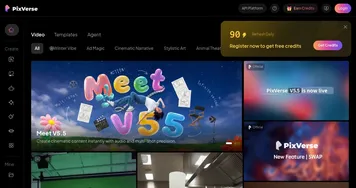

Boolvideo alternatives 🔗

  1. Kling AI Kling AI Generates cinematic videos from text or images with realistic motion
  2. Veo Veo Generates high-quality videos with audio from text or image prompts
  3. Runway Runway Generates and edits AI-powered videos from text prompts
  4. Sora Sora Generates hyperrealistic videos from text prompts with synchronized audio
  5. Adobe Firefly Adobe Firefly Generates images, videos, audio, and vectors using AI.
  6. Google AI Studio Google AI Studio Prototypes AI solutions using Gemini models in a browser-based IDE
Share
Boolvideo screenshot enlarged
Best AI Tools

Discover the best AI tools for any use case

Explore
  • Tool Categories
  • AI Use Cases
  • AI Events
  • AI News
  • Saved Tools
Company
  • About Us
  • Contact Us
  • Media & Partnerships
  • Suggest a Tool
Legal
  • Privacy Policy
  • Terms of Service
Copyright © 2026 Best AI Tools 415 Mission Street, 37th Floor, San Francisco, CA 94105