logo-darklogo-darklogo-darklogo-dark
  • Tool Categories
    • ๐ŸŽจArt & Creative Design505
    • ๐ŸขBusiness Management644
    • ๐Ÿ’ปCoding & Development514
    • ๐Ÿ‘ฎDetection83
    • ๐Ÿง General Use728
    • ๐ŸฅHealth & Wellness55
    • ๐Ÿ“ทImage & Photo Analysis100
    • ๐Ÿ–ผ๏ธImage Generation & Editing618
    • ๐Ÿ“Interior & Architectural Design37
    • ๐ŸŽ“Learning & Education483
    • โš–๏ธLegal & Finance90
    • ๐ŸŽญLifestyle & Entertainment236
    • ๐Ÿ“ขMarketing & Advertising627
    • ๐ŸŽงMusic & Audio138
    • ๐Ÿ‘”Office & Workplace1,014
    • ๐Ÿ”ฌResearch & Data Analysis373
    • ๐Ÿ‘ฅSocial Media245
    • ๐ŸŽฅVideo Generation & Editing426
    • ๐Ÿ‘ง๐ŸปVirtual Companion135
    • ๐ŸŽคVoice Generation & Editing381
    • โœ๏ธWriting & Editing808
    • All Categories
    • AI Use Cases
  • News
  • Events
    • Academic Conferences
    • Developer Conferences
    • Expos / Trade Shows
    • Industry Summits
    • Workshops / Training
    • All Events
    • Past Events
  • Saved Tools
  • Suggest a Tool
โœ•
Home › Video Generation & Editing › Video Generation› Visla AI Video Generator
Visla AI Video Generator

Visla AI Video Generator

Transforming ideas into engaging educational content, ads, film prototypes, and briefings

Visla AI Video Generator offers a suite of video creation and editing options designed to simplify and enhance the process for a wide range of users, from businesses to individual creators.

Its features include the conversion of ideas, text, scripts, blogs, and audio into high-quality videos. However, its main focus is on generating engaging video content swiftly and efficiently with features such as video montage making, narrated visual storytelling, an AI step recorder, auto subtitle generation, and an automatic video editor.

Further extending its utility, Visla AI Video Generator integrates several editing functionalities like background music addition, filler word removal, scene-based editing, video transitions, voice-overs, and text graphics, among others. It is also made for collaboration with features like screen and video recording, teleprompting, and direct video sharing.

In a nutshell, Visla AI Video Generator is an all-encompassing solution for creating promotional, educational, or entertainment video content.

Visit Visla AI Video Generator ↗
Categories
๐ŸŽฅ Video
๐Ÿ“น Video Generation ๐Ÿ“ Text to Video โœ๏ธ Video Editing ๐Ÿ“œ Script To Video Generation ๐Ÿ“ฒ Short Video Generation โบ๏ธ Video Recording
๐Ÿ“ข Advertising
๐Ÿš€ Marketing

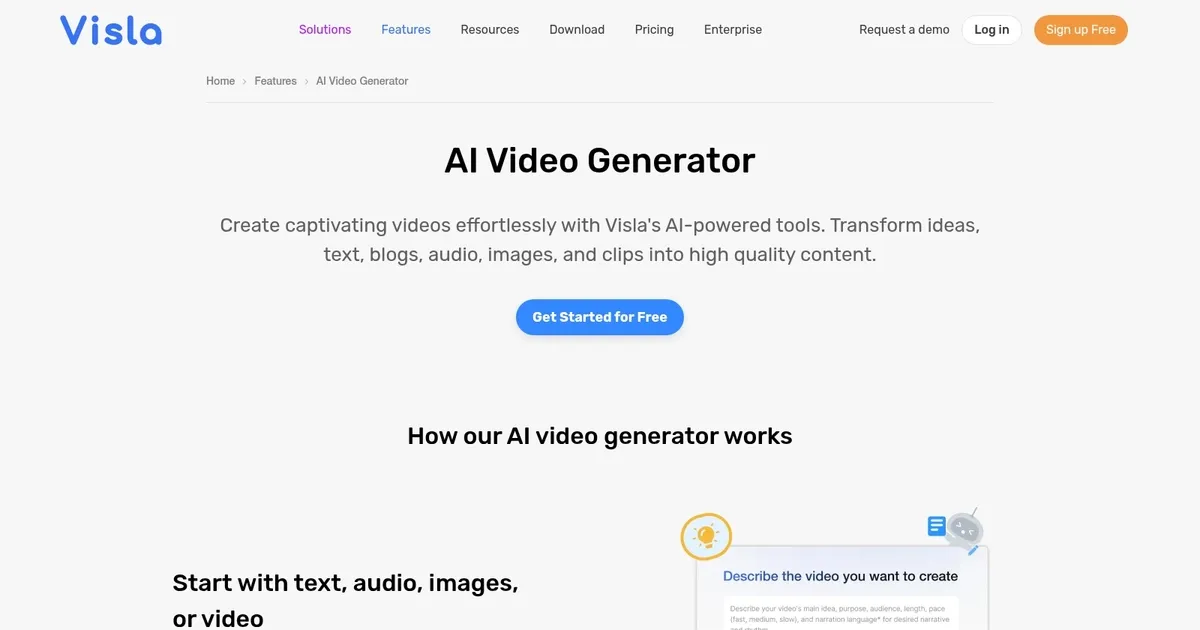
Homepage Screenshot 📸

Visla AI Video Generator screenshot

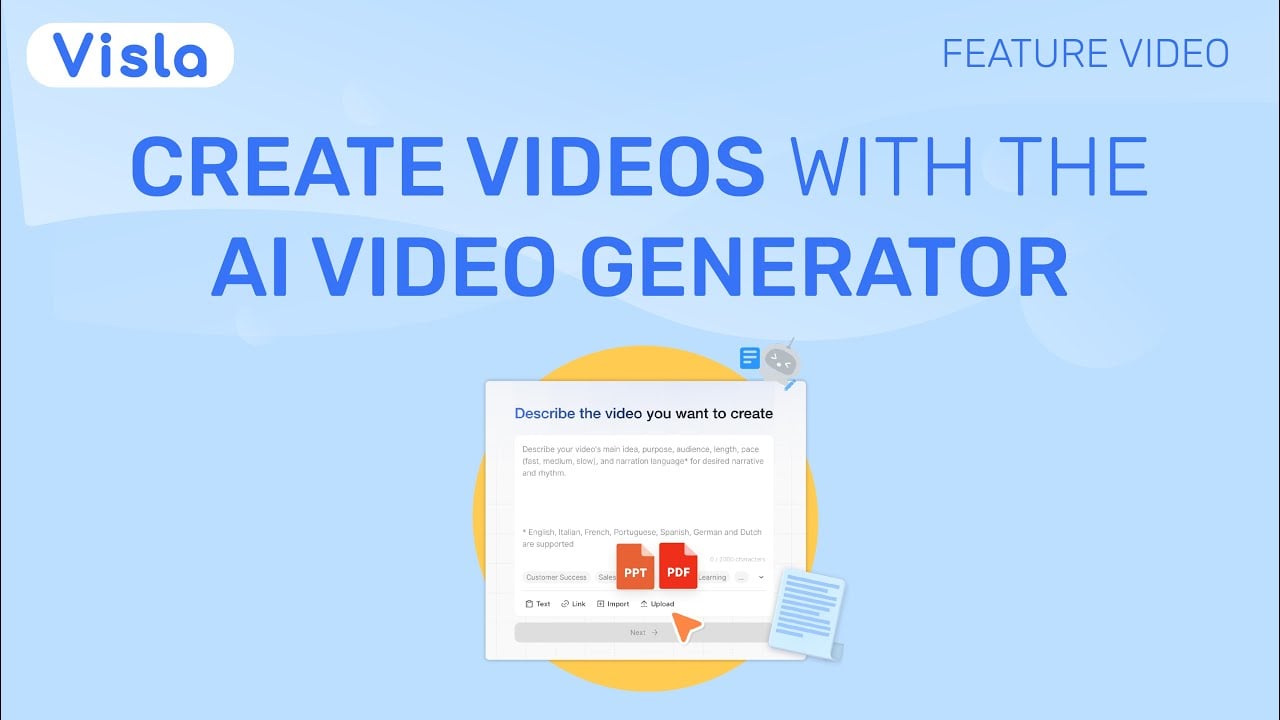
Video Overview 🎬

Visla AI Video Generator - Video Overview

What are the key features? ✨

  • AI Video Generator: Automatically creates full videos from text, scripts, URLs, audio, PDFs, or footage with voice, visuals, and music.
  • Scene-Based Video Editor: Allows intuitive rearranging, swapping, and fine-tuning of video scenes without complex timelines.
  • Custom AI Avatars: Generates personalized on-screen presenters from photos or prompts with customizable appearance and voice.
  • Branding Tools: Applies consistent fonts, colors, logos, intros, and outros using brand kits across all videos.
  • Voiceovers & Subtitles: Produces natural AI narration in multiple languages and automatically adds synchronized subtitles.

Who is it for? 🤔

Visla suits marketing teams, sales professionals, educators, customer success managers, HR specialists, and product teams who need to produce video content regularly but lack time, budget, or editing skills for traditional production. Its strength lies in quickly turning existing materialsโ€”blogs, recordings, decksโ€”into professional-looking videos for training, explainers, social posts, or internal updates, making it especially helpful for non-video experts who still want consistent, on-brand results at scale.

Examples of what you can use it for 💡

  • Marketing teams: Quickly convert blog posts, campaign ideas, or webpages into branded promotional or explainer videos for social media and email.
  • Educators: Transform lesson scripts, PDFs, or lecture audio into engaging instructional videos with visuals and subtitles for online courses.
  • Sales professionals: Create personalized pitch videos from product details or customer case studies using custom avatars and voiceovers.
  • HR departments: Repurpose policy documents or training recordings into polished onboarding or compliance videos for employees.
  • Customer success teams: Turn meeting notes or support transcripts into short highlight or tutorial videos to share with clients.

Pros & Cons ⚖️

  • Fast content repurposing
  • Intuitive scene editor
  • Strong branding options
  • Flexible input types
  • Free tier limits credits
  • Occasional generic visuals

FAQs 💬

What types of input can Visla accept to generate a video?
Visla accepts text prompts, full scripts, webpage URLs, audio files, video footage, PDFs, PowerPoint files, images, and blog posts.
Does Visla offer a free plan?
Yes, the free plan includes core AI video generation features, though with limits on credits, premium assets, and advanced customization.
Can I create custom AI avatars in Visla?
Yes, you can upload a photo or use a prompt to generate a custom avatar, with more advanced options available on paid plans.
Is Visla suitable for team collaboration?
Yes, it provides shared workspaces, private stock libraries, and scene-specific comments to support team video production.
How does Visla compare to Synthesia?
Visla offers more flexible input types and repurposing tools, while Synthesia focuses more on highly realistic avatar-based presenter videos.
Can Visla add subtitles automatically?
Yes, it generates and synchronizes subtitles automatically as part of the video creation process.
Does Visla support brand consistency across videos?
Yes, brand kits let you lock in fonts, colors, logos, intros, and outros for consistent output.
What happens if the first AI draft isn't perfect?
Use the scene-based editor to rearrange, replace clips, adjust voiceovers, or tweak pacing until it matches your vision.
Can Visla handle long audio files like podcasts?
Yes, it summarizes long audio, extracts highlights, adds visuals, and produces a shorter, polished recap video.
Is Visla good for beginners with no editing experience?
Yes, its AI handles most heavy lifting and the editor stays simple, so beginners can create professional videos quickly.

Ready to try Visla AI Video Generator?

Transforming ideas into engaging educational content, ads, film prototypes, and briefings

Visit Visla AI Video Generator ↗

Visla AI Video Generator alternatives 🔗

  1. Kling AI Kling AI Generates cinematic videos from text or images with realistic motion
  2. Veo Veo Generates high-quality videos with audio from text or image prompts
  3. Runway Runway Generates and edits AI-powered videos from text prompts
  4. Sora Sora Generates hyperrealistic videos from text prompts with synchronized audio
  5. Adobe Firefly Adobe Firefly Generates images, videos, audio, and vectors using AI.
  6. Google AI Studio Google AI Studio Prototypes AI solutions using Gemini models in a browser-based IDE
Share
Visla AI Video Generator screenshot enlarged
Best AI Tools

Discover the best AI tools for any use case

Explore
  • Tool Categories
  • AI Use Cases
  • AI Events
  • AI News
  • Saved Tools
Company
  • About Us
  • Contact Us
  • Media & Partnerships
  • Suggest a Tool
Legal
  • Privacy Policy
  • Terms of Service
Copyright © 2026 Best AI Tools 415 Mission Street, 37th Floor, San Francisco, CA 94105