logo-darklogo-darklogo-darklogo-dark
  • Home
  • Browse
    • Assistant
    • Coding
    • Image
    • Productivity
    • Video
    • Voice
    • Writing
    • All Categories
    • AI Use Cases
  • My Favorites
  • Suggest a Tool
✕
Home › Art & Creative Design / Image Generation & Editing ›

AnimeGenius

Published by Dusan Belic on September 30, 2024

AnimeGenius by Live3D
AnimeGenius
AnimeGenius Homepage
Categories Art & Creative DesignImage Generation & Editing
Create anime-style art from text descriptions, images, or pose-based inputs

AnimeGenius

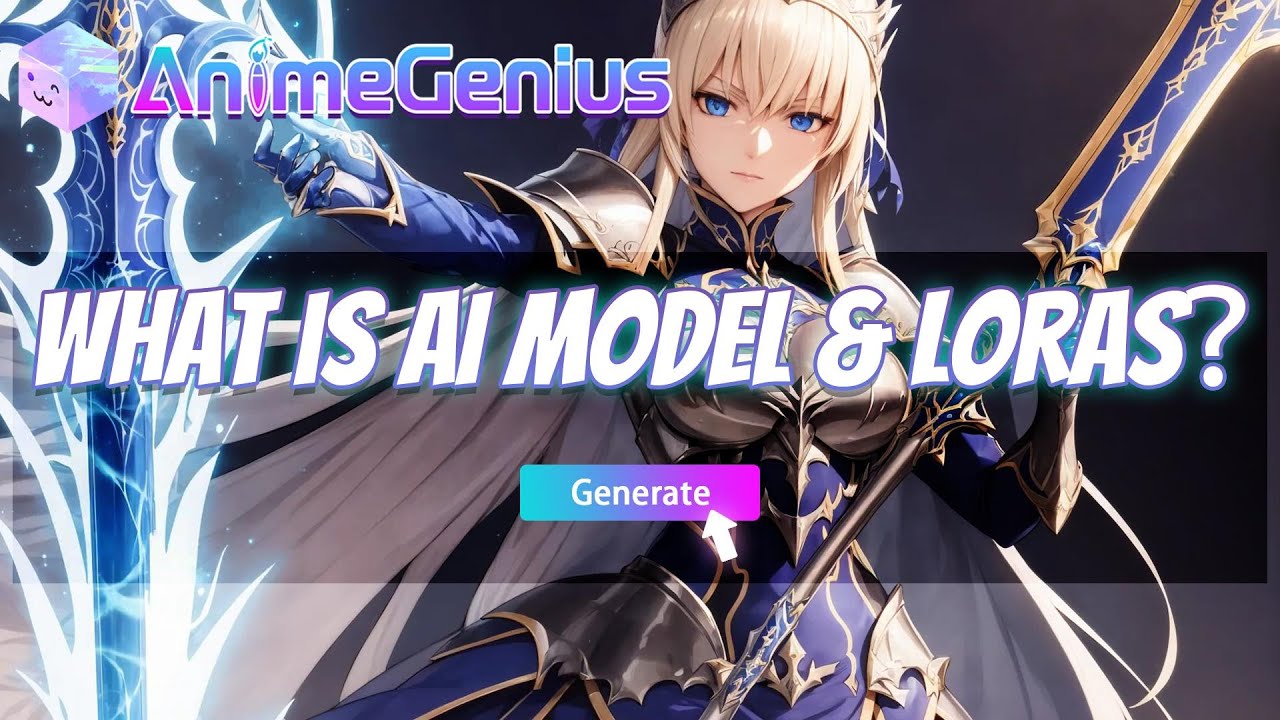
AnimeGenius is an AI-powered tool for creating anime-style art from text descriptions, images, or pose-based inputs. Developed by Live3D, the platform is accessible to users without any drawing or technical skills, allowing anyone to produce high-quality anime art with simple prompts. This, in turn, makes it ideal for anime enthusiasts, digital artists, and writers looking to visualize their characters or scenes.

AnimeGenius offers Text-to-Image capability, which (as you can imagine) allows users to input descriptive prompts and generate detailed anime visuals. Moreover, there’s the Image-to-Image function that can transform regular photos into anime-style artworks, retaining the essence of the original while applying a creative anime filter. Plus, we let’s not forget the Pose-to-Image feature, which can generate anime art based on specific 3D poses.

AnimeGenius also supports animation, enabling users to add movement to their static images — which can be useful for storytellers or digital content creators who want to animate their characters without the need for complex software. This dynamic image generation is praised for its ability to bring static scenes to life.

However, we should also mention that the interface can be overwhelming for new users due to AnimeGenius’ many features, and the focus on anime styles might restrict users seeking different artistic aesthetics. However, this tool caters to its niche audience with its variety of models and styles, including NSFW options for those interested.

The platform offers multiple pricing tiers, starting with a free plan that provides 50 daily credits for basic usage. For more demanding users, premium plans offer additional credits and higher-resolution outputs — making the tool scalable for both casual users and professionals. So, if you’re into anime – you may want to try out AnimeGenius.

AnimeGenius Homepage
Categories Art & Creative DesignImage Generation & Editing

Video Overview ▶️

What are the key features? ⭐

  • Text-to-Anime: You can input a text description and generate high-quality anime-style artwork without any need for drawing skills.
  • Image-to-Image: This feature allows users to upload real-world images and transform them into anime versions, blending realism with anime aesthetics.
  • Real-time art generation: AnimeGenius lets you quickly turn sketches or simple drawings into fully detailed anime art.
  • Animation capabilities: The tool can animate static anime images, allowing users to create short video clips or GIFs from their artwork.
  • Customizable character design: Users can create their own unique anime characters by selecting different facial features, outfits, and styles.

Who is it for? 🤔

AnimeGenius targets a broad spectrum of users, including anime enthusiasts, professional artists, writers, and game developers. The platform offers user-friendly tools that cater to both casual users looking to create anime-style art for fun and professionals needing high-quality, customizable character designs or animations for their projects. Its range of features also makes it accessible to social media creators who want unique anime visuals for their content.

Examples of what you can use it for 💭

  • Create character designs, illustrations, and even dynamic storyboards
  • Authors and comic creators can use it to generate visuals for their stories
  • Create fan art or customize their own characters using photos or ideas
  • Generate character concepts and environments for anime-inspired games quickly
  • Social media users can use AnimeGenius to create eye-catching anime-style visuals to enhance their online content

Pros & Cons ⚖️

  • Produces detailed, high-resolution anime images
  • Offers numerous anime art styles and themes
  • Offers basic features for free
  • Some features might be complex for new users

FAQs 💬

What is AnimeGenius?
AnimeGenius is an AI-powered tool from Live3D that lets users create anime-style art, images, and short videos from text prompts, photos, or sketches. It uses models like Stable Diffusion to generate high-quality outputs in over 100 styles, making it simple for beginners to produce custom characters or scenes without drawing skills.
How do I get started with AnimeGenius as a new user?
Sign up on the website with an email, and you'll get free daily credits to experiment right away. Start by entering a text prompt in the generator, or upload an image for transformations like photo-to-anime, then tweak styles or poses for your results.
What kinds of anime art can AnimeGenius create?
It handles everything from character designs and manga panels to pixel art, fursonas, and wallpapers in styles like chibi, furry, or Studio Ghibli-inspired. Specialized generators cover tattoos, Pokemon, and shotas too, all based on your inputs.
Does AnimeGenius support video generation?
Yes, it turns static images into animated videos or uses video-to-video to add motion to characters. This works great for short clips, like animating a pose or scene, though complex actions might need prompt refinements for smoothness.
Is AnimeGenius suitable for beginners?
Absolutely, the interface is straightforward with tutorials and a 3D pose editor that guides you step by step. Even without AI experience, you can generate pro-looking art quickly, and the community shares tips for better prompts.
What unique tools does AnimeGenius offer?
Standouts include real-time painter for doodle-to-anime conversion, face swap for character swaps, and an AI upscaler to enhance low-res images. There's also a comic maker for assembling panels and an image-to-prompt tool to refine ideas.
Can I use my own photos in AnimeGenius?
Sure, upload a photo for image-to-image conversion, turning real faces or scenes into anime styles with ControlNet for accurate outlines. It's popular for VTuber avatars or personal fan art.
How customizable are the generations in AnimeGenius?
You control styles, poses, and details via prompts or uploads, with over 100 filters and LoRAs for tweaks like cyberpunk or kawaii. Outputs are watermark-free on free tiers, and editing happens in-browser.
What mobile options exist for AnimeGenius?
No dedicated app yet, but the site is mobile-optimized for on-the-go creation. Access it via browser to generate art anywhere, though desktop works best for detailed editing.
Is there a community for sharing AnimeGenius creations?
Yes, explore the art gallery and OC rankings on-site, or join forums like Reddit and Product Hunt for feedback. Users often share prompts and collaborate, boosting inspiration for new projects.

Related tools ↙️

  1. Zillow 3D Home Zillow 3D Home Creates free virtual 3D home tours and interactive floor plans for real estate listings
  2. Luw.ai Luw.ai Transforms photos into stunning interior and exterior designs using AI
  3. Dream Interpreter AI Dream Interpreter AI An AI art generator that looks like it analyzes the hidden meanings in dreams
  4. Finch Finch The generative copilot for architects to optimize their designs
  5. OpenArt OpenArt A versatile AI-powered platform for generating and enhancing images and art.
  6. Interior AI Interior AI AI interior designer for the rooms in your home
Last update: December 22, 2025
Share
Promote AnimeGenius
light badge
Copy Embed Code
light badge
Copy Embed Code
light badge
Copy Embed Code
About Us | Contact Us | Suggest an AI Tool | Privacy Policy | Terms of Service

Copyright © 2026 Best AI Tools
415 Mission Street, 37th Floor, San Francisco, CA 94105