logo-darklogo-darklogo-darklogo-dark
  • Home
  • Browse
    • Assistant
    • Coding
    • Image
    • Productivity
    • Video
    • Voice
    • Writing
    • All Categories
    • AI Use Cases
  • My Favorites
  • Suggest a Tool
✕
Home › Design Generation / Image Generation & Editing›
Published by Dusan Belic on June 4, 2025

Autodraft

Autodraft
Autodraft Homepage
Categories Design GenerationImage Generation & Editing
An AI-powered platform that can transform text prompts into vivid visuals

Autodraft

Autodraft is an AI-powered platform that can transform text prompts into vivid visuals, making it useful for storytellers and content creators. More than “yet another AI image generator,” it offers tools like character consistency, pose creation, and background editing — setting it apart from the crowd. For those aiming to craft comics, webtoons, or animations, Autodraft could be the secret ingredient to elevate their projects.

The tool can understand your description of a scene and quickly turn it into an image with consistent characters and settings. Autodraft’s AI ensures that your characters maintain their appearance across multiple scenes, an invaluable feature for maintaining narrative continuity. This capability is a must for creators who want to produce serialized content without the hassle of redrawing characters repeatedly.

Aside from character consistency, Autodraft offers tools like the Pose Maker — allowing users to define specific stances for their characters. This feature provides flexibility in storytelling, enabling dynamic scenes and interactions. In addition, the platform’s background removal and replacement tools simplify setting scenes to give creators more control over their visual narratives.

While Autodraft shines in many areas, we should add that some users have reported occasional server issues and longer rendering times. However, the platform’s continuous updates and responsive support team indicate a commitment to improvement.

In a market filled with AI tools, Autodraft stands out by focusing on the needs of visual storytellers. Its emphasis on character consistency and storytelling tools positions it as a valuable asset for creators focused on narrative-driven content.

Autodraft Homepage
Categories Design GenerationImage Generation & Editing

Video Overview ▶️

Autodraft - Video Overview

What are the key features? ⭐

  • Character consistency: Ensures that characters maintain the same appearance across different scenes, eliminating the need for repetitive redrawing.
  • Pose maker: Allows users to define specific poses for characters, enhancing storytelling by enabling dynamic scenes and interactions.
  • Background editing: Offers tools to remove and replace backgrounds, giving creators the flexibility to set scenes without extensive editing.
  • Text-to-image generation: Transforms written descriptions into visuals, allowing creators to quickly visualize scenes and characters.
  • Creative upscaling: Enhances image quality to ensure that visuals remain sharp and detailed even when enlarged.

Who is it for? 🤔

Autodraft is designed for content creators, educators, marketers, and storytellers who seek to produce visually consistent and engaging materials. Its user-friendly interface makes it accessible to beginners, while its advanced features cater to the needs of professionals. So, whether you're crafting a comic series, developing educational content, or designing marketing visuals - Autodraft offers tools to bring your ideas to fruition.

Examples of what you can use it for 💭

  • Streamline the process of developing comic strips by providing tools for consistent character design and dynamic scene setting
  • Create serialized web content with features that ensure visual continuity and engaging storytelling
  • Get assistance in planning animations by allowing creators to visualize scenes and character interactions quickly
  • Marketers can use it to generate compelling visuals for campaigns, enhancing audience engagement
  • Educators can use it for creating illustrative materials that simplify complex concepts for learners

Pros & Cons ⚖️

  • Character consistency and pose creation rock!
  • Drastically accelerates the creation process
  • Easy background removal and replacement
  • Occasional server issues

FAQs 💬

What is Autodraft primarily used for?
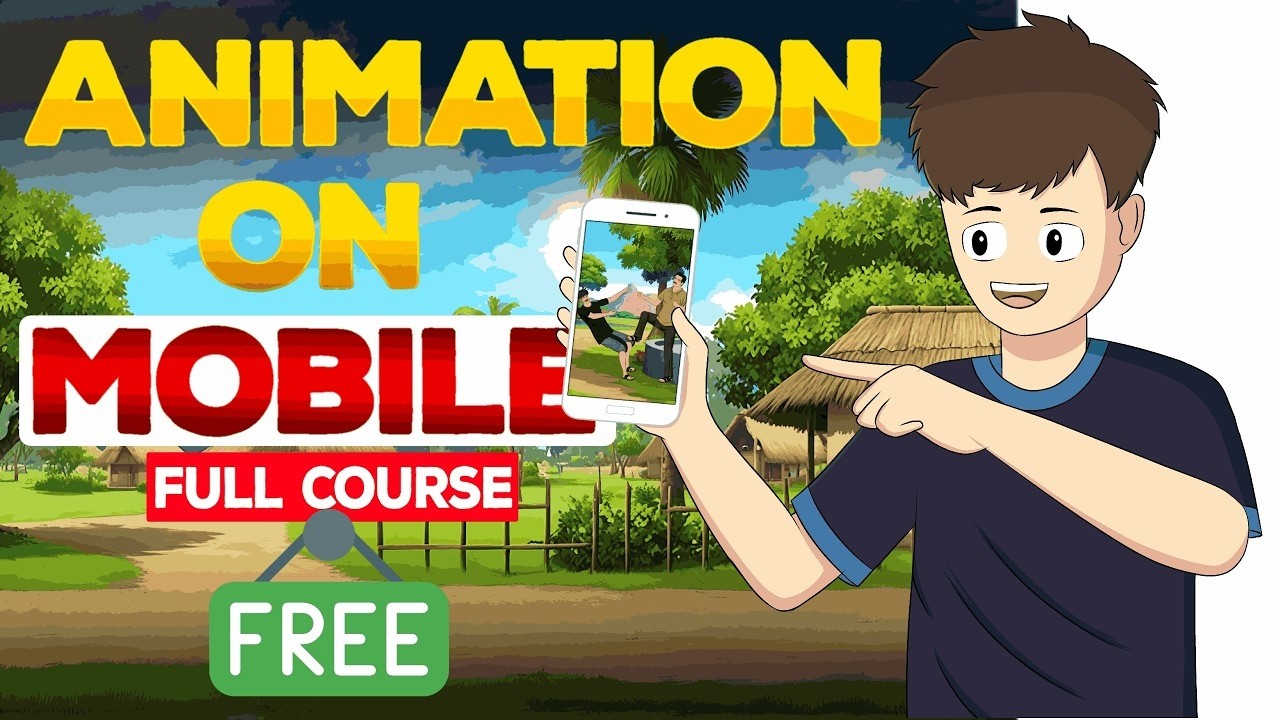
Autodraft helps users create 2D animations, cartoon stories, webtoons, and digital art using AI, especially for YouTube videos, explainers, or educational content.
Do I need drawing or animation skills to use Autodraft?
No, the tool is designed for beginners since it generates characters, backgrounds, and animations from text prompts or simple references.
How does Autodraft ensure character consistency?
It uses custom-trained AI models to maintain the same character appearance, style, and expressions across different scenes and generations.
Can Autodraft generate voiceovers for animations?
Yes, it includes lifelike AI voices with options for different accents and tones to add narration or dialogue easily.
Is Autodraft suitable for mobile devices?
Yes, the platform supports mobile use, allowing creators to generate and edit animations on phones or tablets.
What types of content work best with Autodraft?
It excels at cartoon stories, nursery rhymes, explainer videos, social media ads, and any narrative-driven animation.
Does Autodraft include background music or sound effects?
Yes, it has an AI background sound generator to add music and effects that fit the animation's mood.
How does Autodraft handle image editing?
Tools like AI inpainting, background removal, and upscaling let users modify or enhance generated images quickly.
Is Autodraft good for YouTube creators?
Absolutely, many users rely on it to produce monetizable animated videos fast without hiring animators or learning complex software.
What makes Autodraft different from other AI image tools?
It offers an all-in-one suite focused on animation workflows, including video generation, voice, and consistent asset creation in one dashboard.
Visit Autodraft

Related tools ↙️

  1. MyArchitectAI MyArchitectAI Transforms architectural designs and sketches into photorealistic renders in seconds using AI
  2. Dawn AI Dawn AI Generates personalized avatars and images from selfies using advanced AI technology
  3. Cloudinary Cloudinary Manages, transforms, optimizes, and delivers images and videos with AI-powered features
  4. Imgix Imgix Optimizes images in real-time using AI for faster web delivery
  5. Imajinn Imajinn Transforms user photos into artistic images and custom visuals using AI
  6. SVG AI SVG AI Transforms text prompts into scalable vector icons and logos instantly
Last update: January 7, 2026
Share
Promote Autodraft
light badge
Copy Embed Code
dark badge
Copy Embed Code
neutral badge
Copy Embed Code
About Us | Contact Us | Suggest an AI Tool | Privacy Policy | Terms of Service

Copyright © 2026 Best AI Tools
415 Mission Street, 37th Floor, San Francisco, CA 94105