logo-darklogo-darklogo-darklogo-dark
  • Home
  • Browse
    • Assistant
    • Coding
    • Image
    • Productivity
    • Video
    • Voice
    • Writing
    • All Categories
    • AI Use Cases
  • My Favorites
  • Suggest a Tool
✕
Home › Art & Creative Design ›

AutoDraw

Published by Dusan Belic on July 10, 2023

AutoDraw by Google

AutoDraw
AutoDraw Homepage
Categories Art & Creative Design
Is an AI drawing tool that pairs AI and machine learning with drawings from talented artists

AutoDraw

AutoDraw is a web-based tool that simplifies drawing for everyone using artificial intelligence. It can transform your rough sketches into polished illustrations in real time. Whether you’re aiming to create a quick doodle or a detailed design, AutoDraw offers a wide array of suggestions that closely match your initial drawings — making the creative process smooth and enjoyable.

The platform is easy to use, allowing anyone with a creative idea to visually express it without the barrier of technical drawing ability. AutoDraw’s intuitive interface guides users through the drawing process, making art creation a less daunting task.

Behind AutoDraw’s simplicity is advanced AI technology that recognizes patterns in your sketches and suggests professionally designed images. This technology draws from a vast library of drawings, which further learns from user inputs to improve its suggestions over time. The result is a collaborative experience between the user and machine, where creativity is enhanced rather than replaced.

AutoDraw is not just for individual use — it is also a valuable tool for educational purposes and professional projects. Teachers can incorporate it into their lessons for a more engaging learning experience, while professionals can use it to quickly draft logos, icons, and other visual elements for their projects.

Whether you’re on a phone, tablet, or computer – AutoDraw offers a seamless creative experience. Its simplicity, combined with powerful AI, makes it a unique tool for turning ideas into visual realities.

AutoDraw Homepage
Categories Art & Creative Design

Video Overview ▶️

What are the key features? ⭐

  • AI-powered drawing: As you sketch, AutoDraw's AI suggests professionally designed images that match your doodles.
  • Wide selection of artwork: It provides a vast library of drawings, enabling you to find almost any icon or illustration you need.
  • Easy to use: Designed for ease of use, AutoDraw allows people of all skill levels to create drawings effortlessly.
  • Cross-device compatibility: Works seamlessly on computers, tablets, and smartphones, ensuring accessibility wherever you are.
  • Free to use: AutoDraw is completely free, making it accessible to users worldwide without any cost.

Who is it for? 🤔

AutoDraw targets a broad market, appealing to individuals of all ages and skill levels interested in drawing and design. It's particularly useful for educators, students, professionals, and anyone else looking to create quick, clean visuals without the need for advanced drawing skills. The platform's simplicity and accessibility make it a valuable tool for both casual doodling and more structured projects.

Examples of what you can use it for 💭

  • Create quick and professional-looking drawings for personal projects or presentations
  • Generate unique and visually appealing invitations or greeting cards with custom illustrations
  • Design logos or icons for websites, blogs, or social media profiles with ease
  • Enhance educational materials or classroom activities by adding custom illustrations
  • Have fun experimenting with drawing and exploring your creativity

Pros & Cons ⚖️

  • It's a magical way to convert sketches to drawings
  • Great for individual users, students, teachers, and more
  • Shows you what AI can do - pretty cool
  • There are better tools for image generation out there
FAQs 💬

What is AutoDraw?
AutoDraw is a free web-based drawing tool that uses machine learning to guess what you're sketching and suggests polished illustrations from talented artists.
How does AutoDraw work?
You start doodling on the canvas, and the AI analyzes your strokes in real time, offering matching professional drawings at the top for you to select and use.
Do I need to download anything to use AutoDraw?
No, it runs entirely in your browser on any device like phones, tablets, or computers, and there's nothing to install.
Is AutoDraw suitable for people who can't draw well?
Yes, it's designed for everyone, especially non-artists, as it turns rough sketches into clean visuals quickly.
What kind of drawings can AutoDraw recognize?
It can guess hundreds of common objects, shapes, and icons, though it works best with simple and everyday items.
Can I use AutoDraw on my mobile device?
Absolutely, it works on smartphones and tablets through a modern browser, with touch support for drawing.
Does AutoDraw require an account or login?
No, you can start drawing right away without signing up or logging in.
Can I download my creations from AutoDraw?
Yes, you can save your finished drawing as an image file to your device.
Is there a way to draw without the AI suggestions in AutoDraw?
Yes, it includes basic freehand tools like pencil, shapes, text, and fill for manual drawing when you want full control.
Who created AutoDraw?
It's an experiment built by Google Creative Lab, using technology from their Quick, Draw! project.

Related tools ↙️

  1. Stately Stately Visualizes and builds app logic with state machines and collaborative tools
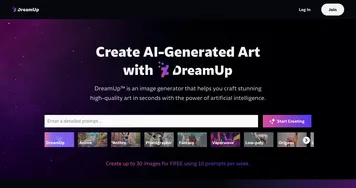
  2. DreamUp DreamUp An AI-powered tool allowing users to generate unique artworks by inputting text prompts
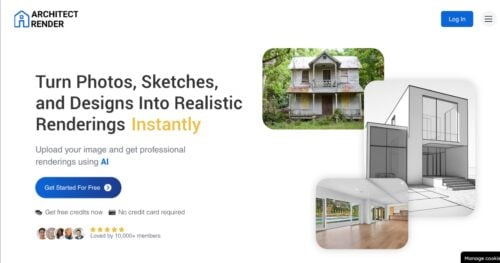
  3. Architect Render Architect Render Generates photorealistic architectural renderings from sketches, photos, or designs in seconds
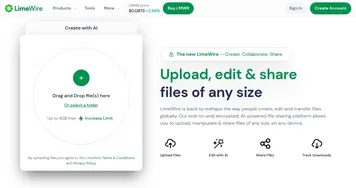
  4. LimeWire LimeWire A fancy AI content creation platform for generating and monetizing digital art
  5. Flowstep Flowstep Generates user flows, wireframes, and UI designs from simple text prompts
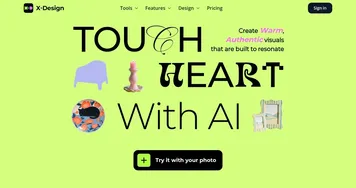
  6. X-Design X-Design An AI-powered photo editing platform for online stores to enhance their product visuals
Last update: December 14, 2025
Share
Promote AutoDraw
light badge
Copy Embed Code
light badge
Copy Embed Code
light badge
Copy Embed Code
About Us | Contact Us | Suggest an AI Tool | Privacy Policy | Terms of Service

Copyright © 2026 Best AI Tools
415 Mission Street, 37th Floor, San Francisco, CA 94105