LimeWire
A fancy AI content creation platform for generating and monetizing digital art
LimeWire is a fancy AI content creation platform for generating and monetizing digital art. It supports multiple AI engines — such as Stable Diffusion, DALL-E 3 — and its proprietary model, BlueWillow. These models are meant to cater to various creative needs, from generating realistic images to crafting unique branding assets for businesses.
The platform is easy to use, enabling even those new to AI to create, publish, and potentially earn from their AI-generated content.
Users input simple text prompts, which the AI then transforms into detailed and impressive visual art.
LimeWire emphasizes its integration with blockchain technology, which facilitates the minting of digital art as NFTs. This feature is meant to support digital art creators in monetizing their work while ensuring they retain a significant portion of the revenue generated from their creations.
Finally, we should also mention that LimeWire includes a community platform where creators can explore and share their works.
In a nutshell, LimeWire is a powerful tool for anyone looking to explore the potential of AI in creative expression and digital content monetization.
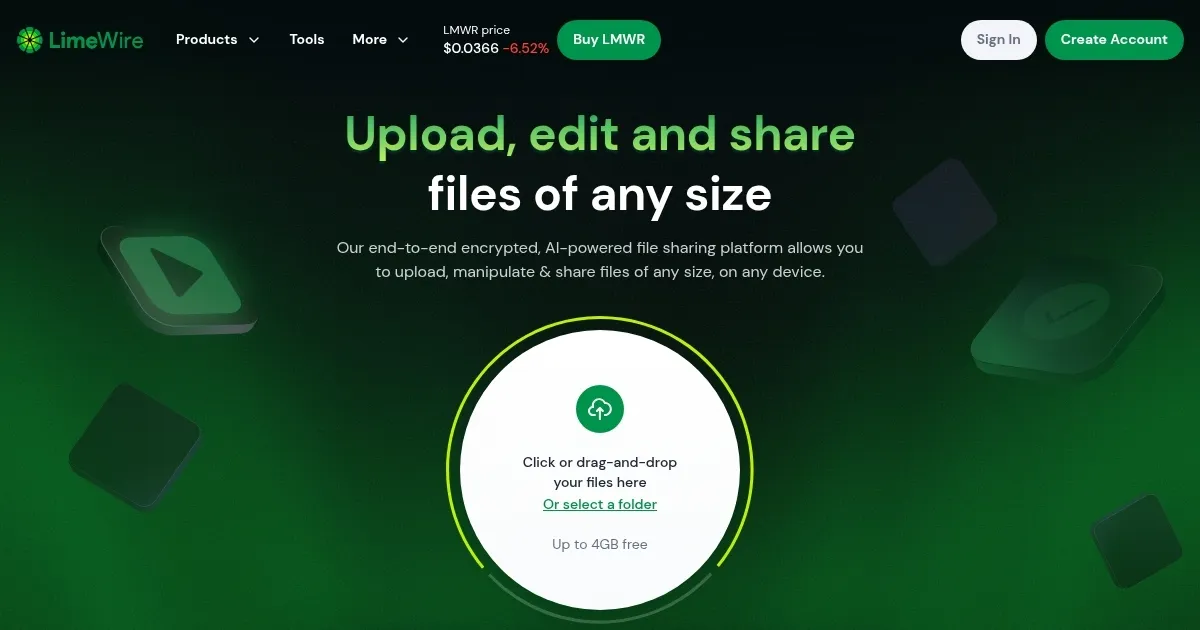
Homepage Screenshot 📸
Video Overview 🎬

What are the key features? ✨
- Multiple AI models: LimeWire supports various AI models including their proprietary BlueWillow, as well as Stable Diffusion and DALL-E.
- Easy publishing and monetization: Users can easily publish their AI-generated artwork and monetize it by minting as digital collectibles (NFTs) directly on the platform.
- Easy to use: LimeWire is designed to be accessible to everyone, regardless of their technical expertise.
- Community included: LimeWire offers a community platform where creators can share their work and explore others' creations.
- Not just images: LimeWire also supports the creation of music and video content, making it useful for a range of digital media projects.
Who is it for? 🤔
Examples of what you can use it for 💡
- Artists can use LimeWire to generate unique digital artworks using simple text prompts
- Users can mint their AI-generated images as NFTs directly through LimeWire
- Businesses can utilize LimeWire to create branding materials such as logos, banners, and social media content
- Content creators can use LimeWire to craft visually appealing posts for social media
- Create multimedia projects that include images, music and video content
Pros & Cons ⚖️
- Multiple AI models supported
- You can easily mint your own NFT
- Goes beyond images to include audio and video content
- We prefer Midjourney for generating images
FAQs 💬
Ready to try LimeWire?
A fancy AI content creation platform for generating and monetizing digital art
Visit LimeWireLimeWire alternatives 🔗