logo-darklogo-darklogo-darklogo-dark
  • Home
  • Browse
    • Assistant
    • Coding
    • Image
    • Productivity
    • Video
    • Voice
    • Writing
    • All Categories
    • AI Use Cases
  • My Favorites
  • Suggest a Tool
✕
Home › Video Generation & Editing ›

captions

Published by Dusan Belic on July 10, 2023

captions

captions Homepage
Categories Video Generation & Editing
Using AI to create studio-grade videos in just a few taps

captions

Captions is an AI-powered creative studio that simplifies and enhances video production and storytelling. It offers a wide array of features aimed at content creators, including an AI scriptwriter to combat writer’s block, recording and production tools, AI voiceover and voice cloning, and several AI-enhanced editing capabilities such as automatic trim of filler words, background noise removal, speech enhancement, eye contact correction, and speech correction. Moreover, it provides AI-driven cinematography features like color grading, background removal, and the generation of engaging transitions and zoom effects to keep videos captivating.

Captions also include sound immersion options, allowing creators to add the perfect track or sound effects to their videos — thereby enhancing the overall viewing experience.

Furthermore, Captions expands its utility with features tailored for broader distribution and accessibility. It supports AI video metadata generation for easier discovery on social platforms, AI dubbing to maintain the creator’s voice in multiple languages, and automatic extraction of interesting clips for viral potential.

Additional desktop app features include video compression, AI correction for eye contact, subtitle addition, translation services into 28 languages, and scriptwriting assistance. This suite of tools underscores Captions’ commitment to providing an end-to-end solution for content creation, editing, and distribution, all empowered by the latest advancements in artificial intelligence.

The platform caters to a wide range of creators, boasting a community of 3 million users, 100K daily users, and over 1 million monthly video productions.

captions Homepage
Categories Video Generation & Editing

Video Overview ▶️

What are the key features? ⭐

  • AI script writing: Generates scripts from simple prompts, helping users overcome writer's block.
  • AI voiceover & voice cloning: Creates realistic voiceovers and clones voices for a natural and engaging audio experience.
  • Video editing: Offers tools like AI trimming, background noise removal, and color grading to enhance video quality.
  • Automatic captioning and dubbing: Adds captions and dubs videos into multiple languages, making content accessible to a global audience.
  • Eye contact correction: Uses AI to adjust eye contact in post-production, ensuring on-camera talent appears engaged and professional.

Who is it for? 🤔

Captions.ai is made for content creators, marketers, educators, and businesses that need to produce high-quality videos efficiently. It appeals to social media influencers, corporate trainers, online educators, and marketers who require professional video editing tools, AI-driven scriptwriting, and multilingual support to create engaging and accessible content. The platform's ease of use and comprehensive feature set make it suitable for individual creators and larger teams alike.

Examples of what you can use it for 💭

  • Generate and enhance videos with scripts, captions, and engaging visuals for platforms like YouTube, Instagram, and TikTok
  • Create high-quality, captioned educational content for online courses or tutorials
  • Produce professional video ads with AI-generated scripts, voiceovers, and edits
  • Develop training materials with clear instructions, voiceovers, and accurate captions for employee education
  • Improve audio quality, add voiceovers, and enhance visual appeal for podcasts and vlogs.

Pros & Cons ⚖️

  • Makes it easier to produce high-quality content
  • Social media managers will love it
  • Also useful for marketers, educators, HR, and more
  • It could take some time to master it
FAQs 💬

What is Captions.ai?
Captions.ai is an AI-powered mobile app that helps creators edit and generate short-form videos, focusing on automatic captions, dubbing, and enhancements like eye contact correction. It turns raw footage into polished content for platforms like TikTok and Instagram Reels, with features like AI avatars and multilingual support. I think it's especially useful for beginners who want quick results without complex software.
How does Captions.ai work for video editing?
You upload or record a video in the app, and AI automatically adds captions, music, transitions, and B-roll based on your style choice. Chat-based prompts let you tweak edits conversationally, like "add upbeat music," and it handles real-time changes. Users often say it saves hours compared to manual tools, though occasional glitches might require minor fixes.
Can Captions.ai generate videos without filming?
Yes, through its AI Creator tool, you input text prompts to generate talking videos using 3D avatars that sync lips and expressions in 28+ languages. This skips recording entirely, making it great for ideas you can't film right away. From reviews, it produces realistic results fast, but complex scenes might need prompt tweaks for accuracy.
Does Captions.ai support multiple languages?
Absolutely, it translates voiceovers and captions into over 29 languages with lip-sync dubbing, helping expand reach globally. Creators on Reddit praise this for international audiences, though accents can sometimes trip up accuracy. It's a solid pick if your content targets non-English speakers.
Is Captions.ai beginner-friendly?
It sure is, with an intuitive mobile interface and AI handling most tasks, so no prior editing skills needed. New users report turning ideas into pro videos in minutes via simple prompts. That said, advanced features like custom avatars might take a quick tutorial to master fully.
What are the main features for social media creators?
Key ones include auto-captions with dynamic styles, AI Shorts for clipping long videos into Reels, noise removal, and eye contact fixes to boost engagement. It also suggests viral edits based on trends. Feedback from X users highlights how these make content pop on TikTok without extra effort.
How accurate are the AI captions in Captions.ai?
Generally high, with 95%+ accuracy on clear audio per recent tests, and you can edit them easily. It handles filler words and syncs text to speech well, but background noise might cause minor errors. Many reviewers call it a time-saver over manual transcription.
Can I use Captions.ai on desktop?
Yes, via the web-based Mirage Studio for larger edits, though the mobile app has more seamless features. Desktop works for teams needing bulk processing, but some say the app feels snappier for quick clips. It's versatile across devices, just pick based on your workflow.
What makes Captions.ai stand out from other video editors?
Its focus on talking-head videos with AI avatars and real-time multilingual dubbing sets it apart, unlike broader tools like CapCut. Users love the end-to-end automation for shorts, which feels more creator-centric. Probably the best for solopreneurs scaling global content without a team.
Are there any limitations for new users?
The free tier limits exports and advanced AI like avatars, so heavy use might hit walls quickly. Some report bugs in exports or slow processing on older phones. Start small to test, and it grows with you, but expect a learning curve for prompt-based edits.

Related tools ↙️

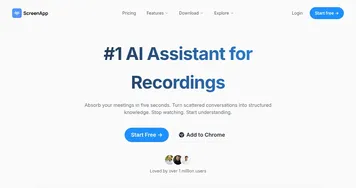
  1. ScreenApp ScreenApp Transforms screen recordings into searchable AI transcripts and summaries
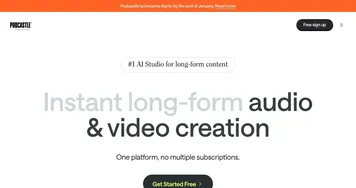
  2. Podcastle Podcastle Audio & video creation platform for the creation, editing, and distribution of podcasts
  3. B612 AI Photo&Video Editor B612 AI Photo&Video Editor Capture and edit photos/videos with trendy filters and AI effects
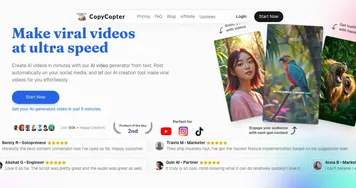
  4. CopyCopter CopyCopter Converts long text into engaging short videos in minutes
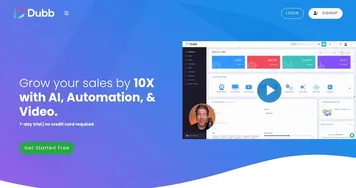
  5. Dubb Dubb Create and share personalized videos to connect with clients in a more genuine way
  6. ViiTor AI ViiTor AI Translates videos into multiple languages while cloning voices and synthesizing speech
Last update: December 7, 2025
Share
Promote captions
light badge
Copy Embed Code
light badge
Copy Embed Code
light badge
Copy Embed Code
About Us | Contact Us | Suggest an AI Tool | Privacy Policy | Terms of Service

Copyright © 2026 Best AI Tools
415 Mission Street, 37th Floor, San Francisco, CA 94105