logo-darklogo-darklogo-darklogo-dark
  • Home
  • Browse
    • Assistant
    • Coding
    • Image
    • Productivity
    • Video
    • Voice
    • Writing
    • All Categories
    • AI Use Cases
  • My Favorites
  • Suggest a Tool
✕
Home › Image Generation & Editing ›

CleanUp.pictures

Published by Dusan Belic on July 10, 2023

CleanUp.pictures by ClipDrop

CleanUp.pictures
CleanUp.pictures Homepage
Categories Image Generation & Editing
Photo editor for removing objects or backgrounds and upscaling and relighting

CleanUp.pictures

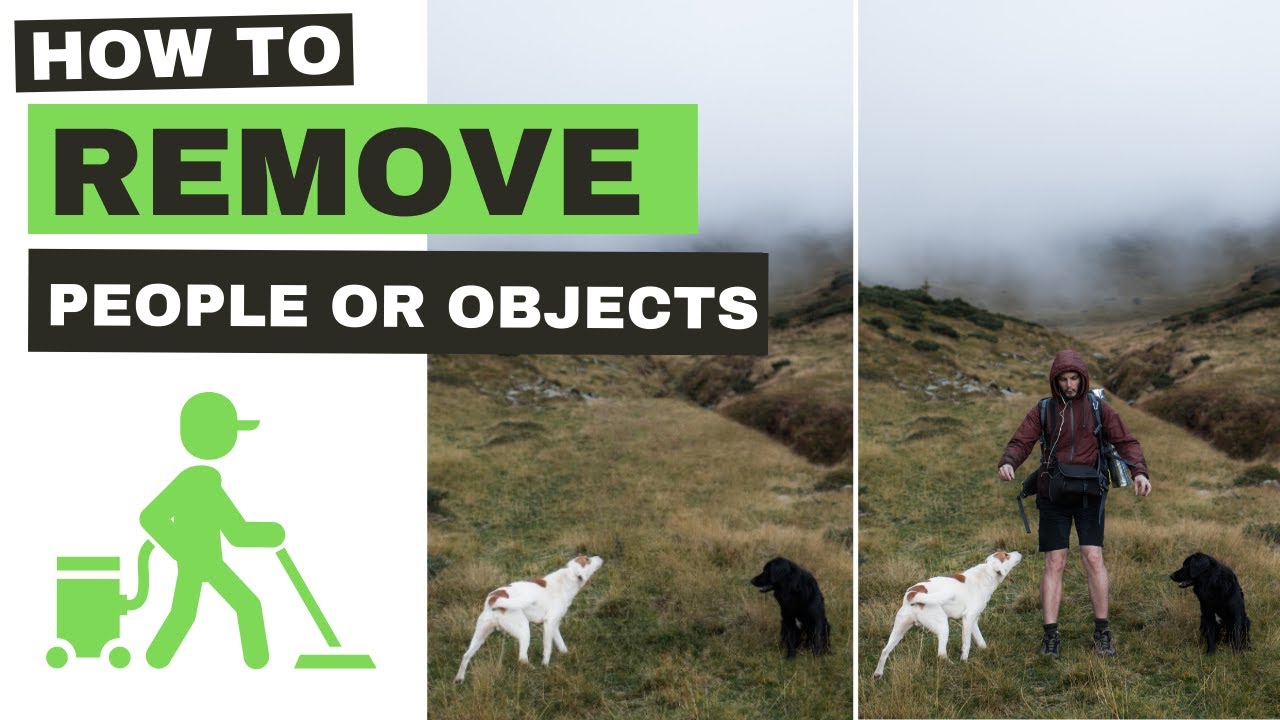
Cleanup.pictures is a web application designed for editing images with ease and precision. Specifically, it allows users to remove various elements from photos — including objects, people, text, and even imperfections.

As such, Cleanup.pictures is especially useful for photographers, creative agencies, real estate agents, and e-commerce professionals. Photographers, for instance, can use it to eliminate timestamps or tourists from pictures, while real estate agents can use it to depersonalize property photos.

The application employs AI to achieve these edits. Unlike traditional clone tools that require a reference background, Cleanup.pictures’ AI can intuit what should be behind the removed element — providing a more natural and seamless result.

Cleanup.pictures is not just limited to professional use, though. It is equally useful for personal projects, like cleaning up holiday photos or creating perfect profile pictures. The ease of use and the quality of the results make it a valuable tool for anyone looking to enhance their images. The application can remove cracks, unwanted text, logos, date stamps, and watermarks — offering a wide range of possibilities for photo enhancement.

There are different pricing tiers for Cleanup.pictures, including a free version and a pro version. The free version allows unlimited image edits but with a resolution limit of 720p. The pro version, on the other hand, offers unlimited image editing with no resolution limit and enhanced quality refinement.

Beyond its web app, Cleanup.pictures also offers an API for developers — allowing them to integrate Cleanup’s inpainting technology into other products or services. As a result, the potential use cases of Cleanup.pictures are expanded beyond individual users to businesses and developers.

CleanUp.pictures Homepage
Categories Image Generation & Editing

Video Overview ▶️

What are the key features? ⭐

  • Object removal: Whether it's a stray tourist in your vacation photo, a random object you don't like, or a blemish on a portrait, this tool can help you erase them seamlessly.
  • AI-powered editing: AI can understand the context of the image, allowing it to fill in the background realistically after an item is removed.
  • Ease of use: You don't need to be a professional photo editor to use it - the AI will take care of the "hard work."
  • Great outputs: While the free version has a resolution limit of 720p, the pro version allows for editing images with no resolution limit - providing high-quality, refined outputs suitable for professional use.
  • API included: Aside from being a standalone web application, Cleanup.pictures also offers an API - making it useful for developers who want to integrate this advanced image editing technology into their own applications or services.

Who is it for? 🤔

Cleanup.pictures is made for a wide range of users, from professional photographers and graphic designers seeking a quick and effective tool for editing images to real estate agents and e-commerce professionals who need to enhance property and product photos. Additionally, it appeals to casual users, such as individuals wanting to improve their personal photographs. Its user-friendly interface and AI-powered technology make it accessible and useful for both professionals and amateurs alike.

Examples of what you can use it for 💭

  • Improve holiday snaps, family pictures, or any personal photos where you want to focus on the main subject without distractions
  • Remove bystanders from a wedding photo, erase power lines from a landscape shot, or get rid of blemishes in a portrait
  • Real estate agents can remove personal items or clutter from property photos
  • For e-commerce, Cleanup.pictures can help in removing unwanted backgrounds, smudges, or imperfections from product photos
  • Artists and graphic designers can use Cleanup.pictures for creative projects

Pros & Cons ⚖️

  • Easily improve your photos with the help of AI
  • Useful for different kinds of users
  • API lets developers integrate some of these features into their apps
  • You may want a more rounded, AI-powered image editor

FAQs 💬

What is Cleanup.pictures?
Cleanup.pictures is a free web-based AI tool that removes unwanted objects, people, text, defects, or watermarks from photos using inpainting technology. It reconstructs the background intelligently, so you get natural-looking results without needing advanced editing skills.
How does Cleanup.pictures work?
Upload your photo, brush over the unwanted area to select it, and the AI fills in the space based on surrounding pixels. I think it takes just seconds, and you can adjust the brush size for precision; results appear right away for download.
Is Cleanup.pictures easy for beginners to use?
Yes, the interface is super simple, with drag-and-drop uploads and a basic brush tool, no steep learning curve at all. Users on sites like Product Hunt say it feels like Photoshop's clone tool but way faster and less fiddly, perfect if you're new to editing.
What kinds of images can I edit with Cleanup.pictures?
It handles photos of any size or format, from vacation snaps to product shots for e-commerce. Reviews from Fixthephoto note it works well on complex backgrounds like crowds or nature scenes, though very intricate details might need a quick tweak.
Can Cleanup.pictures remove people from photos?
Absolutely, just brush over the person, and the AI blends the background seamlessly. Travel photographers on Reddit rave about erasing photobombers from landmarks, but for shadows or reflections, overflowing the brush a bit helps get cleaner results.
Does Cleanup.pictures work on mobile devices?
It runs in any browser, so yes on phones or tablets, and there's a ClipDrop iOS app for on-the-go edits. X users mention adding it to their home screen like an app, though some say desktop gives finer control for detailed work.
What about removing text or watermarks?
Brush over the text or logo, and it vanishes without blurring. The homepage warns to only remove watermarks if you own the rights, as it's ethically dicey otherwise, and Toolify reviews confirm it nails logos on product images.
Are there limits on how many photos I can edit?
Free version lets you edit unlimited photos, but exports cap at 720p resolution. Pro unlocks full res and better quality, which Genius Firms users say is worth it for pros handling high-res files without quality drops.
How accurate is the AI at filling in backgrounds?
Pretty spot-on for most cases, using context from the image to avoid smears. PetaPixel tests show it excels on skies or grass, but complex patterns like leaves might leave faint artifacts, so preview and redo if needed.
Is my privacy protected when uploading photos?
Images process securely and delete right after, no storage on servers. The site and reviews on SoftwareWorld emphasize this, making it safe for personal or client work, though always double-check for sensitive stuff.

Related tools ↙️

  1. Profile Pic Maker Profile Pic Maker Create an awesome AI profile picture with features like background remover and face enhancer
  2. Minimax AI Minimax AI Transforms text into videos and enhances photos with AI effects
  3. UpFoto UpFoto Enhances photos with AI-driven editing and management tools.
  4. InPixio InPixio An AI-powered photo editing tool that makes it easy to transform images
  5. cre8tiveAI cre8tiveAI Set of AI tools for image and video editing and processing
  6. Canva Magic Design Canva Magic Design Generates custom, on-brand designs from text prompts or uploaded media in seconds.
Last update: December 9, 2025
Share
Promote CleanUp.pictures
light badge
Copy Embed Code
light badge
Copy Embed Code
light badge
Copy Embed Code
About Us | Contact Us | Suggest an AI Tool | Privacy Policy | Terms of Service

Copyright © 2026 Best AI Tools
415 Mission Street, 37th Floor, San Francisco, CA 94105