
logo-darklogo-darklogo-darklogo-dark
  • Home
  • Browse
    • Assistant
    • Coding
    • Image
    • Productivity
    • Video
    • Voice
    • Writing
    • All Categories
    • AI Use Cases
  • My Favorites
  • Suggest a Tool
✕
Home › Art & Creative Design / Image Generation & Editing ›

Craiyon

Published by Dusan Belic on July 10, 2023

Craiyon

Craiyon
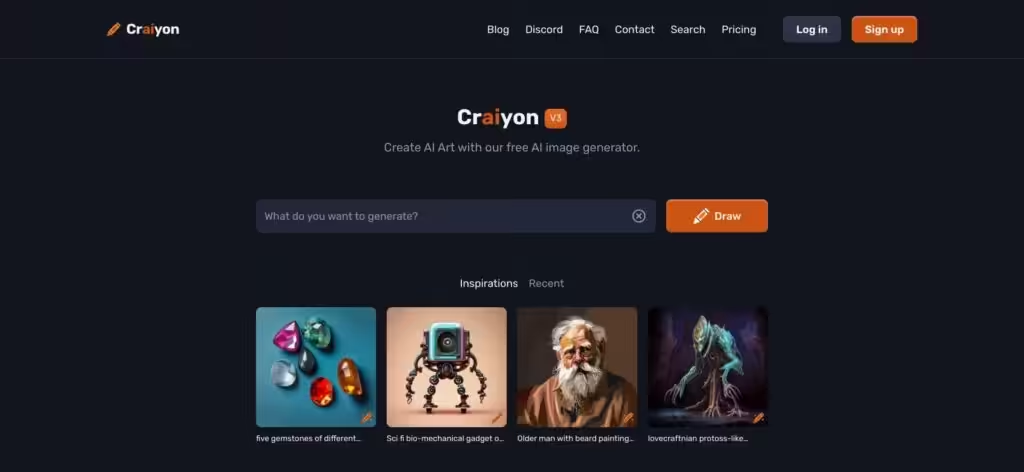
Craiyon Homepage
Categories Art & Creative DesignImage Generation & Editing
An AI model that can draw images from any text prompt

Craiyon

Previously known as DALL-E Mini, Craiyon is an AI program that generates images from textual descriptions, aka prompts. It’s an offshoot of OpenAI’s DALL-E, a more advanced text-to-image AI model.

Like DALL-E and similar services, Craiyon generates a series of images based on the user’s prompts. The images produced can range from realistic to abstract, depending on the prompt’s complexity and the AI’s interpretation.

Craiyon is still popular for its ease of use and because it’s free. All users have to do is visit the website, enter their text prompt, and the AI will generate images.

However, the quality and accuracy of the images can vary. Since Craiyon is a less advanced version of DALL-E, the images it produces might not always be perfectly aligned with the user’s intent. They can sometimes be surreal, humorous, or abstract. On the other hand, it is this unpredictability that makes Craiyon fun to some users.

Craiyon can be used for everything from generating art to brainstorming ideas, demonstrating the potential of AI in creative fields.

Craiyon Homepage
Categories Art & Creative DesignImage Generation & Editing

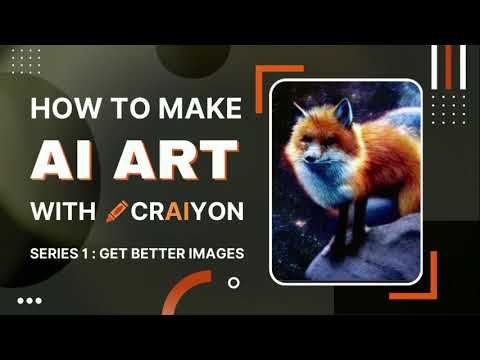
Video Overview ▶️

What are the key features? ⭐

  • Text-to-image generation: Craiyon converts textual descriptions into images, allowing users to see visual interpretations of their prompts.
  • Easy to use: The tool is user-friendly, requiring no advanced skills or knowledge in AI or graphics. Users simply input text and wait for the AI to generate images.
  • Variety of outputs: Craiyon typically generates multiple images for each prompt, offering a range of interpretations and styles.
  • Accessibility: As a web-based tool, it is accessible to anyone with an internet connection without the need for downloads or installations.

Who is it for? 🤔

Craiyon is made primarily for individuals with interest in AI and digital art, including hobbyists, artists, and educators. It caters to those who are curious about AI's capabilities in generating creative content and is also appealing to educators as a tool for demonstrating AI technology in a simple way. The platform's ease of use makes it accessible to a wide audience, regardless of their technical expertise or artistic skills.

Examples of what you can use it for 💭

  • If you have an idea but can't draw, you can use Craiyon to turn your concept into an image
  • Generate visual prompts that spark creativity or help overcome creative blocks
  • Teachers can use it to create engaging visuals for lessons
  • It's fun to see how the AI interprets different prompts, which can be amusing and surprising
  • Designers can use Craiyon to quickly generate basic visual prototypes

Pros & Cons ⚖️

  • Free to use
  • Accessible to anyone with a web browser
  • Cool for all kinds of users
  • There are better image-generating AI tools out there

FAQs 💬

What is Craiyon?
Craiyon is a free online tool that generates images from text prompts using advanced diffusion models. It evolved from DALL-E Mini and focuses on quick, creative visuals for beginners and hobbyists.
How does Craiyon work?
You enter a descriptive text prompt, select styles like photo or illustration, and the AI creates nine unique images in about a minute. It interprets your words by drawing from a vast dataset of internet images to refine random noise into visuals.
Do I need an account to use Craiyon?
No, you can start generating images right away without signing up. Creating an account unlocks features like saving favorites and faster access, but it's optional for basic use.
What styles of images can Craiyon create?
It supports presets like Photo for realistic scenes, Illustration for drawings, Vector for graphics, and Raw for abstract AI interpretations. You can mix these with prompt details for custom results.
Is Craiyon completely free?
Yes, the core image generation is free with unlimited base-quality outputs, though it includes ads and watermarks. Upgrades remove these but aren't required for casual use.
Can I use Craiyon-generated images commercially?
Free images require crediting Craiyon for commercial purposes, but paid tiers grant full rights without attribution. Always check terms to avoid issues with similar existing art.
How accurate are Craiyon's images to my prompts?
It handles simple prompts well but might misinterpret complex ones, leading to quirky or unexpected results. Refining with details like "in oil painting style" often improves matches.
What are the limitations of the free version?
Free users get base quality with watermarks, ads, and occasional wait times during peak hours. Pro features like high-res downloads need credits from paid plans.
Is there a mobile app for Craiyon?
Not yet, but it works smoothly on mobile browsers. A dedicated app is in development, promising easier on-the-go generation.
How does Craiyon compare to tools like Midjourney?
Craiyon is more accessible and free for quick ideas, while Midjourney offers higher detail and styles but requires a subscription and Discord. Craiyon suits beginners; Midjourney fits pros.

Related tools ↙️

  1. Decoratly Decoratly Transforms room photos into styled interior designs instantly
  2. APOB APOB Easily create personalized digital portraits and videos with the help of AI
  3. RoomsGPT RoomsGPT Create your dream home or room with AI-powered online design tools
  4. Edraw.AI Edraw.AI An innovative platform that combines AI with diagram creation
  5. Stencil Stencil Create stunning social media graphics and marketing visuals quickly
  6. Anima Anima Converts Figma designs into clean, functional React, HTML, Vue, or Tailwind code effortlessly
Last update: December 7, 2025
Share
Promote Craiyon
light badge
Copy Embed Code
light badge
Copy Embed Code
light badge
Copy Embed Code
About Us | Contact Us | Suggest an AI Tool | Privacy Policy | Terms of Service

Copyright © 2026 Best AI Tools
415 Mission Street, 37th Floor, San Francisco, CA 94105