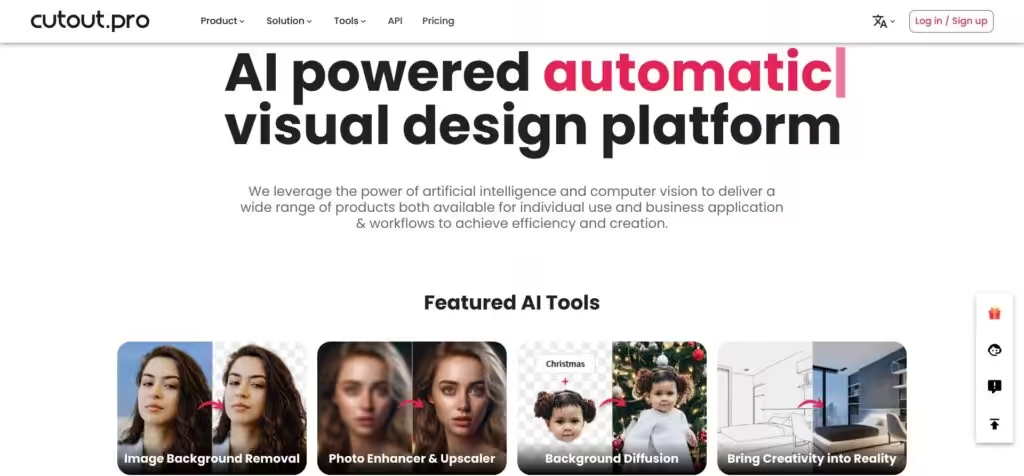
An AI-powered automatic visual design platform that saves time & money
Cutout.Pro is an AI-powered visual design platform offering a range of products and services that are meant to improve efficiency and stimulate creativity. The main focus of this platform, however, is to facilitate image and video design using state-of-the-art AI technologies.
Cutout.Pro’s most popular tools include Image Background Removal, Photo Enhancer & Upscaler, and Background Diffusion. As you can imagine, these allow you to remove unwanted objects or persons, remove video backgrounds, and segment faces and hair with fine details. As a result, these tools make editing tasks easier and more efficient without needing professional skills or manual labor.
Also included with Cutout.Pro are AI art generation features. These enable users to create AI-generated art and edit the background of photos using text. There are also AI-powered photo and video enhancers that can improve the resolution, quality, and details of images and videos.
Furthermore, the platform’s Photo Animer can transform static photos into moving videos, and the Photo Colorizer – which can turn black and white images into color.
Cutout.Pro provides solutions for different needs. For instance, their Image Design is meant to replace Photoshop in some cases. Also, there are specific solutions for online store operators, developers, old photo restoration, customized printing, and more. Each of these is designed to solve specific problems or enhance certain areas of image and video editing and design.
Finally, Cutout.Pro has an API allowing developers to incorporate the platform’s AI technology into their applications and quickly process many images and videos.
FAQs
💬
What is Cutout.Pro, and who is it best for?
Cutout.Pro is an AI-driven online platform that automates visual content creation, like removing backgrounds from photos or videos, enhancing images, and generating AI art, all without needing design skills. It suits e-commerce sellers prepping product shots, photographers batch-editing portfolios, videographers ditching green screens, and small businesses creating flyers or social media graphics. I think it's especially handy for teams handling high volumes, as it processes up to 1000 images at once, though casual users might find simpler free tools enough.
How does the background removal feature work, and is it accurate?
You upload an image or video, and the AI detects the main subject using computer vision, then strips the background in seconds, leaving a transparent PNG or new backdrop. It handles tricky details like hair or fur pretty well, with 98% accuracy in tests from sites like Fixthephoto. But it might struggle with super complex edges, so pros often fine-tune after. For videos, no green screen needed, which saves time on campaigns.
What other editing tools does Cutout.Pro offer besides background removal?
Beyond cutouts, it includes photo enhancers for upscaling resolution and fixing colors, face cutouts for ID photos or avatars, a cartoonizer for fun 3D or anime styles, object removers to erase blemishes, and AI art generators turning text prompts into images. Video tools cover background swaps and noise reduction too. These make it a one-stop shop, though some users say creative features like cartoonizing could use more styles.
Is there a free version, and what are the limitations?
Yes, new users get 5 free credits to try features like background removal or enhancements without watermarks. That's enough for a few tests, but exports are low-res unless you buy more. No unlimited free tier, so for ongoing work, you'll need a plan. It's a solid trial, but if you're just dipping toes, alternatives like Erase.bg offer more no-cost options.
How much does Cutout.Pro cost, and what payment options exist?
Pricing starts at $5 per month for basic subscriptions with 40 credits, or pay-as-you-go at $0.125 per credit for occasional use. Videos cost extra, around $19 per minute. Enterprise plans scale for APIs with 98% uptime. You can cancel anytime, and there's no long-term lock-in. Compared to rivals like Remove.bg at $0.20 per credit, it's cheaper for bulk, but might add up for heavy video editors.
Can I integrate Cutout.Pro into my apps or workflows?
Absolutely, their APIs let developers add features like batch background removal with just a few code lines, perfect for media apps or e-commerce sites. It's secure, scalable, and discards data right after processing for privacy. Docs cover endpoints for images and videos, but you'll need a premium plan for high volume. Businesses like Amazon sellers rave about it boosting efficiency.
How does Cutout.Pro handle video editing compared to photos?
For videos, it auto-removes backgrounds in HD without green screens, reduces noise, and enhances clarity, processing dozens per day as one videographer noted. It's faster than manual edits in Premiere, but outputs cap at 480p in basic plans. Photo tools feel more polished, though. If you're new to this, start with short clips to see the quality jump.
Is Cutout.Pro safe and trustworthy for my data?
It claims strong privacy with immediate data deletion and no storage of uploads, plus 98% uptime. Trusted by 25K+ businesses, but some 2025 Trustpilot reviews flag a 2024 breach leaking emails to the dark web, calling it risky. I think it's probably fine for non-sensitive work now, but use a burner account if worried, and check their updates.
How does Cutout.Pro compare to Remove.bg or Clipping Magic?
Cutout.Pro edges out with broader tools like video support and AI generation, at lower credit costs ($0.125 vs. Remove.bg's $0.20). Remove.bg is quicker for simple photo cutouts, while Clipping Magic shines in manual tweaks for pros. For all-in-one needs, Cutout.Pro wins, but if you just need fast basics, Remove.bg might suffice without extras.
What are common pros and cons from recent users?
Pros include one-click ease saving hours on batches, high accuracy for e-commerce, and fun creative boosts like 47% sales gains for one POD user. Cons? Steep for casuals, occasional edge glitches, and ads in free mode. Overall, 4.2/5 on app stores, with most saying it's a workflow game-changer if you commit to paid.