
AI Image Generator by DeepAI
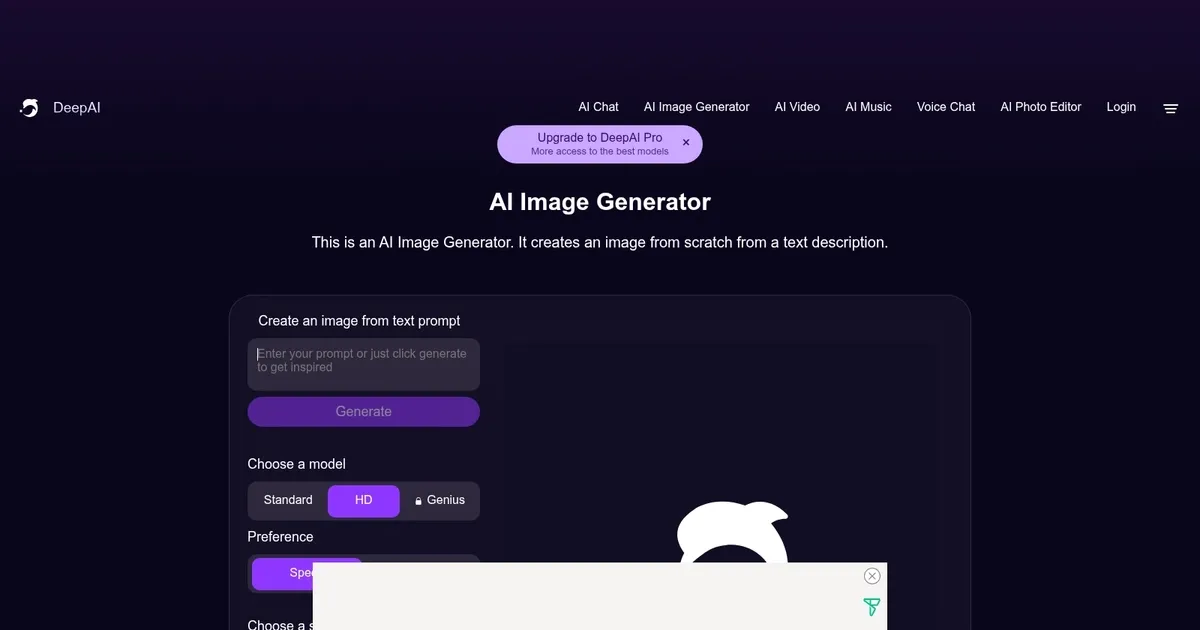
AI Image Generator from DeepAI uses artificial intelligence to create images from textual descriptions provided by users. It allows users to select from various models and styles, including Standard, HD, and a special Genius mode, to generate detailed and artistically enhanced images based on input prompts.
The tool provides options for shaping the images, such as “Illusions.” It even allows users to adjust the quality and resolution of the generated images. Offering both a standard and a pro version, the service caters to different user needs, including commercial use and the creation of NFTs. The images produced are considered public domain, meaning they can be used for any legal purpose without copyright restrictions.
The AI Image Generator also offers developers API access, with pricing models based on the number of API calls made. This enables integration into various applications, allowing automated image generation based on textual inputs. The detailed API documentation provides examples in multiple programming languages, ensuring broad usability.
Users can sign up for the service or subscribe to a pro version, which offers enhanced features and higher limits for image generation, chat messages, and more.
What are the key features? ⭐
- Text-to-image: Generate images from text descriptions (prompts).
- Multiple styles: There are various artistic styles to choose from for generating images.
- Customization: The tool allows for adjustments in speed and quality.
- API included: An API is provided to integrate image generation into third-party applications.
- High-quality output: Generates high-detail and artistic-quality images, especially in the so-called "Genius" mode.
Who is it for? 🤔
Examples of what you can use it for 💭
- Generate images for blogs, articles, or social media posts
- Create engaging visuals for ads and promotional materials
- Use generated images for art, design, and other creative projects
- Enhance educational materials with custom images
- Quickly visualize concepts and ideas for product development
Pros & Cons ⚖️
- A simple way to get an image for your project
- Multiple styles are provided
- Good for different use cases
- We prefer Midjourney for our image-generating needs








