logo-darklogo-darklogo-darklogo-dark
  • Home
  • Browse
    • Assistant
    • Coding
    • Image
    • Productivity
    • Video
    • Voice
    • Writing
    • All Categories
    • AI Use Cases
  • My Favorites
  • Suggest a Tool
✕
Home › Image Generation & Editing›
Published by Dusan Belic on August 30, 2023

DiffusionBee

DiffusionBee
DiffusionBee Homepage
Categories Image Generation & Editing

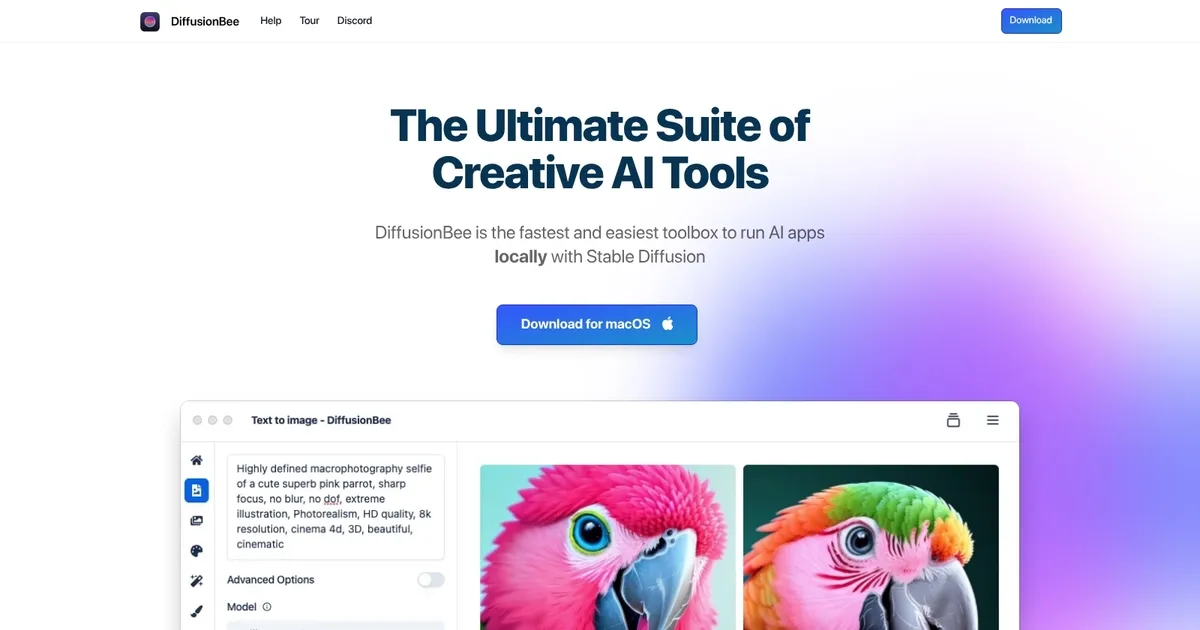
DiffusionBee - screenshot

Generates and edits AI images locally from text prompts on macOS using Stable Diffusion

DiffusionBee

DiffusionBee is a cutting-edge app designed to generate AI art on macOS devices using Stable Diffusion. In that sense, it allows users to swiftly create new artwork from text prompts or alter existing images in various ways — including adding or removing objects, changing styles, and enhancing image resolution.

The tool operates entirely offline, ensuring privacy and security by not sending any data to the cloud. Still, DiffusionBee provides a user-friendly platform for both artists and enthusiasts to explore the possibilities of AI-generated art with no associated costs.

The app comes with various features like text-to-image conversion, image-to-image transformation, in-painting, out-painting, upscaling, and custom models. Importantly, DiffusionBee is also very fast, and can do its magic in as little as 30 seconds on an 8GB M1 MacBook Air, with even faster speeds on higher-spec computers. It requires macOS 12.5.1 or higher and is optimized for devices with Apple silicon, though it also supports Intel-based Macs with reduced performance.

In a nutshell, DiffusionBee positions itself as an accessible tool for creating AI art on Macs.

DiffusionBee Homepage
Categories Image Generation & Editing

What are the key features? ⭐

  • Text to Image: Create stunning images from text prompts with ease.
  • Generative Fill: Effortlessly add or remove objects in selected regions of your images.
  • Image Upscaler: Enhance image quality by making them sharper and higher resolution with AI.
  • Train Models: Build custom models with just a few clicks, all 100% locally.
  • AI Canvas: Generate and edit images using prompts and human drawing as a collaborative tool.

Who is it for? 🤔

DiffusionBee helps Mac users who want to explore AI art generation without relying on cloud services or dealing with complicated setups. It suits beginners curious about Stable Diffusion, hobbyists creating personal artwork, digital artists experimenting with AI assistance, privacy-conscious creators who prefer offline tools, and anyone with an Apple Silicon Mac looking for fast, free local image generation and editing capabilities.

Examples of what you can use it for 💭

  • Digital artist: Uses text-to-image and AI canvas to brainstorm concepts and refine illustrations quickly.
  • Content creator: Generates custom visuals or thumbnails by transforming existing images with prompts.
  • Hobbyist: Trains a personal model on favorite photos to produce consistent character or style outputs.
  • Designer: Upscales low-res concepts and uses generative fill to remove unwanted elements from mockups.
  • Experimenter: Creates short AI animations with video tools for fun social media clips or prototypes.

Pros & Cons ⚖️

  • Completely free to use
  • Runs 100% offline
  • Fast on Apple Silicon
  • Easy one-click install
  • Mac-only (no native Windows yet)
  • Limited advanced extensions

FAQs 💬

Is DiffusionBee really free?
Yes, the app is completely free with no subscriptions or hidden fees.
Does DiffusionBee require an internet connection after installation?
No, it runs 100% offline once models are downloaded.
What Macs does DiffusionBee work on?
It supports both Apple Silicon (M1, M2, M3 etc.) and Intel-based Macs.
Can I use the latest models like Flux in DiffusionBee?
Yes, by downloading the most recent version from GitHub releases.
How does DiffusionBee compare to cloud-based AI art tools?
It offers complete privacy and no usage limits since everything processes locally.
Is there a Windows version available?
Not natively yet, though a waitlist exists for future Windows support.
Do I need a powerful GPU?
Apple Silicon provides excellent performance; Intel Macs work but generate slower.
Can I train my own models?
Yes, the app includes a straightforward tool to train custom models locally.
Visit DiffusionBee

Related tools ↙️

  1. Dawn AI Dawn AI Generates personalized avatars and images from selfies using advanced AI technology
  2. Cloudinary Cloudinary Manages, transforms, optimizes, and delivers images and videos with AI-powered features
  3. Imgix Imgix Optimizes images in real-time using AI for faster web delivery
  4. Imajinn Imajinn Transforms user photos into artistic images and custom visuals using AI
  5. SVG AI SVG AI Transforms text prompts into scalable vector icons and logos instantly
  6. Artisse Artisse Generates hyper-realistic photos using AI from user selfies and custom prompts
Last update: March 5, 2026
Share
Promote DiffusionBee
light badge
Copy Embed Code
dark badge
Copy Embed Code
neutral badge
Copy Embed Code
About Us | Contact Us | Suggest an AI Tool | Privacy Policy | Terms of Service

Copyright © 2026 Best AI Tools
415 Mission Street, 37th Floor, San Francisco, CA 94105





