logo-darklogo-darklogo-darklogo-dark
  • Home
  • Browse
    • Assistant
    • Coding
    • Image
    • Productivity
    • Video
    • Voice
    • Writing
    • All Categories
    • AI Use Cases
  • My Favorites
  • Suggest a Tool
βœ•
Home β€Ί Music & Audioβ€Ί
Published by Dusan Belic on August 30, 2023

Hit’n’Mix

Hit’n’Mix
Hit’n’Mix Homepage
Categories Music & Audio

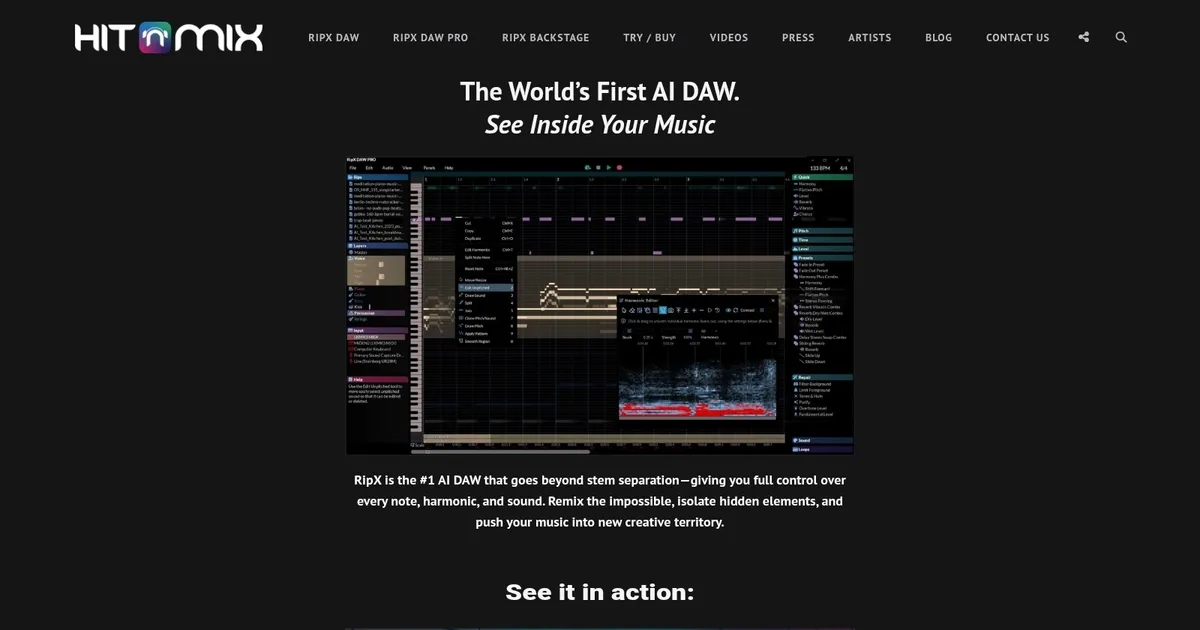
Hit’n’Mix - screenshot

Separates mixed audio into editable stems and notes, enables deep remixing and manipulation

Hit’n’Mix

Hit’n’Mix’s RipX DAW is an AI-powered Digital Audio Workstation (DAW) that positions itself at the forefront of music production. In that sense, it offers many features, such as the ability to separate audio into 6+ stems, edit notes directly within a mixed track, and perform sound replacement with ease.

The technology is especially tailored for those working with samples produced by AI music generators, like Stable Audio and MusicLM, indicating how RipX DAW is specifically designed to complement and enhance the workflows of modern music producers who are integrating AI-generated content into their creations.

Music circles and professionals have praised Hit’n’Mix’s RipX DAW for its excellent ability to extract individual sounds from a mixed recording, making it an invaluable tool for inspiration and remixing. Also, publications such as Magnetic and musicradar have highlighted how RipX DAW ushers the music industry into a new era with its AI-centric features — preparing producers and artists for the evolving landscape of music creation that AI tools and generators are rapidly shaping.

So, do you want to try it out?

Hit’n’Mix Homepage
Categories Music & Audio

What are the key features? ⭐

  • AI Stem Separation: Breaks down mixed audio into high-quality, editable stems like vocals, drums, bass, and other instruments with minimal bleed.
  • Note & Harmonic Editing: Displays and lets users manipulate individual notes, pitches, timings, and harmonics visually for precise remixing and sound design.
  • Unified Audio/MIDI Workflow: Treats audio and MIDI as one, enabling recording new parts directly into ripped tracks and seamless editing.
  • Chord Progression Tools: Analyzes and suggests chords, aids in building progressions from separated elements or new ideas.
  • Dynamic Track Starters: Generates auto-fitting loops and starters based on scale, chords, or ripped audio to inspire creativity.

Who is it for? 🤔

RipX DAW helps music producers, remix artists, sound designers, sampling enthusiasts, educators, and anyone working with archival or mixed audio who needs more than basic stem splitting. Its especially useful for those who want deep control over every element in a track, whether rebuilding old sessions, creating mashups, extracting samples, or experimenting with note-level changes in a creative workflow.

Examples of what you can use it for 💭

  • Remix Producer: Separates a full mix into stems, tweaks individual notes or harmonics, then rebuilds with new effects for fresh versions.
  • Sample-Based Beatmaker: Rips rare vinyl or old tracks, isolates specific sounds or phrases, cleans them up, and layers into new productions.
  • Music Educator: Analyzes commercial songs note-by-note to demonstrate arrangement, harmony, or instrumentation to students.
  • Archival Restorer: Extracts lost or damaged elements from bounced mixes or old recordings to reconstruct sessions or create instrumentals.
  • Sound Designer: Manipulates separated harmonics and timbres to create unique textures or hybrid instruments for film, games, or electronic music.

Pros & Cons ⚖️

  • Top-tier stem separation
  • Note-level editing power
  • Creative inspiration tools
  • One-time purchase option
  • Unique interface curve
  • Occasional separation artifacts

FAQs 💬

What does RipX DAW actually do?
It uses AI to separate mixed audio into editable stems and individual notes so you can remix, isolate, or manipulate sounds precisely.
How accurate is the stem separation in RipX?
It ranks among the best available, often delivering cleaner results than many competitors on complex tracks, though artifacts can appear in very dense mixes.
Is RipX a full replacement for my main DAW?
Not quite. It excels at separation and editing but works best alongside tools like Ableton or Logic for final mixing and arrangement.
Can I try RipX before buying?
Yes, a free trial is available directly from the site, usually 21 days for the PRO version.
Does RipX work offline?
Yes, after installation it runs fully offline with no internet required for core functions.
What file formats does RipX support for import?
It handles common formats like MP3, WAV, and most mainstream audio files.
How does RipX compare to Lalal.ai or Moises?
RipX offers deeper note-level editing and creative tools beyond basic stems, while Lalal.ai and Moises focus more on quick, cloud-based splitting.
Is there a mobile version?
No, RipX DAW is desktop software for Windows and macOS.
Visit Hit’n’Mix

Related tools ↙️

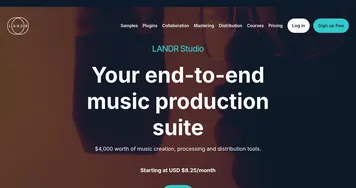
  1. LANDR LANDR Offers AI mastering, music distribution, samples, plugins, and courses for creators
  2. PodLM PodLM Transforms URLs, texts, and documents into professional podcasts using AI
  3. StockmusicGPT StockmusicGPT Generates royalty-free stock music, sound effects, and song covers using AI from text or images
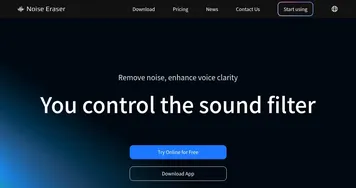
  4. Noise Eraser Noise Eraser Removes background noise from audio and video using AI to isolate specific sounds like vocals
  5. ecrett music ecrett music Generates customizable royalty-free music for videos and games using AI
  6. SoundBoost SoundBoost Master music tracks instantly with AI-driven customization.
Last update: March 9, 2026
Share
Promote Hit’n’Mix
light badge
Copy Embed Code
dark badge
Copy Embed Code
neutral badge
Copy Embed Code
About Us | Contact Us | Suggest an AI Tool | Privacy Policy | Terms of Service

Copyright Β© 2026 Best AI Tools
415 Mission Street, 37th Floor, San Francisco, CA 94105