Skip to content
logo-darklogo-darklogo-darklogo-dark
  • Tool Categories
    • 🎨Art & Creative Design505
    • 🏢Business Management644
    • 💻Coding & Development514
    • 👮Detection83
    • 🧠General Use728
    • 🏥Health & Wellness55
    • 📷Image & Photo Analysis100
    • 🖼️Image Generation & Editing618
    • 📐Interior & Architectural Design37
    • 🎓Learning & Education483
    • ⚖️Legal & Finance90
    • 🎭Lifestyle & Entertainment236
    • 📢Marketing & Advertising627
    • 🎧Music & Audio138
    • 👔Office & Workplace1,014
    • 🔬Research & Data Analysis373
    • 👥Social Media245
    • 🎥Video Generation & Editing426
    • 👧🏻Virtual Companion135
    • 🎤Voice Generation & Editing381
    • ✍️Writing & Editing808
    • All Categories
    • AI Use Cases
  • News
  • Events
    • Academic Conferences
    • Developer Conferences
    • Expos / Trade Shows
    • Industry Summits
    • Workshops / Training
    • All Events
    • Past Events
  • Saved Tools
  • Suggest a Tool
    ✕
    Home › Image Generation & Editing › Object Removal› Noise Eraser
    Noise Eraser

    Noise Eraser

    Removes background noise from audio and video using AI to isolate specific sounds like vocals

    Noise Eraser is an AI-driven audio editing tool that removes background noise from recordings by isolating specific sounds such as vocals, wind, music, traffic, or air conditioning hums. It uses machine learning trained on thousands of samples to separate desired audio elements from interference, enabling users to adjust voice and noise levels for customized results. The tool supports both mobile and web platforms, with the app handling video and audio files while the web version focuses on audio only.

    Key features include Split Vocal for extracting human speech, Split Wind for eliminating breeze sounds, and Split Music for separating tunes from other elements. Processing typically takes under a minute for short clips, producing high-quality outputs without requiring professional equipment. Users access it via a simple interface with sliders for fine-tuning, and it operates on browsers, PCs, or phones.

    In terms of pricing, Noise Eraser follows a freemium model with basic functions available at no cost and advanced options through in-app purchases, making it more accessible than fully paid competitors like iZotope RX or LALAL.AI. It compares favorably to Krisp for post-production tasks, though it lacks real-time capabilities. User feedback highlights its effectiveness in clarifying noisy recordings, but some note occasional over-processing that can introduce artifacts.

    The tool excels in scenarios like enhancing podcast audio or cleaning up outdoor videos, where targeted noise removal preserves natural sound quality. Awards from 2021 to 2023 recognize its innovation in AI audio technology, particularly in Taiwan-based competitions. Partners collaborate across industries to advance its applications.

    For best results, start with short tests to calibrate settings, and combine with good initial recording practices to minimize heavy reliance on corrections.

    Visit Noise Eraser ↗
    Categories
    🖼️ Image
    🧹 Object Removal ✏️ Photo Editing 💧 Watermark Removal ✂️ Background Removal 🌟 Photo Enhancing

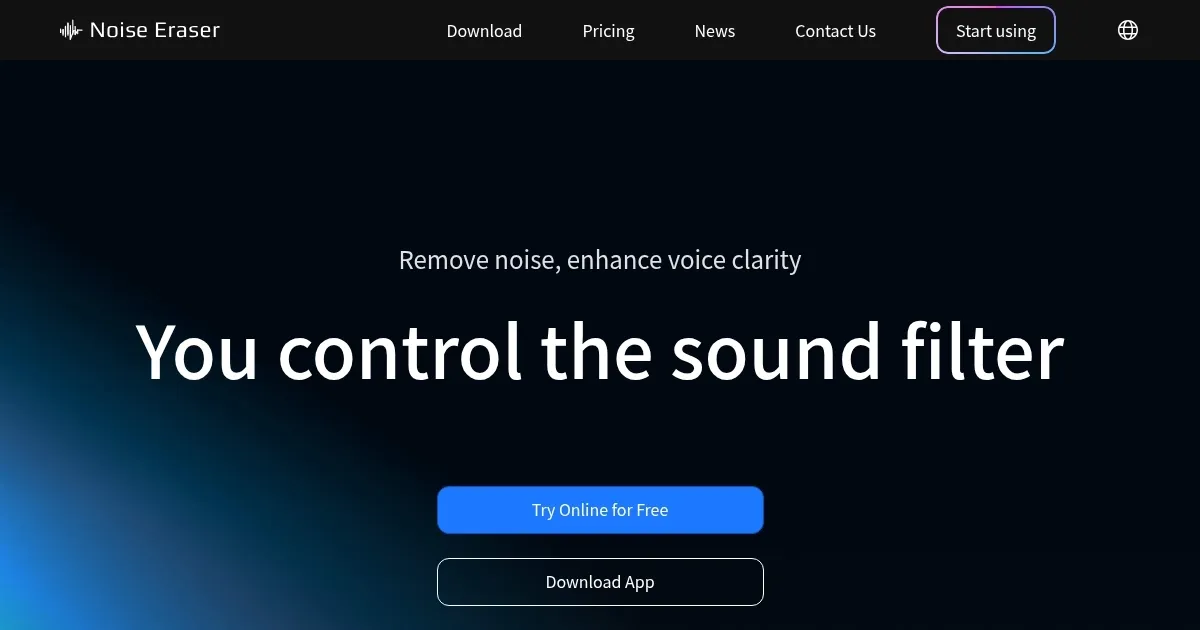
    Homepage Screenshot 📸

    Noise Eraser screenshot

    Video Overview 🎬

    Noise Eraser - Video Overview

    What are the key features? ✨

    • Split Vocal: Isolates human voices from background noise in audio files.
    • Split Wind: Removes or extracts wind sounds for clearer outdoor recordings.
    • Split Music: Separates music elements from other audio components.
    • Split Traffic: Targets and eliminates traffic-related noises.
    • Split AC: Handles air conditioning hums and similar mechanical sounds.

    Who is it for? 🤔

    Noise Eraser proves helpful for content creators like podcasters, vloggers, and social media coordinators who need to clean up audio from real-world recordings, as well as everyday users salvaging old videos or important clips with background interference, and even professionals in fields like journalism or education seeking quick, high-quality noise reduction without complex software.

    Examples of what you can use it for 💡

    • Podcaster: Uses the tool to remove background hums and isolate vocals for clear episode audio.
    • Vlogger: Eliminates wind noise from outdoor videos to enhance viewer experience.
    • Social media coordinator: Cleans up commentary clips by separating music from speech.
    • Journalist: Clarifies interviews recorded in noisy urban environments by splitting traffic sounds.
    • Amateur filmmaker: Removes AC hums from indoor scenes for professional-sounding footage.

    Pros & Cons ⚖️

    • Easy to use interface
    • Quick processing times
    • Effective noise isolation
    • Freemium model available
    • Occasional artifacts
    • UI translation issues

    FAQs 💬

    Is Noise Eraser free to use?
    Yes, basic features are free, with pro options available via in-app purchases.
    What file formats does Noise Eraser support?
    It handles common audio and video formats like MP3, MP4, and WAV.
    Can I use Noise Eraser on my computer?
    Yes, the web app runs in any browser without downloads.
    How long does processing take?
    Typically under a minute for a five-minute clip.
    Does it work on videos?
    The mobile app supports videos, while the web version is audio-only.
    Is there a limit on file size?
    Free version has limits, pro unlocks larger files.
    Can I adjust noise levels?
    Yes, sliders allow customization of voice and noise ratios.
    What devices is it available on?
    iOS, Android, and web browsers.
    Does it require an internet connection?
    Web app needs internet, mobile can work offline for some functions.
    How secure is my uploaded audio?
    Files are processed securely and not stored long-term.

    Ready to try Noise Eraser?

    Removes background noise from audio and video using AI to isolate specific sounds like vocals

    Visit Noise Eraser ↗

    Noise Eraser alternatives 🔗

    1. AudioCleaner AudioCleaner Removes background noise and enhances audio clarity with AI
    2. Audo AI Audo AI Automatically remove background noise and enhance your speech using the power of AI
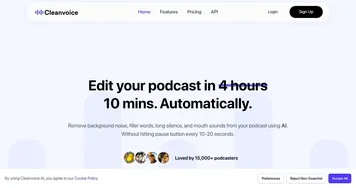
    3. Cleanvoice Cleanvoice Removes filler sounds, mouth clicks, and background noise from podcast audio automatically
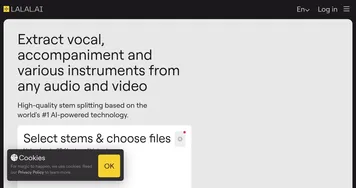
    4. LALAL.AI LALAL.AI Splits audio into vocals, instruments, and stems with AI precision
    5. Xound Xound Enhances audio by removing noise and correcting pitch for professional-grade sound
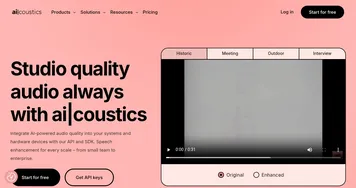
    6. ai-coustics ai-coustics An AI-powered audio enhancement tool designed to improve the quality of speech in recordings
    Share
    Noise Eraser screenshot enlarged
    Best AI Tools

    Discover the best AI tools for any use case

    Explore
    • Tool Categories
    • AI Use Cases
    • AI Events
    • AI News
    • Saved Tools
    Company
    • About Us
    • Contact Us
    • Media & Partnerships
    • Suggest a Tool
    Legal
    • Privacy Policy
    • Terms of Service
    Copyright © 2026 Best AI Tools 415 Mission Street, 37th Floor, San Francisco, CA 94105