Best AI Watermark Removal Tools

15 toolsRanked by traffic

AI watermark removal tools erase a watermark, logo, or text overlay from an image and fill the gap so it looks untouched. You upload the picture and either mark the watermark or let the tool detect it automatically, then the model reconstructs the pixels underneath from the surrounding image. Tools such as WatermarkRemover.io, SnapEdit, Dewatermark.ai, and PixelBin specialize in this.

People use these to clean up their own photos, remove a date stamp, or strip a logo from an image they have the rights to. One honest caveat: removing a watermark from an image you do not own can violate copyright and the creator's terms, so only do this with content that is genuinely yours or licensed. Results also vary, since busy backgrounds behind a watermark are much harder to reconstruct cleanly than flat ones.

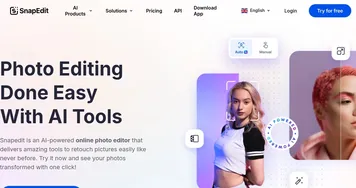
SnapEdit
SnapEdit - icon
SnapEdit
Automated AI photo editor, background remover, and enhancer
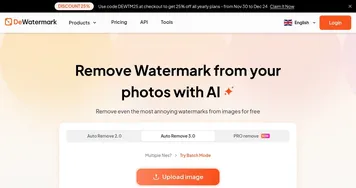
Dewatermark.ai
Dewatermark.ai - icon
Dewatermark.ai
An AI tool designed to remove watermarks from images
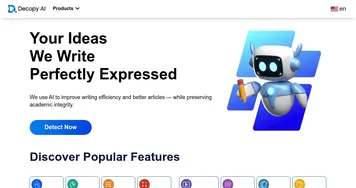
Decopy AI
Decopy AI - icon
Decopy AI
Detects AI-generated text and transforms it into natural human-like content
PixelBin
PixelBin - icon
PixelBin
Real-time image transformations, optimizations, and digital asset management
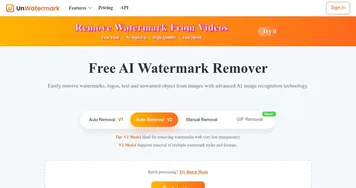
UnWatermark
UnWatermark - icon
UnWatermark
Removes watermarks from images and videos using AI for clean, high-quality results
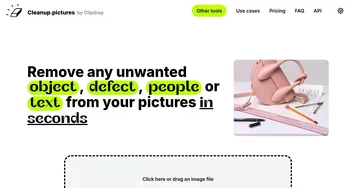
CleanUp.pictures
CleanUp.pictures - icon
CleanUp.pictures
Photo editor for removing objects or backgrounds and upscaling and relighting
HitPaw Online
HitPaw Online - icon
HitPaw Online
Enhances and edits photos, videos, and audio with AI-powered online tools for quick professional results.
WooTechy
WooTechy - icon
WooTechy
Unlocks iOS devices, recovers data, and changes voices with AI precision
Imagewith.AI
Imagewith.AI - icon
Imagewith.AI
An online tool that uses some fancy tech to make your photos look better
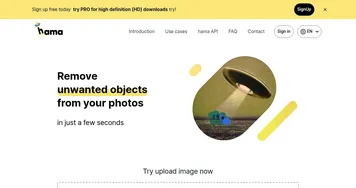
Hama
Hama - icon
Hama
Removes unwanted objects, people, text from images quickly using AI brush tool
Pixelfox AI
Pixelfox AI - icon
Pixelfox AI
Enhances images with AI tools for retouching and generation
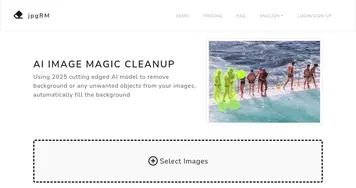
jpgRM
jpgRM - icon
jpgRM
Removes unwanted objects and backgrounds from images then fills gaps intelligently with AI
ZMO Remover
ZMO Remover - icon
ZMO Remover
Remove any unwanted details from your images in seconds
Noise Eraser
Noise Eraser - icon
Noise Eraser
Removes background noise from audio and video using AI to isolate specific sounds like vocals

Frequently Asked Questions

How do AI watermark removers work?
AI watermark removers detect the watermark region, then use inpainting to rebuild the pixels behind it. The model studies the surrounding texture, color, and pattern and predicts what the covered area should look like. On simple or smooth backgrounds the fill is nearly invisible, while detailed or repeating backgrounds are harder to reconstruct convincingly.
Is it legal to remove a watermark from an image?
It depends on who owns the image. Removing a watermark from a photo you took or properly licensed is generally fine, but stripping one from someone else's copyrighted work to use it without permission is usually illegal and against the creator's terms. The tool is neutral; the legality rests entirely on your rights to the image.
Can AI remove watermarks without leaving a trace?
Often, but not always. On clean or evenly textured backgrounds, AI removal leaves no visible mark. Over complex detail, faces, or text the reconstruction can smudge or invent the wrong pattern. Larger and more opaque watermarks are also tougher, so results range from flawless to noticeable depending on the image.
Are AI watermark removal tools free?
Many offer a free tier that handles small images or a limited number of removals, sometimes at reduced resolution. Full-resolution output, batch processing, and removing larger watermarks usually require a paid plan. The free tiers are enough to test quality on your own photos before deciding whether a tool is worth paying for.