logo-darklogo-darklogo-darklogo-dark
  • Home
  • Browse
    • Assistant
    • Coding
    • Image
    • Productivity
    • Video
    • Voice
    • Writing
    • All Categories
    • AI Use Cases
  • My Favorites
  • Suggest a Tool
✕
Home › Image Generation & Editing›
Published by Dusan Belic on July 10, 2023

Image Colorizer

Image Colorizer
Image Colorizer Homepage
Categories Image Generation & Editing

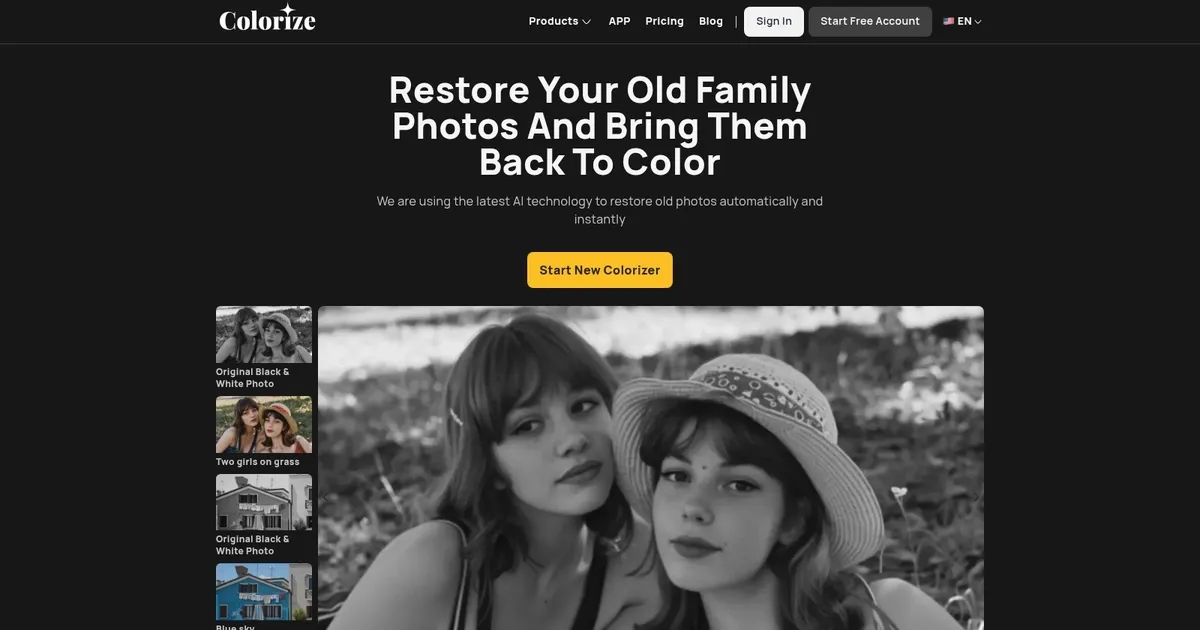
Image Colorizer - screenshot

Transforms black-and-white photos into vibrant colorized versions

Image Colorizer

Image Colorizer is an AI-driven tool designed to restore and enhance old photographs using a variety of advanced machine learning algorithms. It lets users colorize black and white photos, repair old and damaged pictures, enhance photo quality to make them high-definition, and retouch portraits to improve facial features.

The service also includes the ability to remove unwanted objects from photos, all operated through a user-friendly, cloud-based platform. This tool caters to individuals looking to revive their old family photos without needing any Photoshop skills, promising quick and automatic restoration while ensuring user photos remain secure and private.

The website operates by users uploading their black and white or old, damaged photos, upon which Image Colorizer’s neural network, trained on millions of images, automatically processes the photos to add color, remove scratches, enhance clarity, or retouch faces. The accuracy of the colorization and enhancement depends on the original photo quality, but the process is swift, typically taking only seconds to a few minutes.

Finally, we should add that Image Colorizer takes good care of user privacy, with uploaded photos being encrypted and auto-deleted after 24 hours. The service supports unlimited photo colorizations, although there may be restrictions on photo size or number per upload. Additionally, the platform offers a direct download of restored photos and provides customer support for any user queries or issues.

Image Colorizer Homepage
Categories Image Generation & Editing

What are the key features? ⭐

  • AI Colorize: Automatically adds natural and realistic colors to black-and-white photos using advanced AI trained on millions of images.
  • AI Restore: Repairs damaged photos while increasing resolution up to 2x and fixing scratches, tears, or imperfections.
  • AI Enhance: Sharpens blurry or pixelated images, improves clarity, and boosts overall photo quality.
  • AI Retouch: Smooths skin texture, brightens eyes, and refines facial features in portraits for a natural look.
  • AI Object Remover: Eliminates unwanted objects, spots, or distractions by marking areas for automatic removal.

Who is it for? 🤔

Image Colorizer helps anyone with old black-and-white or damaged photos who wants quick, automatic restoration and colorization. It's especially useful for family historians preserving ancestral images, photographers digitizing archives, hobbyists reviving personal memories, genealogists working on historical records, and casual users who lack advanced editing skills but need impressive results without effort.

Examples of what you can use it for 💭

  • Family historian: Revives old ancestral photos by adding realistic colors and repairing scratches to preserve heritage.
  • Photographer: Enhances and colorizes vintage client images or personal archives for portfolios and prints.
  • Genealogist: Restores faded historical documents and portraits to make family research more visually engaging.
  • Hobbyist: Brings personal black-and-white snapshots from childhood or past travels back to life with vibrant colors.
  • Content creator: Repairs and colorizes stock or archival images for blogs, social media, or video projects.

Pros & Cons ⚖️

  • Easy one-click use
  • Natural color results
  • All-in-one restoration
  • Affordable paid plans
  • Occasional color inaccuracies
  • Free tier has limits

FAQs 💬

What does Image Colorizer actually do?
It colorizes black-and-white photos, restores damaged old images, enhances resolution, retouches portraits, and removes unwanted objects using AI.
Is there a free version available?
Yes, the free tier gives you daily credits for processing with ads and resolution limits up to 3000px.
Do I need any editing skills to use it?
No, everything runs automatically after you upload your photo and select the features.
What kinds of photos work best?
It handles black-and-white, faded, scratched, blurry, or damaged photos, including portraits and historical images.
How does the pricing compare to similar tools?
Plans start affordably from $3.9/month and include more credits and features than many competitors.
Can I process multiple photos at once?
Batch processing is available on paid plans like Starter and above.
Does it work on mobile devices?
Yes, the web tool is responsive and works on phones, tablets, and computers.
What if the colors don't look right?
The AI aims for realism, but results can vary; try different photos or features for better outcomes.
Visit Image Colorizer

Related tools ↙️

  1. Dawn AI Dawn AI Generates personalized avatars and images from selfies using advanced AI technology
  2. Cloudinary Cloudinary Manages, transforms, optimizes, and delivers images and videos with AI-powered features
  3. Imgix Imgix Optimizes images in real-time using AI for faster web delivery
  4. Imajinn Imajinn Transforms user photos into artistic images and custom visuals using AI
  5. SVG AI SVG AI Transforms text prompts into scalable vector icons and logos instantly
  6. Artisse Artisse Generates hyper-realistic photos using AI from user selfies and custom prompts
Last update: January 19, 2026
Share
Promote Image Colorizer
light badge
Copy Embed Code
dark badge
Copy Embed Code
neutral badge
Copy Embed Code
About Us | Contact Us | Suggest an AI Tool | Privacy Policy | Terms of Service

Copyright © 2026 Best AI Tools
415 Mission Street, 37th Floor, San Francisco, CA 94105





