
logo-darklogo-darklogo-darklogo-dark
  • Home
  • Browse
    • Assistant
    • Coding
    • Image
    • Productivity
    • Video
    • Voice
    • Writing
    • All Categories
    • AI Use Cases
  • My Favorites
  • Suggest a Tool
✕
Home › Image Generation & Editing›
Published by Dusan Belic on August 30, 2023

jpgHD.com

jpgHD.com
jpgHD.com Homepage
Categories Image Generation & Editing

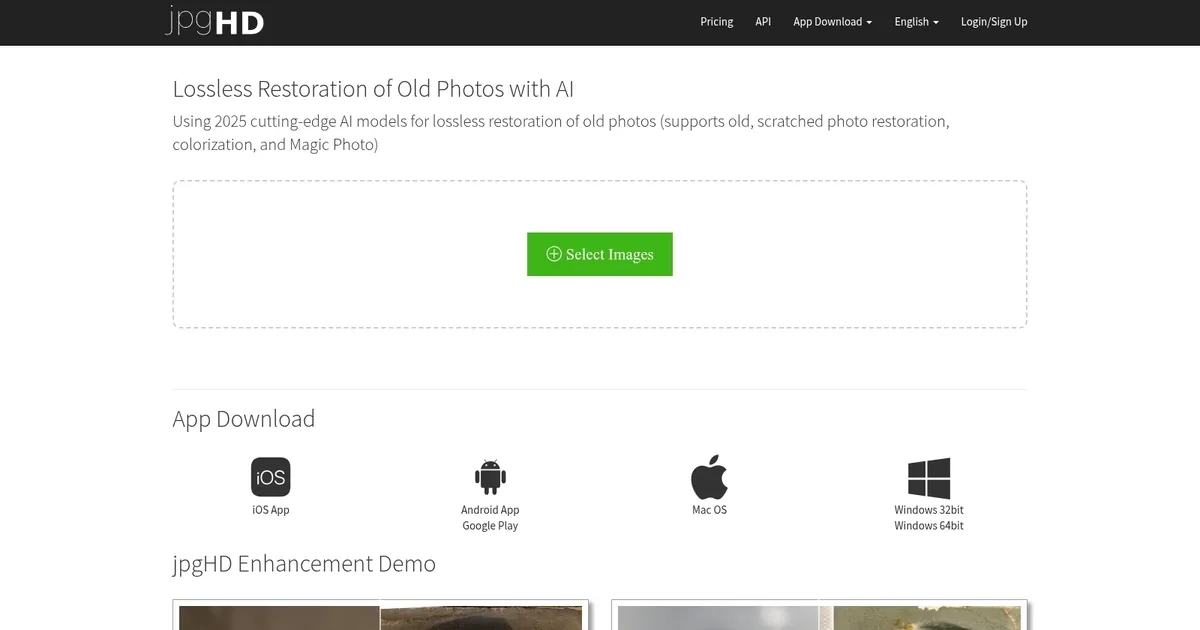
jpgHD.com - screenshot

AI-powered restoration of old photos, with support for scratched images, colorization, and more

jpgHD.com

jpgHD is an advanced AI-powered tool designed for the lossless restoration of old photos, offering a variety of services — including the restoration of old and scratched photos, colorization, and the creation of “Magic Photos,” which are animated portraits reminiscent of those seen in the Harry Potter series.

The platform supports images of all kinds, from landscapes and portraits to graphic designs and old photographs, providing solutions to enhance, denoise, and increase the resolution of these images while also supporting batch processing for multiple images.

jpgHD operates on a paid model, featuring different pricing packages based on the number of pictures, priority processing, and the size limit for uploads. Users are given options for single-use or recurring plans, ensuring flexibility in choosing the service according to their needs.

In addition, jpgHD offers an API for developers, enabling them to integrate jpgHD’s functionalities into their applications.

Lastly, we should add that the platform auto-deletes data older than three days and allows manual deletion anytime.

jpgHD.com Homepage
Categories Image Generation & Editing

What are the key features? ⭐

  • Ultra Restoration: combines scratch repair, denoising, colorization, and upscaling for comprehensive old photo recovery
  • Super Resolution: enlarges images while reducing noise and enhancing clarity using advanced AI models
  • Magic Photo: subtly animates portrait faces to create a vivid, lifelike appearance (supports multiple faces)
  • Colorize: automatically adds realistic colors to black-and-white photographs
  • Specialized Modes: dedicated enhancement for landscapes, sketches, anime, and logos with tailored denoising and enlargement

Who is it for? 🤔

jpgHD helps people who want to preserve family history by restoring old, scratched, or faded photographs, photographers and archivists working with damaged prints, anyone needing to colorize black-and-white images, graphic designers or illustrators who upscale anime, logos, or sketches, and hobbyists looking for an all-in-one AI solution to revive low-quality pictures without complex software.

Examples of what you can use it for 💭

  • Family archivist: restores scratched old photos and adds natural color to black-and-white ancestors' portraits
  • Genealogy researcher: repairs faded historical images to make details like faces and clothing clearer for records
  • Photographer: upscales and denoises landscape shots while preserving realistic textures and details
  • Anime artist: enlarges low-resolution drawings or cels without introducing artifacts or losing line quality
  • Designer: enhances and enlarges logos or sketches for print or digital use with clean results

Pros & Cons ⚖️

  • Strong old photo restoration
  • Natural colorization results
  • Multiple specialized modes
  • Automatic file deletion
  • Processing wait times
  • Paid for full features

FAQs 💬

What types of images does jpgHD work best on?
jpgHD excels with old, scratched, or faded photographs, black-and-white images needing color, low-resolution pictures, and illustrated content such as anime, sketches, or logos.
How long does processing take?
Most images finish in 3–5 minutes, though larger files or those with many faces (especially in Magic Photo) may take longer.
Is there a free option available?
Limited free demos or trials exist, but full features, higher resolutions, and priority processing require a paid plan.
Are uploaded photos kept private?
Yes, images are automatically deleted from servers after three days.
Does jpgHD offer offline use?
No, it is a server-based online tool with no downloadable offline version mentioned.
Can it handle multiple faces in one photo?
Yes, the Magic Photo feature supports up to 10 faces, though very small faces may need the 4x Enlarge option enabled.
What is the main difference from pure upscalers like Topaz?
jpgHD focuses more on restoration, colorization, and damage repair, while tools like Topaz prioritize precise detail enlargement.
Does it support animation or video?
No, jpgHD works only on still images, not video files.
Visit jpgHD.com

Related tools ↙️

  1. Dawn AI Dawn AI Generates personalized avatars and images from selfies using advanced AI technology
  2. Cloudinary Cloudinary Manages, transforms, optimizes, and delivers images and videos with AI-powered features
  3. Imgix Imgix Optimizes images in real-time using AI for faster web delivery
  4. Imajinn Imajinn Transforms user photos into artistic images and custom visuals using AI
  5. SVG AI SVG AI Transforms text prompts into scalable vector icons and logos instantly
  6. Artisse Artisse Generates hyper-realistic photos using AI from user selfies and custom prompts
Last update: February 9, 2026
Share
Promote jpgHD.com
light badge
Copy Embed Code
dark badge
Copy Embed Code
neutral badge
Copy Embed Code
About Us | Contact Us | Suggest an AI Tool | Privacy Policy | Terms of Service

Copyright © 2026 Best AI Tools
415 Mission Street, 37th Floor, San Francisco, CA 94105





