
logo-darklogo-darklogo-darklogo-dark
  • Home
  • Browse
    • Assistant
    • Coding
    • Image
    • Productivity
    • Video
    • Voice
    • Writing
    • All Categories
    • AI Use Cases
  • My Favorites
  • Suggest a Tool
✕
Home › Video Generation & Editing ›

Kaiber

Published by Dusan Belic on June 20, 2023

Kaiber

Kaiber
Kaiber Homepage
Categories Video Generation & Editing

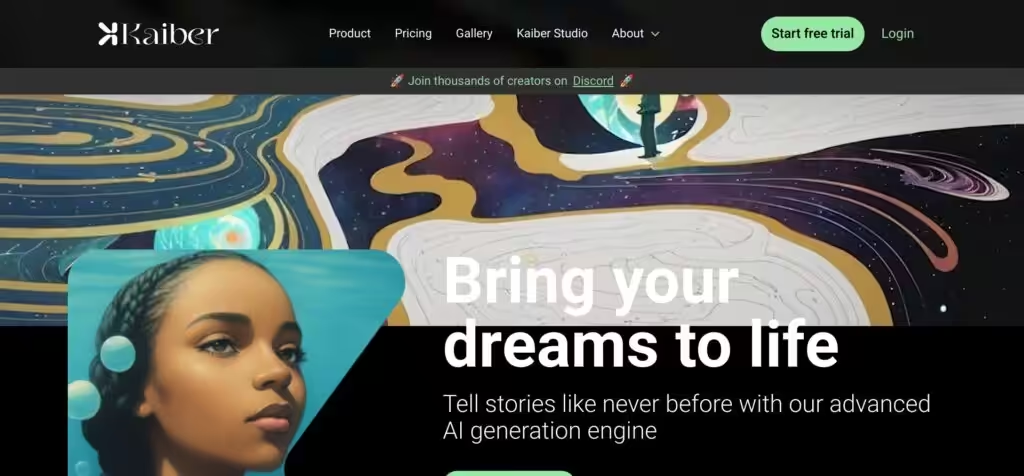
Kaiber - screenshot

An AI-enabled tool that allows you to transform your images and text into visually stunning videos

Kaiber

Kaiber is an AI-enabled tool that allows you to transform your images and text into visually stunning videos. It offers a range of styles, such as anime, concept art, impressionism, and more.

Kaiber is dubbed to be perfect for musicians, artists, and other content creators, who want to explore the potential of AI tools. It is essentially a video generation engine that takes your content and, just like that, turns it into a video.

The process of creating videos with Kaiber starts with you uploading your images or audio files which will form the base of your video. Then, you describe the vision you have for your video or select from Kaiber’s provided styles and prompt templates. There are various settings you can customize, including the length, dimensions, and camera movements. Finally, you select a starting frame from the options Kaiber generates, and you’re good to go. The only thing left to do is export and share your creation.

Kaiber’s free plan provides 30 credits, which equate to approximately 30 seconds of video, and includes the Kaiber watermark. The paid plans remove that watermark and, obviously, include more credits.

Bear in mind that the initial style previews can take up to 30 seconds to generate, while the final rendering time for the video depends on its length and can range from minutes to hours. Doing this takes a lot of time and resources, so it makes sense. Nevertheless, the Kaiber team is continuously working on ways to minimize the rendering time and improve the user experience.

Kaiber Homepage
Categories Video Generation & Editing

What are the key features? ⭐

  • Transform images and text into videos: Kaiber's key selling point is its ability to turn images and text descriptions into visually impressive videos. Just upload your images or write the text, and let Kaiber do its magic.
  • Styles galore: Kaiber offers a wide range of styles, such as anime, concept art, impressionism, and many more.
  • Customization: You can customize various settings of your video, including its length, dimensions, and camera movements, to make sure it aligns with your vision.
  • Flexible plans: Kaiber includes a free plan if you're just starting out, a Pro plan if you need more credits, and a high-end Studio Production plan for creating long-form videos.

Who is it for? 🤔

Kaiber is aimed at all kinds of creatives, including musicians, artists, content creators, and even futurists looking to generate innovative content. Its ability to transform images and text into videos makes it a neat tool for everyone seeking to showcase their work in a unique way. It is easy to use and offers various pricing plans, making it accessible to both individuals and businesses.

Examples of what you can use it for 💭

  • Create music videos even for those who haven't created a second of a video clip before
  • Design artistic presentations using your images and texts as inputs
  • Prototype visual concepts with just a few clicks and a prompt
  • Create promotional videos for all kinds of purposes

Pros & Cons ⚖️

  • Everyone can create videos with Kaiber
  • The results could be nothing short of stunning
  • Great for musicians looking for an easy way to create music videos
  • Video generation is a resource-intensive task, and it costs money

FAQs 💬

What is Kaiber SuperStudio mainly used for?
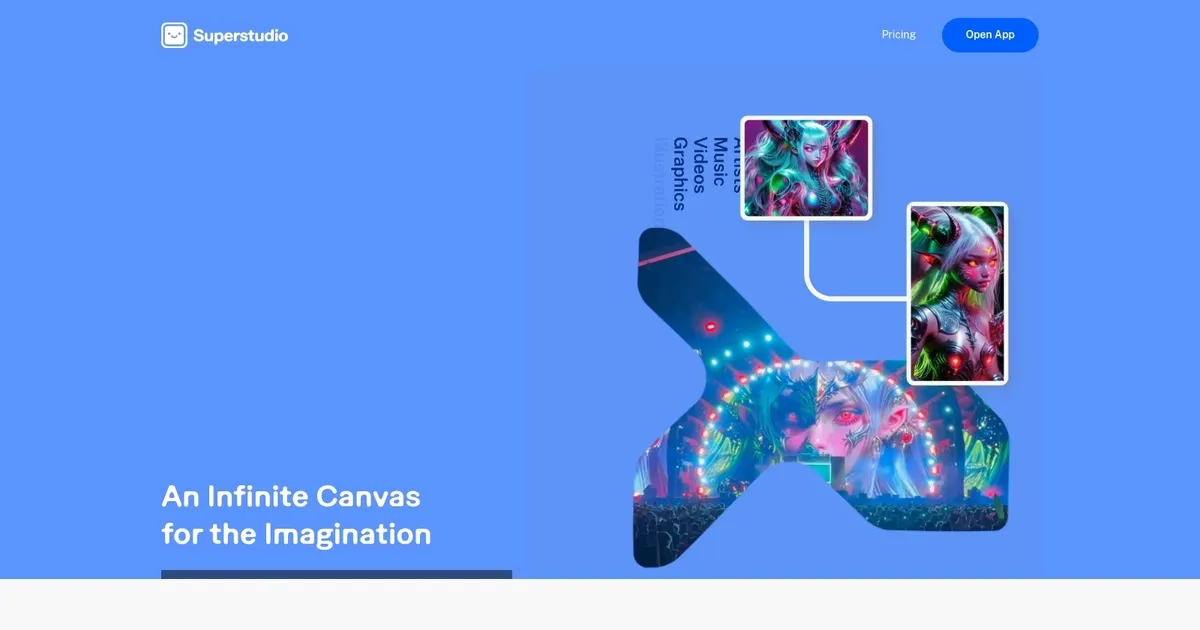
Kaiber SuperStudio serves as an all-in-one AI canvas for generating and editing images, videos, and audio-reactive content, ideal for artists, musicians, and creators building visual narratives or music videos.
What types of AI models does SuperStudio integrate?
It combines leading models for images (like Flux, Stability, Recraft), videos (Luma, Veo, Kling, Runway, Minimax, Mochi), and audio (Stability, Audioshake) to support diverse creation styles.
Can I train custom AI models in SuperStudio?
Yes, you can train custom models using your own images or references so the AI mirrors your unique style for consistent results across projects.
Does SuperStudio support audio-reactive video generation?
It excels at creating visuals that react to music, including lip-sync animations and dynamic effects synced to uploaded tracks.
Is SuperStudio suitable for beginners?
It offers an intuitive canvas but might have a learning curve due to the depth of tools; many users recommend starting with simple prompts and exploring the Discord community for tips.
What kinds of projects work best in SuperStudio?
Music videos, animated shorts, social media reels, logo restyling, portrait series, and fashion visuals thrive here thanks to style controls and audio integration.
Can I generate videos from text prompts in SuperStudio?
Yes, text-to-video is supported through various models, and you can combine it with images or audio for more complex outputs.
How does the infinite canvas work?
The canvas acts as a flexible workspace where you arrange, generate, remix, and connect images, videos, and scenes non-linearly for storytelling or experimentation.
Does SuperStudio allow image-to-video conversion?
It supports animating uploaded images into videos using integrated models, letting you add motion, styles, or audio-reactive elements.
Is there community support for learning SuperStudio?
Kaiber maintains an active Discord server with tutorials, live events, and user discussions to help creators master the platform.

Related tools ↙️

  1. Prequel Prequel Photo and video editing app with an easy-to-use creative toolkit, aesthetic effects and filters
  2. Wavel Wavel Instantly dubs videos, clones voices, adds subtitles, and generates AI videos in multiple languages
  3. VIDU VIDU A powerful AI video generator that can transform text and images into high-quality videos
  4. Subscribr Subscribr Creates engaging YouTube scripts with AI-driven research and optimization
  5. Arcads Arcads An AI-driven platform that aims to revolutionize video ad creation
  6. Klap Klap Make short videos for TikTok, Reels, and YouTube Shorts 10x faster
Last update: January 7, 2026
Share
Promote Kaiber
light badge
Copy Embed Code
light badge
Copy Embed Code
light badge
Copy Embed Code
About Us | Contact Us | Suggest an AI Tool | Privacy Policy | Terms of Service

Copyright © 2026 Best AI Tools
415 Mission Street, 37th Floor, San Francisco, CA 94105




