logo-darklogo-darklogo-darklogo-dark
  • Tool Categories
    • 🎨Art & Creative Design505
    • 🏢Business Management644
    • 💻Coding & Development515
    • 👮Detection83
    • 🧠General Use727
    • 🏥Health & Wellness55
    • 📷Image & Photo Analysis100
    • 🖼️Image Generation & Editing618
    • 📐Interior & Architectural Design37
    • 🎓Learning & Education483
    • ⚖️Legal & Finance90
    • 🎭Lifestyle & Entertainment236
    • 📢Marketing & Advertising627
    • 🎧Music & Audio138
    • 👔Office & Workplace1,014
    • 🔬Research & Data Analysis372
    • 👥Social Media245
    • 🎥Video Generation & Editing426
    • 👧🏻Virtual Companion135
    • 🎤Voice Generation & Editing381
    • ✍️Writing & Editing808
    • All Categories
    • AI Use Cases
  • News
  • Events
    • Academic Conferences
    • Developer Conferences
    • Expos / Trade Shows
    • Industry Summits
    • Workshops / Training
    • All Events
    • Past Events
  • Saved Tools
  • Suggest a Tool
✕
Home › Video Generation & Editing › Video Editing› Choppity
Choppity

Choppity

Transforms long videos into engaging short clips using AI automation

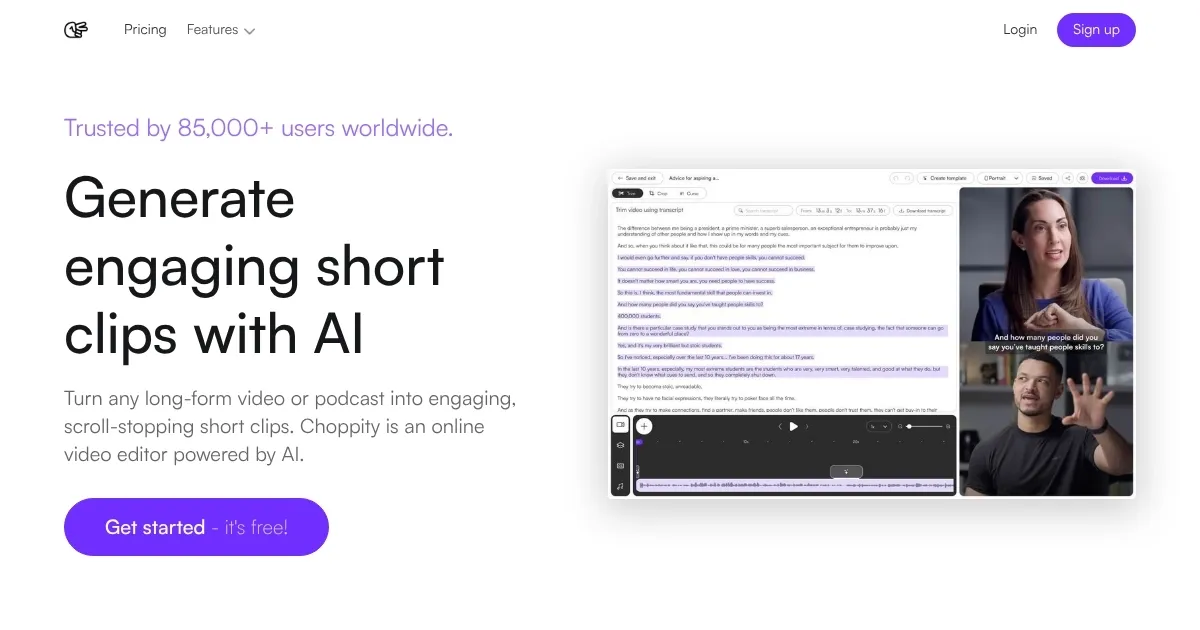
Choppity is an AI-powered online video editor that specializes in converting long-form videos into short clips for social media. It uses multimodal AI to analyze content and generate engaging segments automatically. Key features include Magic Clips, which identifies viral-worthy moments based on audio, visual, and emotional cues, and supports target durations like 30 to 60 seconds. The tool processes videos in 97 languages with 98 percent caption accuracy and allows customization of fonts, colors, and animations to fit brand styles. Users edit via transcripts, highlighting text to cut or add elements like B-roll or images precisely.

Magic Reframe and Magic Follow handle format conversions, automatically cropping landscape videos to portrait while tracking and centering subjects for smooth results. Profanity censoring detects and bleeps inappropriate words to comply with platform algorithms. The screen recorder tool captures demos, auto-editing with zooms on referenced areas, silence removal, and background options. Collaboration enables team invites, sub-teams for organization, and real-time editing, with link sharing for quick distribution without uploads.

Pricing includes a free tier with 30 minutes monthly upload, 5GB storage, and a watermark, plus one template. Creator plan scales via packs, each adding 30 minutes upload, 10GB storage, and features like custom fonts without watermark. Team plan starts at three seats, providing shared 3 hours upload per seat, 60GB storage, and more templates. Enterprise offers custom unlimited options with API and SSO. Compared to competitors, Choppity provides more automated tracking than Descript, which focuses on audio-transcript edits, but less broad effects than CapCut.

Users appreciate the time savings, with claims of nine times faster edits than manual methods, and affordability over outsourcing. Drawbacks include occasional glitches like audio sync issues or failed generations consuming credits. Recent reviews note strong captioning and ease for non-experts, but criticize support responsiveness and editing limitations such as no undo or complex punctuation tweaks. The tool suits quick social content but may require fixes for precision.

Practical advice includes testing the free tier on short projects to assess AI accuracy, saving custom styles early for consistency, and monitoring monthly limits to avoid mid-month shortages.

Visit Choppity ↗
Categories
🎥 Video
✏️ Video Editing ✂️ Long To Short Video Generation 📲 Short Video Generation 📋 Video Summarizer 🎶 Tiktok Video Generation 📱 Reel Generation
✍️ Writing
💬 Subtitle Generation

Homepage Screenshot 📸

Choppity screenshot

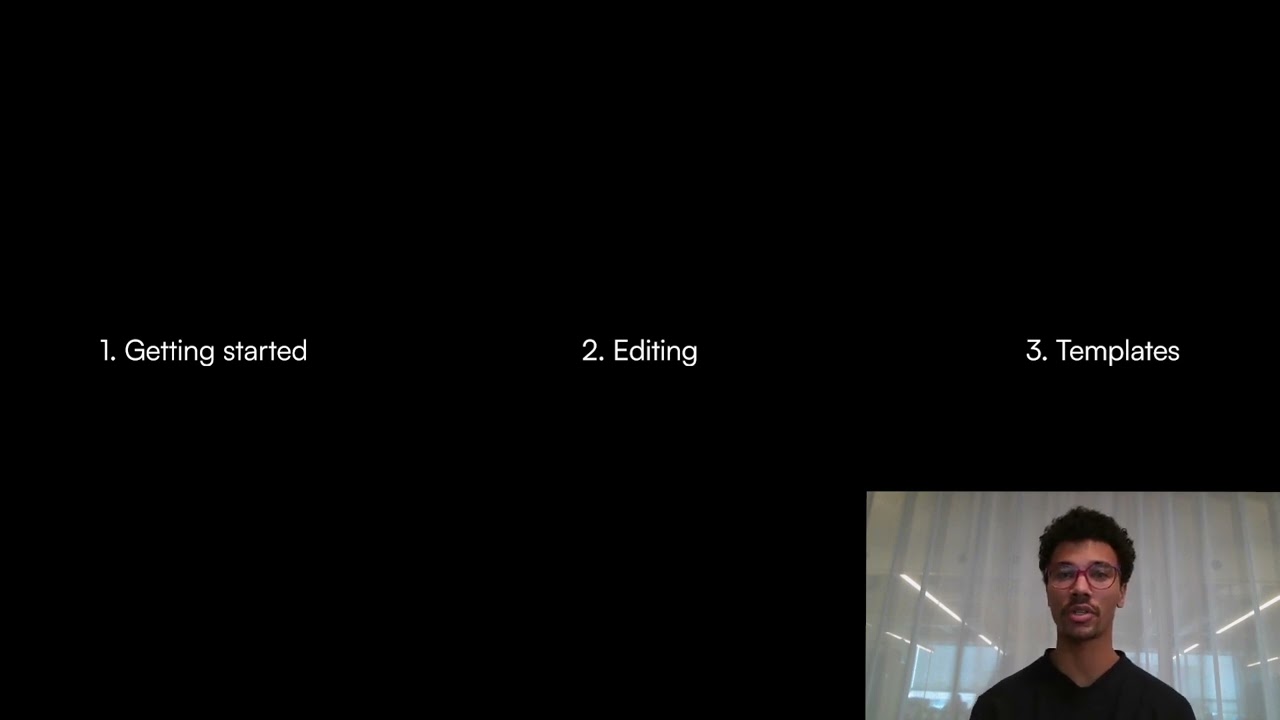
Video Overview 🎬

Choppity - Video Overview

What are the key features? ✨

  • Magic Clips: AI identifies and generates engaging short clips from long videos automatically.
  • Magic Reframe: Automatically adjusts landscape videos to portrait format by centering faces.
  • Captions: Adds accurate, customizable animated subtitles in 97 languages to boost watch time.
  • Transcript Editing: Allows video cuts and additions by highlighting text in the transcript.
  • Profanity Censoring: Detects and censors curse words for platform compliance.

Who is it for? 🤔

Choppity proves helpful for content creators, podcasters, marketers, sales teams, and small agencies who need to repurpose long videos into short social media clips quickly. It suits beginners without advanced editing skills, thanks to its intuitive transcript-based interface, while offering enough control for pros handling brand-consistent content. Teams benefit from collaboration features, making it ideal for those in fast-paced environments like social media management or customer support, where time savings matter most.

Examples of what you can use it for 💡

  • Podcaster: Converts full episodes into highlight clips for TikTok promotion.
  • Marketer: Creates branded short ads from webinars with custom captions.
  • Sales Rep: Records screen demos that auto-edit for client follow-ups.
  • Content Creator: Edits tutorials into vertical reels with face tracking.
  • Agency Team: Collaborates on client videos in real-time via shared links.

Pros & Cons ⚖️

  • Saves editing time
  • Easy for beginners
  • Accurate captions
  • Brand customization
  • Occasional glitches
  • Limited support

FAQs 💬

What is Choppity?
Choppity is an AI-powered video editor for creating short clips from long videos, ideal for social media, sales, and training.
Is Choppity free to use?
Yes, it offers a free tier with limited monthly uploads and a watermark, while paid plans remove limits and add features.
How accurate are the captions?
Captions achieve over 98 percent accuracy and support customization in 97 languages.
Can I collaborate with others?
Yes, you can invite team members, create sub-teams, and edit in real time.
What formats does it support?
It handles landscape to portrait conversions automatically with reframing and tracking.
Does it censor profanity?
Yes, it automatically detects and censors curse words for better platform compliance.
How do I edit videos?
Use transcript-based editing to highlight and cut sections like a text document.
Can I customize styles?
Yes, save multiple brand styles with fonts, colors, logos, and apply them automatically.
What about screen recording?
The built-in recorder auto-edits with zooms, silence removal, and captions.
How does it compare to Opus Clip?
Choppity offers similar clip generation but adds advanced tracking and collaboration features.

Ready to try Choppity?

Transforms long videos into engaging short clips using AI automation

Visit Choppity ↗

Choppity alternatives 🔗

  1. Runway Runway Generates and edits AI-powered videos from text prompts
  2. Canva Magic Design Canva Magic Design Generates custom, on-brand designs from text prompts or uploaded media in seconds.
  3. Adobe Express Adobe Express Creates on-brand content with AI-driven design and video tools
  4. Vimeo AI Vimeo AI Creates polished videos from single recordings using AI edits and scripts
  5. CapCut Creative Suite CapCut Creative Suite Online creative suite for everyone to create stunning images and videos
  6. Loom AI Loom AI Record better video messages with automatic titles, summaries, share messages, and more
Share
Choppity screenshot enlarged
Promote Choppity
light badge
Copy Embed Code
dark badge
Copy Embed Code
neutral badge
Copy Embed Code
Best AI Tools

Discover the best AI tools for any use case

Explore
  • Tool Categories
  • AI Use Cases
  • AI Events
  • AI News
  • Saved Tools
Company
  • About Us
  • Contact Us
  • Media & Partnerships
  • Suggest a Tool
Legal
  • Privacy Policy
  • Terms of Service
Copyright © 2026 Best AI Tools 415 Mission Street, 37th Floor, San Francisco, CA 94105