logo-darklogo-darklogo-darklogo-dark
  • Tool Categories
    • ๐ŸŽจArt & Creative Design505
    • ๐ŸขBusiness Management644
    • ๐Ÿ’ปCoding & Development515
    • ๐Ÿ‘ฎDetection83
    • ๐Ÿง General Use727
    • ๐ŸฅHealth & Wellness55
    • ๐Ÿ“ทImage & Photo Analysis100
    • ๐Ÿ–ผ๏ธImage Generation & Editing618
    • ๐Ÿ“Interior & Architectural Design37
    • ๐ŸŽ“Learning & Education483
    • โš–๏ธLegal & Finance90
    • ๐ŸŽญLifestyle & Entertainment236
    • ๐Ÿ“ขMarketing & Advertising627
    • ๐ŸŽงMusic & Audio138
    • ๐Ÿ‘”Office & Workplace1,014
    • ๐Ÿ”ฌResearch & Data Analysis372
    • ๐Ÿ‘ฅSocial Media245
    • ๐ŸŽฅVideo Generation & Editing426
    • ๐Ÿ‘ง๐ŸปVirtual Companion135
    • ๐ŸŽคVoice Generation & Editing381
    • โœ๏ธWriting & Editing808
    • All Categories
    • AI Use Cases
  • News
  • Events
    • Academic Conferences
    • Developer Conferences
    • Expos / Trade Shows
    • Industry Summits
    • Workshops / Training
    • All Events
    • Past Events
  • Saved Tools
  • Suggest a Tool
โœ•
Home › Writing & Editing › Summarizer› WayinVideo
WayinVideo

WayinVideo

Creates viral video clips from long videos in seconds

WayinVideo is an AI tool that can take long videos and churn out polished, social-ready clips faster than you can brew my coffee. I uploaded a 20-minute YouTube vlog to WayinVideo, and within seconds, it spit out three snappy clips ready for Instagram Reels. But, like any shiny new gadget, it’s got its quirks. Here’s my take after a quick spin, with a dash of wit and some vivid imagery to paint the picture.

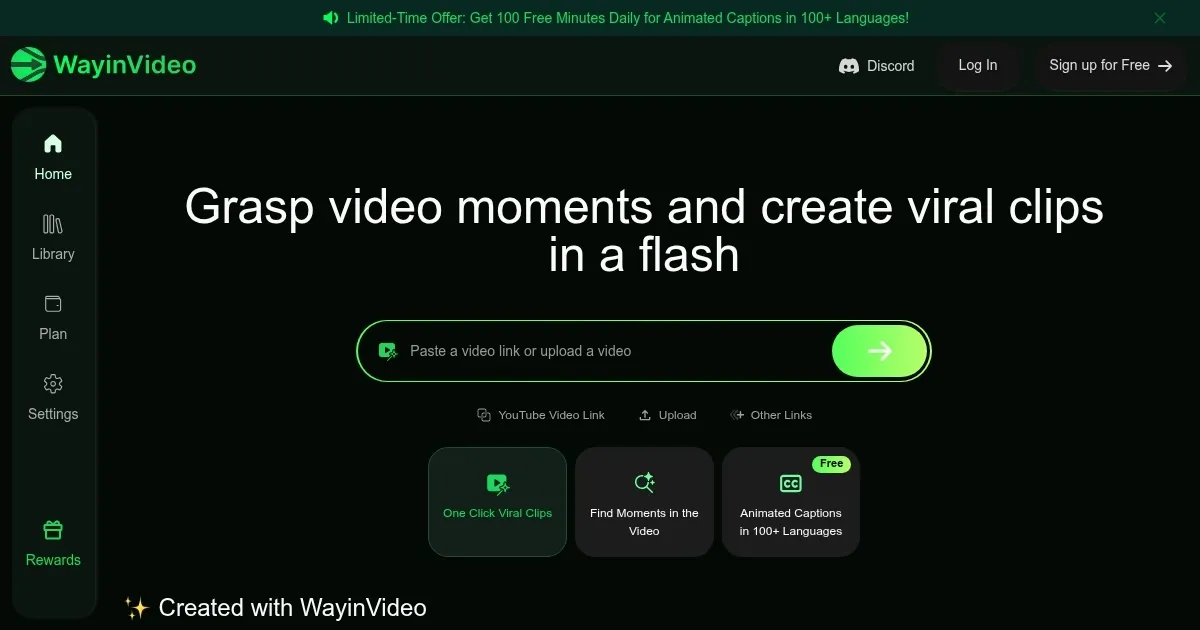
The process is dead simple. Paste a video link or upload a file, and WayinVideo’s AI dives in, sniffing out moments that scream “share me.” I tried it with a travel vlog, and the Clip Maker feature nailed a hilarious moment where my friend tripped over a suitcase — perfect for a TikTok laugh. The AI also slapped on animated captions with the Caption Animation tool, giving the clip a pro vibe without me touching an editing suite. It’s like the tool read my mind, knowing I’d rather be sipping coffee than wrestling with timelines. The ability to pick aspect ratios for different platforms (like 9:16 for Reels) is a thoughtful touch, ensuring your clips look native, not awkwardly cropped.

But, hold the applause. When I tested a tech tutorial, the AI got a bit overzealous, picking a random code snippet instead of the key explanation I wanted. It’s not a dealbreaker, but you’ll need to babysit the results sometimes. Also, the free plan caps your clip output, which felt stingy when I was on a roll. Compared to Runway, which offers more robust editing, WayinVideo leans hard into speed over depth. If you’re after quick hits for social media, though, it’s a dream.

The Search Moments feature was a pleasant surprise. I typed “sunset scene” into the search bar, and boom, WayinVideo found the exact moment in my vlog where the sky turned pink. It’s like having a super-smart assistant who knows your footage better than you do. The platform’s blog also offers tips on optimizing clips for engagement, which I found handy for tweaking my Reels strategy.

Pricing feels fair, with a free tier for casual users and paid plans for those cranking out content daily. It’s in line with tools like Clipchamp, though Clipchamp offers more manual control. My advice? Upload a short video to test the AI’s clip picks. If you’re a content creator who lives on TikTok or Shorts, experiment with the caption templates to boost engagement. Just don’t expect miracles on super-specialized videos — check the AI’s work before posting.

Visit WayinVideo ↗
Categories
โœ๏ธ Writing
๐Ÿ“ Summarizer
๐ŸŽค Voice
๐Ÿ“ Transcriber
๐ŸŽฅ Video
๐Ÿ“ฒ Short Video Generation

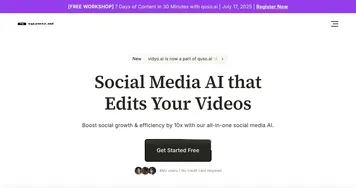
Homepage Screenshot 📸

WayinVideo screenshot

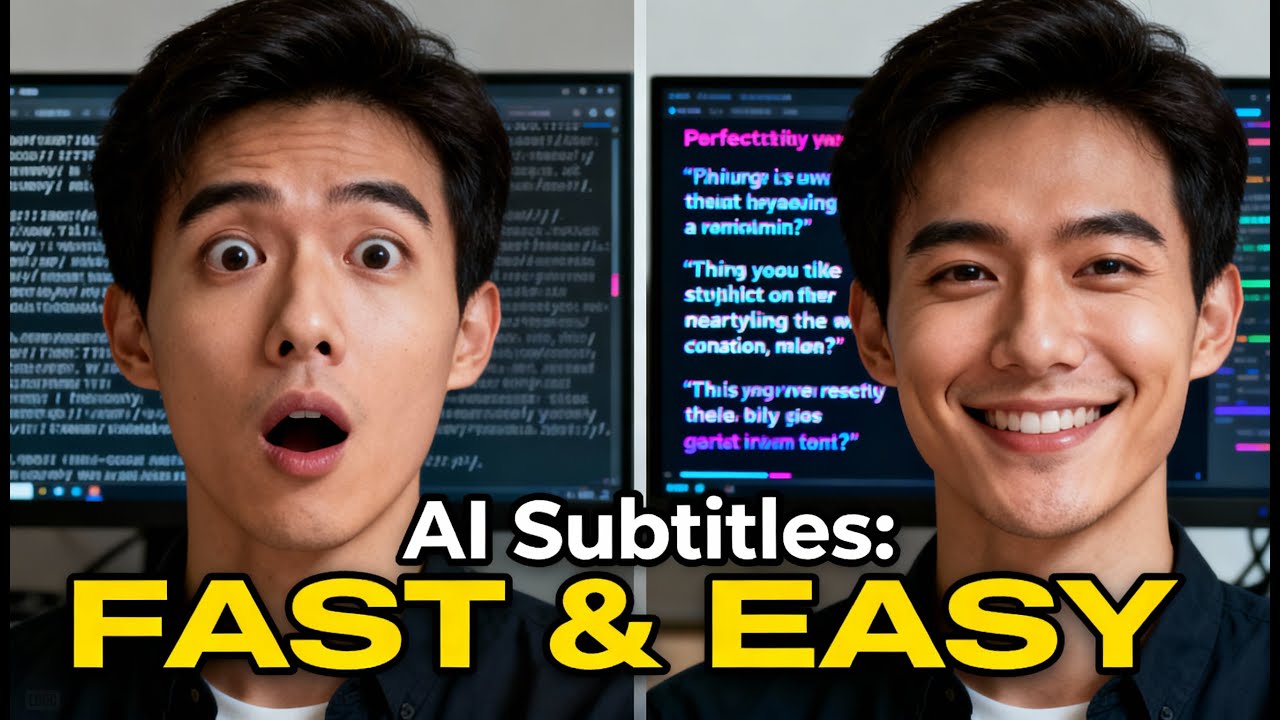
Video Overview 🎬

WayinVideo - Video Overview

What are the key features? ✨

  • Clip Maker: Automatically generates short, engaging clips from long videos.
  • Caption Animation: Adds professional, platform-optimized text overlays to clips.
  • Search Moments: Finds specific video segments based on user-input phrases or actions.
  • Platform Optimization: Adjusts aspect ratios for TikTok, YouTube Shorts, and Instagram Reels.
  • Multilingual Support: Processes videos in any language for global accessibility.

Who is it for? 🤔

WayinVideo is a lifesaver for content creators, social media managers, and marketers who need to produce engaging, platform-ready video clips quickly. Itโ€™s ideal for those managing high volumes of video content, like YouTubers or influencers, who want to repurpose long-form videos into viral shorts without spending hours editing. Small business owners and educators looking to boost social media presence with minimal effort will also find it valuable, especially with its multilingual support for reaching diverse audiences.

Examples of what you can use it for 💡

  • YouTuber: Repurposes long vlogs into YouTube Shorts to boost channel engagement.
  • Social Media Manager: Creates TikTok clips from brand videos for quick campaigns.
  • Marketer: Generates Instagram Reels from product demos to drive sales.
  • Educator: Turns lecture recordings into shareable snippets for student engagement.
  • Influencer: Crafts viral clips from event footage to grow followers.

Pros & Cons ⚖️

  • Multilingual support
  • Platform-specific optimization
  • Search Moments feature
  • AI may miss niche context
  • Fewer editing options

FAQs 💬

What platforms does WayinVideo support?
It supports YouTube, TikTok, Instagram Reels, and Facebook for clip optimization.
Can it process non-English videos?
Yes, it handles videos in any language with multilingual support.
Is there a free plan?
Yes, the free plan offers limited clip generation and basic features.
How accurate is the clip selection?
Itโ€™s highly accurate for general content but may need tweaks for niche videos.
Does it require editing skills?
No, itโ€™s designed for beginners with an intuitive interface.
Can I customize captions?
Yes, but options are limited to pre-set templates.
How long does clip generation take?
Clips are generated in seconds, even for hours-long videos.
Is it suitable for professional use?
Yes, itโ€™s great for quick social media content but lacks advanced editing.
Can I search for specific moments?
Yes, the Search Moments feature finds specific phrases or actions.
How does it compare to Descript?
Itโ€™s faster for clip creation but offers fewer editing tools than Descript.

Ready to try WayinVideo?

Creates viral video clips from long videos in seconds

Visit WayinVideo ↗

WayinVideo alternatives 🔗

  1. Gemini Gemini Generates responses from text, images, audio, and video inputs using advanced multimodal AI
  2. Claude Claude Assists users in reasoning, coding, writing, and analyzing data with advanced AI models
  3. Brave Leo Brave Leo Assists with web queries, content creation, and document analysis in-browser
  4. Slack AI Slack AI Search smarter, summarize conversations instantly, and be at your most productive
  5. FigJam AI FigJam AI Instantly visualize ideas, suggest best practices, and automate tedious tasks
  6. Box AI Box AI An assistant that taps into your enterprise content and documents
Share
WayinVideo screenshot enlarged
Promote WayinVideo
light badge
Copy Embed Code
dark badge
Copy Embed Code
neutral badge
Copy Embed Code
Best AI Tools

Discover the best AI tools for any use case

Explore
  • Tool Categories
  • AI Use Cases
  • AI Events
  • AI News
  • Saved Tools
Company
  • About Us
  • Contact Us
  • Media & Partnerships
  • Suggest a Tool
Legal
  • Privacy Policy
  • Terms of Service
Copyright © 2026 Best AI Tools 415 Mission Street, 37th Floor, San Francisco, CA 94105