logo-darklogo-darklogo-darklogo-dark
  • Tool Categories
    • 🎨Art & Creative Design505
    • 🏢Business Management644
    • 💻Coding & Development515
    • 👮Detection83
    • 🧠General Use727
    • 🏥Health & Wellness55
    • 📷Image & Photo Analysis100
    • 🖼️Image Generation & Editing618
    • 📐Interior & Architectural Design37
    • 🎓Learning & Education483
    • ⚖️Legal & Finance90
    • 🎭Lifestyle & Entertainment236
    • 📢Marketing & Advertising627
    • 🎧Music & Audio138
    • 👔Office & Workplace1,014
    • 🔬Research & Data Analysis372
    • 👥Social Media245
    • 🎥Video Generation & Editing426
    • 👧🏻Virtual Companion135
    • 🎤Voice Generation & Editing381
    • ✍️Writing & Editing808
    • All Categories
    • AI Use Cases
  • News
  • Events
    • Academic Conferences
    • Developer Conferences
    • Expos / Trade Shows
    • Industry Summits
    • Workshops / Training
    • All Events
    • Past Events
  • Saved Tools
  • Suggest a Tool
✕
Home › Video Generation & Editing › Video Generation› WarpVideo
WarpVideo

WarpVideo

Transforms videos through AI-powered face swapping and style restyling

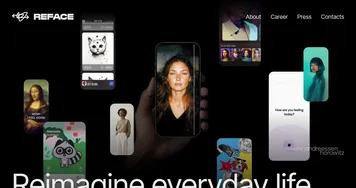
WarpVideo AI is an AI-powered platform that specializes in video transformation through features like face swapping and restyling. It uses advanced algorithms to enable real-time previews and automatic enhancements such as color correction and smooth transitions. The tool targets creators who need quick professional results without extensive editing skills.

Key features include Reface Video for seamless face swaps, batch processing to handle multiple files efficiently, and an intuitive drag-and-drop interface. Users upload content and apply styles with minimal effort. The platform recommends high-resolution inputs and frontal angles for optimal outcomes. It offers tiers with varying credit amounts to suit different usage levels.

Compared to competitors like Runway and HeyGen, WarpVideo provides similar AI-driven video tools but focuses more on accessibility. Runway excels in broader generative capabilities while HeyGen specializes in avatar creation. WarpVideo’s pricing starts at affordable entry points, making it competitive for beginners against pricier options.

Users appreciate the speed and creativity, with transformations being 10x faster than traditional methods. However, output quality can vary based on input conditions. The 30-day money-back guarantee adds reliability for new users.

For best results, follow guidelines on lighting and resolution. Experiment with presets to enhance videos without added complexity.

Visit WarpVideo ↗
Categories
🎥 Video
📹 Video Generation ✏️ Video Editing 🎭 Face Swap Video 🎞️ Animation Generation 🖼️ Image to Video 📲 Short Video Generation
🖼️ Image
🎭 Face Swap

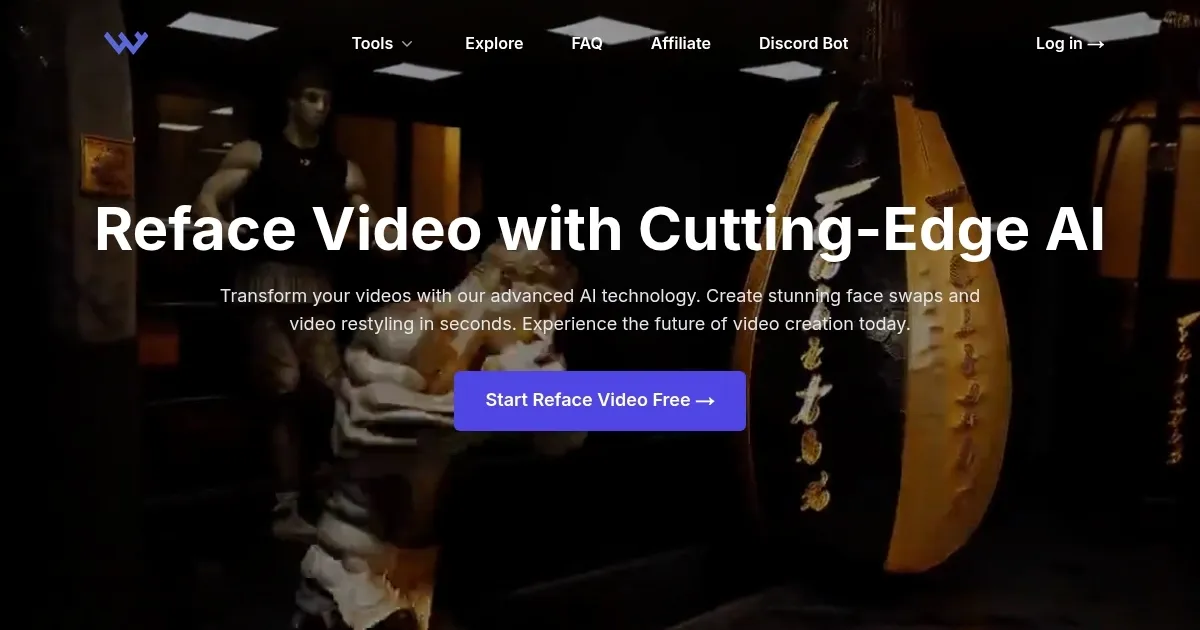
Homepage Screenshot 📸

WarpVideo screenshot

What are the key features? ✨

  • Reface Video: Enables real-time face swapping and video restyling for dynamic transformations.
  • AI Enhancements: Provides automatic quality improvement including color correction and smooth transitions.
  • Batch Processing: Allows efficient handling of multiple videos simultaneously to speed up workflows.
  • Drag-and-Drop Interface: Offers an intuitive design that requires no technical expertise for use.
  • Style Presets: Includes multiple options for creative customization and effects application.

Who is it for? 🤔

WarpVideo AI proves helpful for content creators, marketers, filmmakers, educators, and artists who seek to produce engaging videos quickly. It suits beginners lacking advanced editing skills as well as professionals aiming to accelerate their workflows. Anyone interested in experimenting with AI-driven transformations without heavy investment in time or tools finds value here, I think, especially those focused on social media, promotional content, or creative projects.

Examples of what you can use it for 💡

  • Content Creator: Applies face swaps to generate personalized social media videos that captivate audiences.
  • Marketer: Restyles product footage to match various campaign themes and boost engagement.
  • Educator: Transforms instructional clips into animated formats for better student retention.
  • Artist: Experiments with style presets to create unique visuals for music or short films.
  • Producer: Uses batch processing to handle multiple edits efficiently in production pipelines.

Pros & Cons ⚖️

  • Easy interface
  • Fast processing
  • Creative tools
  • Affordable tiers
  • Quality varies
  • Credit limits

FAQs 💬

What is WarpVideo AI?
WarpVideo AI is a platform for AI-powered video transformations including face swapping and restyling.
How does the face swap feature work?
Upload a video and image, then the AI seamlessly replaces faces in real time.
Is there a free trial available?
Yes, new users can start with a free plan offering limited credits to test features.
What inputs yield the best results?
Use high-resolution videos with good lighting and frontal face angles for optimal quality.
Does it support batch processing?
Yes, the tool allows processing multiple videos at once for efficiency.
How does pricing compare to similar tools?
Plans start affordably with credit-based tiers, often lower than competitors for entry-level use.
Can beginners use it easily?
Absolutely, the drag-and-drop interface requires no prior technical expertise.
What if I'm not satisfied?
A 30-day money-back guarantee ensures you can request a refund if needed.
Are there style customization options?
Yes, multiple presets and effects allow creative adjustments to match your vision.
Does it include API access?
Higher plans offer API access for integration into custom workflows.

Ready to try WarpVideo?

Transforms videos through AI-powered face swapping and style restyling

Visit WarpVideo ↗

WarpVideo alternatives 🔗

  1. Kling AI Kling AI Generates cinematic videos from text or images with realistic motion
  2. Veo Veo Generates high-quality videos with audio from text or image prompts
  3. Runway Runway Generates and edits AI-powered videos from text prompts
  4. Sora Sora Generates hyperrealistic videos from text prompts with synchronized audio
  5. Adobe Firefly Adobe Firefly Generates images, videos, audio, and vectors using AI.
  6. Google AI Studio Google AI Studio Prototypes AI solutions using Gemini models in a browser-based IDE
Share
WarpVideo screenshot enlarged
Promote WarpVideo
light badge
Copy Embed Code
dark badge
Copy Embed Code
neutral badge
Copy Embed Code
Best AI Tools

Discover the best AI tools for any use case

Explore
  • Tool Categories
  • AI Use Cases
  • AI Events
  • AI News
  • Saved Tools
Company
  • About Us
  • Contact Us
  • Media & Partnerships
  • Suggest a Tool
Legal
  • Privacy Policy
  • Terms of Service
Copyright © 2026 Best AI Tools 415 Mission Street, 37th Floor, San Francisco, CA 94105