
logo-darklogo-darklogo-darklogo-dark
  • Home
  • Browse
    • Assistant
    • Coding
    • Image
    • Productivity
    • Video
    • Voice
    • Writing
    • All Categories
    • AI Use Cases
  • My Favorites
  • Suggest a Tool
✕
Home › Image Generation & Editing / Logo Generator / Marketing & Advertising ›

Kittl

Published by Dusan Belic on July 10, 2023

Kittl

Kittl
Kittl Homepage
Categories Image Generation & EditingLogo GeneratorMarketing & Advertising
A collection of AI-powered design tools & mockups for marketing purposes

Kittl

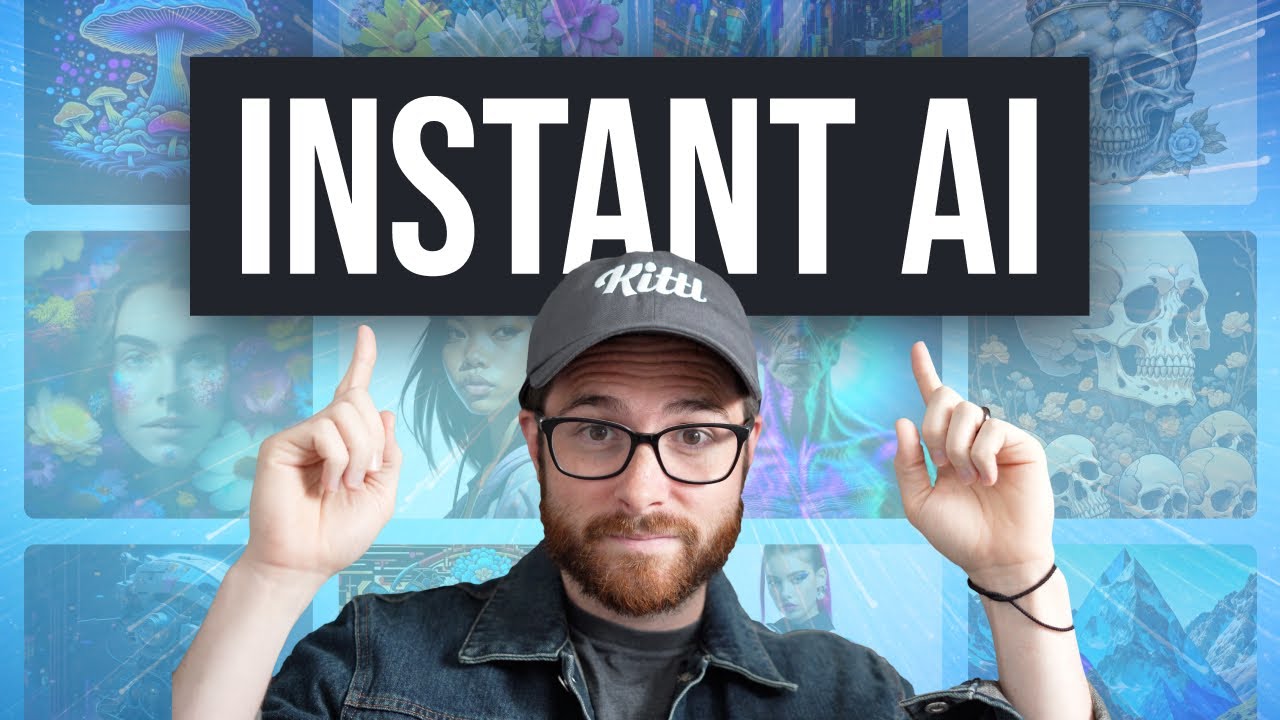
Kittl is an AI-powered service offering a selection of easy-to-use tools for creating stunning illustrations, fonts, photos, icons, and textures.

To make things easier for newbies and professionals alike, it includes a built-in Illustration with thousands of illustrations, frames, icons, and shapes — which you can then customize to your needs.

Also, there are hundreds of fancy fonts that “enhance any project,” as well as a huge library of photos ready to be used in your next project.

Speaking of projects, Kittle says its service is ideal for designing things like logos, labels, t-shirts, posters, cards, social media posts, and so on.

Heck, it is already being used by individuals and companies from all over the world, with some of its notable clients including well-known names such as Warner Bros, Harley-Davidson, Netflix, Milka, Ogilvy, and Penguin Random House.

There has to be a reason why this diverse bunch finds Kittl useful. Want to check it out for yourself?

Kittl Homepage
Categories Image Generation & EditingLogo GeneratorMarketing & Advertising

Video Overview ▶️

What are the key features? ⭐

  • AI-powered tools & mockups: Use Kittl to generate vector logo icons, images, and clipart with text prompts. You don't have to know anything about Photoshop or any other professional photo-editing tool to create graphics with Kittl.
  • Advanced text editing: Real-time text transformation lets you warp any text with just a few clicks. It's not only easy, but the results are nothing short of stunning.
  • Recoloring: Instantly replace colors from any design with a single click. To make things even easier, Kittl presents you with trending color palettes to make your designs look modern.
  • Ready to use templates: Don't know where to start? Check out Kittl's professional design templates - tweak them and use them for your personal or commercial projects.
  • Stock images: Kittl also includes a vast library of free-to-use photos, which you could use in your designs as part of your Kittl subscription.
  • Works in a browser: There is no need to install yet another app on your computer - Kittl works right inside a web browser.

Who is it for? 🤔

Kittl is made for folks looking to create cool illustrations and graphic solutions with ease, offering them everything they need to get started - and then some. It is an easy-to-use service that lets you start designing with a text prompt, with the AI understanding what you're trying to create and instantly preparing the first draft. Kittl works inside a web browser without requiring the installation of any app. It is apparently best suited for designing things like logos, labels, t-shirts, posters, cards, social media posts, and so on.

Examples of what you can use it for 💭

  • Create fancy graphics and ads with ease
  • And do the same with signs, using pretty fonts
  • Replace colors on images with the help of AI
  • Take advantage of ready-to-use templates
  • Access a vast library of stock photos for your designs

Pros & Cons ⚖️

  • Makes it super easy to create cool graphics with text prompts
  • Impressive results with little effort
  • Text transformation alone is worth it
  • Professionals will likely stick to their "Photoshop routine"
FAQs 💬

What is Kittl, and who is it best for?
Kittl is a browser-based, AI-enhanced graphic design tool that lets you create professional visuals like logos, social media graphics, t-shirts, and posters using templates, AI generators, and an intuitive editor. It's ideal for beginners, small business owners, Etsy sellers, and social media creators who want quick, high-quality results without a steep learning curve, though pros appreciate its advanced typography and vector tools.
How does Kittl's AI work, and what can it do?
Kittl AI acts as a creative assistant with tools like the AI Image Generator (turns text prompts into images, clipart, or vectors), Magic Trainer (automates design flows for mockups or styles), background removal, and text-to-image creation. You input a prompt, choose a style, and it generates editable assets in seconds, saving time on repetitive tasks, but it shines most for stylized graphics rather than photorealistic photos.
Is there a free version of Kittl, and what are the limits?
Yes, Kittl offers a free plan forever with no credit card needed. It includes 5 projects, 200 one-time AI tokens, access to basic templates, 1M+ assets, and mockups, but no commercial use or high-res exports. It's great for testing, though heavy users might hit limits quickly on AI features.
What are Kittl's pricing plans?
Plans start free, then Pro at $10/month ($120/year) for unlimited projects, 2,000 monthly AI tokens, premium assets, commercial licenses, and vector exports; Expert at $24/month ($288/year) adds 6,000 tokens, brand kits, 100GB storage, and priority support. Students get 50% off Pro, and tokens reset monthly without rollover.
Can I use Kittl for commercial purposes, like selling designs on Etsy?
Absolutely, on paid plans (Pro or Expert). You get full commercial licenses for all assets and AI-generated content, allowing up to 500,000 reproductions for merch like t-shirts or POD. Free plan designs are personal only, so upgrade if you're selling, and always check for custom uploads.
How does Kittl compare to Canva?
Kittl offers more advanced typography, vector editing, and AI for stylized designs (like vintage logos), with a generous free plan, but lacks Canva's massive template library and team collaboration depth. Canva wins for quick social media or beginners needing broad tools; Kittl suits print/merch creators wanting precision. Both are easy, but Kittl feels more "pro-lite."
Does Kittl have a mobile app?
No dedicated app yet, it's fully browser-based for desktop or tablet use. This keeps it accessible anywhere with internet, but the full editor (like precise vector tools) works best on larger screens. Users on X and Reddit note it's responsive but not optimized for phones like Canva's app.
What integrations does Kittl support?
It integrates with print-on-demand services like Printify for direct merch production, plus exports to SVG/PNG for tools like Adobe. No deep ties to Figma or Google Workspace yet, but real-time team sharing is built-in. For broader workflows, users often pair it with Canva or Photoshop.
Is Kittl easy for beginners with no design experience?
Yes, it's drag-and-drop simple, with AI handling complex parts like text effects or image gen, and thousands of templates to start from. Reviews on G2 and Product Hunt call it "beginner-friendly" compared to Adobe, though advanced features like vector editing take a bit of practice. I think most folks get comfy in under an hour.
How good is Kittl's customer support?
Support is responsive via email and chat on paid plans, with priority for Expert users; free users get help docs and community forums. Recent Trustpilot reviews praise quick fixes for AI token issues, but some note weekends are slower. Overall, it's solid for a growing tool, probably better than Canva's free tier help.

Related tools ↙️

  1. Canva Magic Design Canva Magic Design Generates custom, on-brand designs from text prompts or uploaded media in seconds.
  2. NewArc NewArc Transforms sketches into realistic images and 3D renders in seconds
  3. YesChat.ai YesChat.ai An online platform that integrates multiple AI models, including GPT, Dalle, and Claude
  4. Maker.ai Maker.ai Generates high-quality product photos and videos from a single image in minutes
  5. SnapHeadshots SnapHeadshots An AI headshot generator that helps people create professional photos without photo shootouts
  6. Cutout.Pro Cutout.Pro An AI-powered automatic visual design platform that saves time & money
Last update: November 24, 2025
Share
Promote Kittl
light badge
Copy Embed Code
light badge
Copy Embed Code
light badge
Copy Embed Code
About Us | Contact Us | Suggest an AI Tool | Privacy Policy | Terms of Service

Copyright © 2026 Best AI Tools
415 Mission Street, 37th Floor, San Francisco, CA 94105