Maker.ai by Moonvalley AI
Generates high-quality product photos and videos from a single image in minutes
Maker.ai has been launched with a promise that’s hard to ignore: studio-quality product visuals in minutes, not months, at a fraction of the cost of traditional photoshoots. As someone who’s seen countless tools claim to revolutionize creative workflows, I approached Maker.ai with a mix of curiosity and skepticism. Could this AI-powered platform really deliver visuals that rival professional studios? Spoiler: it’s pretty darn close. The tool, developed by Moonvalley AI, lets you upload a single product image — say, a pair of sneakers or a coffee mug — and generates a slew of polished photos and videos tailored to your brand’s style. It’s like having a digital art director who never sleeps.
The process is disarmingly simple. Upload your image, tweak settings like models, locations, or lighting, and watch Maker.ai churn out visuals that look like they belong in a high-end e-commerce catalog. Features like Scene Styling let you place your product in any setting — think a sleek urban loft or a sunlit beach — without ever leaving your desk. The AI’s ability to handle diverse products, from jewelry to furniture, is a standout, and the results are often indistinguishable from professional shoots. Speed is another win. Traditional photoshoots can take weeks and cost thousands, but Maker.ai delivers in minutes, making it a godsend for small businesses or startups with tight budgets.
That said, it’s not flawless. The platform’s reliance on a single input image can be a double-edged sword. If your starting image is low-quality, the output might not hit the mark, requiring some trial and error. Customization options, while robust, can feel overwhelming for new users, and there’s a learning curve to mastering the interface. Compared to competitors like Canva or Leonardo.ai, Maker.ai focuses more narrowly on product visuals, which is both a strength and a limitation. Canva offers broader design tools, while Leonardo.ai excels in creative art generation, but neither matches Maker.ai’s precision for e-commerce imagery.
What surprised me most? The consistency. Whether you’re generating a single hero shot or a full campaign’s worth of visuals, Maker.ai maintains brand coherence, which is crucial for businesses building a recognizable identity. It’s not perfect for every use case — complex video edits might still require tools like Synthesia — but for product-focused brands, it’s a game-changer. I’d recommend starting with a high-quality input image and experimenting with Scene Styling to see what the AI can do. Play around, tweak the settings, and don’t be afraid to push the boundaries of your brand’s aesthetic. You might just find yourself ditching that expensive studio contract.
Practical tip: Spend time refining your input image and use the preview feature to test different styles before committing to a full batch.
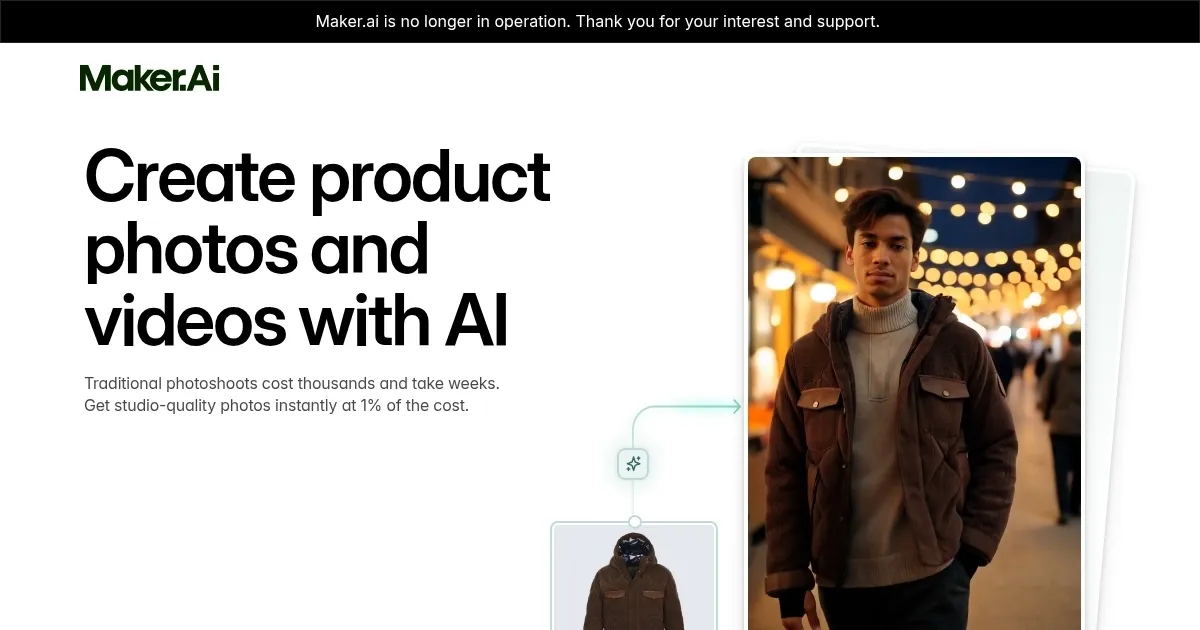
Homepage Screenshot 📸
What are the key features? ✨
- Scene Styling: Customizes product placement in various settings, like models or locations.
- Instant Visuals: Generates high-quality photos and videos in minutes from one image.
- Brand Consistency: Ensures visuals align with your brand’s aesthetic and style.
- Product Versatility: Supports diverse products, from jewelry to large furniture.
- High-Resolution Output: Produces images and videos suitable for e-commerce and ads.
Who is it for? 🤔
Examples of what you can use it for 💡
- E-commerce Seller: Creates studio-quality product photos for an online store in minutes.
- Social Media Marketer: Generates engaging video clips for Instagram or TikTok campaigns.
- Startup Founder: Produces affordable visuals for a new product launch without a studio.
- Fashion Brand Owner: Styles apparel on virtual models in various settings for ads.
- Furniture Retailer: Showcases products in different room setups for website listings.
Pros & Cons ⚖️
- Cost-effective vs. studios.
- High-quality outputs.
- Wide product support.
- Limited to product visuals.
- Customization can overwhelm.
FAQs 💬
Ready to try Maker.ai?
Generates high-quality product photos and videos from a single image in minutes
Visit Maker.aiMaker.ai alternatives 🔗