
logo-darklogo-darklogo-darklogo-dark
  • Home
  • Browse
    • Assistant
    • Coding
    • Image
    • Productivity
    • Video
    • Voice
    • Writing
    • All Categories
    • AI Use Cases
  • My Favorites
  • Suggest a Tool
✕
Home › Productivity ›

Magika

Published by Dusan Belic on July 9, 2024

Magika by Google

Magika
Magika Homepage
Categories Productivity

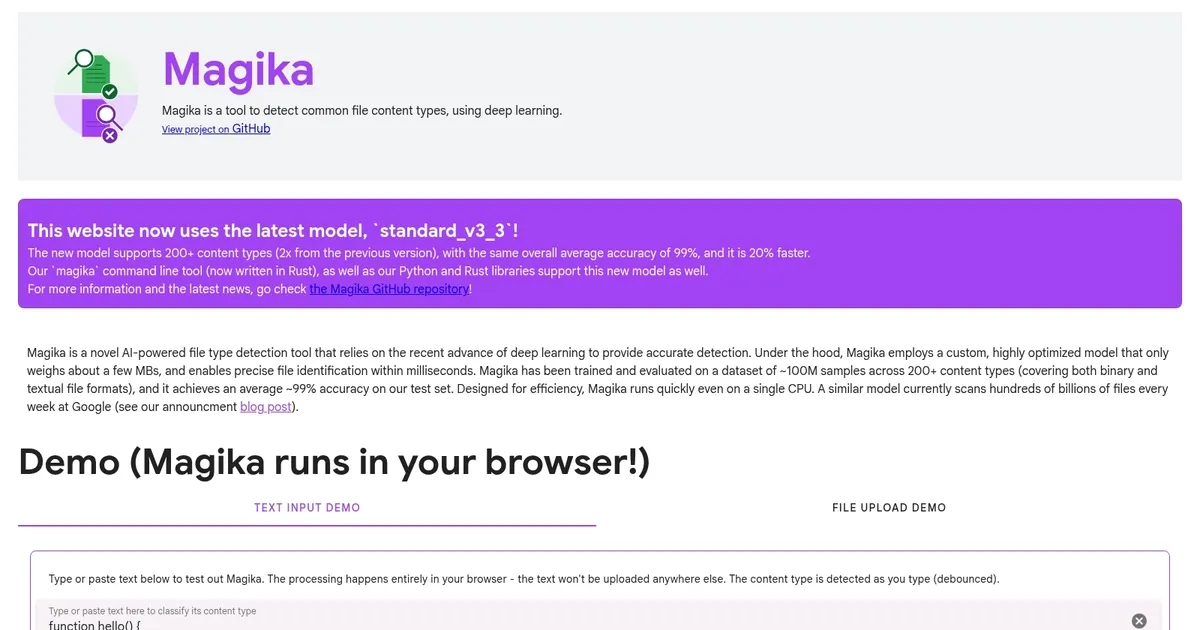
Magika - screenshot

A state-of-the-art AI tool designed to quickly identify file types

Magika

Magika by Google is a state-of-the-art AI tool designed to quickly identify file types. Using advanced deep learning models, the tool can quickly recognize over 100 file types — including binary text formats — making it useful for enhancing cybersecurity systems by efficiently detecting and classifying files, even when they have been corrupted or encrypted.

As a Google service, Magika is obviously very precise. It features an average accuracy and recall rate of more than 99%, significantly outperforming traditional file identification methods based on manual search.

It’s an open-source tool, which means developers and researchers can look into the code and even make it better. Magika is available as a Python library, command-line tools, and there are also web demos you can test.

In a nutshell, Magica’s combination of speed, accuracy and open-source availability makes it valuable for improving file management and cybersecurity practices. By leveraging state-of-the-art AI, it provides a powerful tool for the wider tech community.

Magika Homepage
Categories Productivity

What are the key features? ⭐

  • Deep learning for file detection: Magika utilizes advanced deep learning techniques to detect various file content types, thus improving detection accuracy over traditional methods.
  • Comprehensive content type support: The tool supports many file types, making it versatile for different content detection needs.
  • High accuracy: Magika boasts over 99% average accuracy in file type detection, ensuring reliable performance.
  • Performance: It outperforms traditional file detection tools, offering faster and more efficient processing.
  • Integrations: Designed to be easily integrated into existing systems, Magika provides a seamless enhancement to file detection capabilities.

Who is it for? 🤔

Magika is made for organizations and professionals in fields such as cybersecurity, digital forensics, data management, and software development. It aims to provide enhanced file type detection capabilities to improve accuracy, efficiency, and performance in handling diverse digital content. The tool can be used by both technical and non-technical users, ensuring broad usability across different sectors.

Examples of what you can use it for 💭

  • Enhance malware detection by accurately identifying malicious file types
  • Improve the organization of large datasets by correctly identifying file formats
  • Assist in investigations by accurately detecting and categorizing file types in seized digital evidence
  • Enhance email and web content filters by accurately identifying and managing file attachments
  • Improve file handling features in applications by integrating precise file type detection.

Pros & Cons ⚖️

  • Probably the best way to detect file types
  • Could help cybersecurity efforts
  • Different integration options
  • Very specific tool, not needed for the majority of projects

FAQs 💬

What exactly does Magika do?
Magika uses a lightweight deep learning model to analyze file contents and accurately identify over 200 different content types, including binary formats, source code, documents, and data science files, even when extensions are missing or misleading.
How accurate is Magika compared to traditional tools like the 'file' command?
It achieves around 99% average precision and recall on diverse test sets, often outperforming older signature-based tools by 20% or more, especially on tricky textual formats like code or config files.
Does Magika require a GPU or heavy hardware to run?
No, the model is highly optimized at just a few MB and runs efficiently on a single CPU, with inference typically around 5ms per file after the initial load.
What kinds of file types can Magika detect?
It supports 200+ types, covering everything from common formats like PDF, JPEG, Python scripts, and Excel to specialized ones like Jupyter notebooks, PyTorch models, Dockerfiles, TOML, and various programming languages that traditional detectors often confuse.
Is Magika open source and free to use?
Yes, the code, model, and bindings are open source under Apache 2.0, available on GitHub, with easy installation via pip for Python or as a Rust CLI.
Can I try Magika without installing anything?
Absolutely, Google provides a web demo that runs entirely in your browser, letting you upload files and see real-time identifications powered by the JavaScript/TypeScript binding.
How does Magika handle uncertain predictions?
It uses configurable prediction modes and per-type thresholds to balance confidence, returning specific labels when sure or safer generic ones like "Generic text document" or "Unknown binary data" otherwise.
What are the main use cases for Magika in security or development?
It's designed for scenarios like secure file uploads, malware routing in email/drive systems, threat intelligence platforms, or build pipelines where correct content-type detection prevents risks from disguised files.
Is Magika suitable for processing large numbers of files?
Yes, it supports batching and recursive directory scanning, handling hundreds to thousands of files per second on modern hardware thanks to efficient Rust implementation and parallel processing.
How does Magika differ from older MIME detection libraries?
Unlike rule-based tools relying on extensions or magic bytes, Magika examines actual file content with AI, making it far better at spotting obfuscated, malformed, or extension-stripped files common in attacks.

Related tools ↙️

  1. Jobsolv Jobsolv Tailors resumes to job descriptions using AI, tracks applications, and lists remote opportunities
  2. Notion AI Notion AI Streamlines work with AI-powered note-taking, app searches, and workflow automation
  3. LINER LINER A web-based tool that combines searching and collecting information in a user-friendly interface
  4. Wooclap AI Wooclap AI An AI-powered tool designed to streamline quiz creation for educators
  5. AppFlowy AppFlowy An open-source, AI-powered alternative to Notion, that gives users full control over their data
  6. Quizbot Quizbot Generates diverse, high-quality questions from various sources for quizzes and tests
Last update: December 28, 2025
Share
Promote Magika
light badge
Copy Embed Code
light badge
Copy Embed Code
light badge
Copy Embed Code
About Us | Contact Us | Suggest an AI Tool | Privacy Policy | Terms of Service

Copyright © 2026 Best AI Tools
415 Mission Street, 37th Floor, San Francisco, CA 94105