logo-darklogo-darklogo-darklogo-dark
  • Home
  • Browse
    • Assistant
    • Coding
    • Image
    • Productivity
    • Video
    • Voice
    • Writing
    • All Categories
    • AI Use Cases
  • Events
  • My Favorites
  • Suggest a Tool
✕
Home › Image Generation & Editing›
Published by Dusan Belic on August 30, 2023

NMKD Stable Diffusion GUI
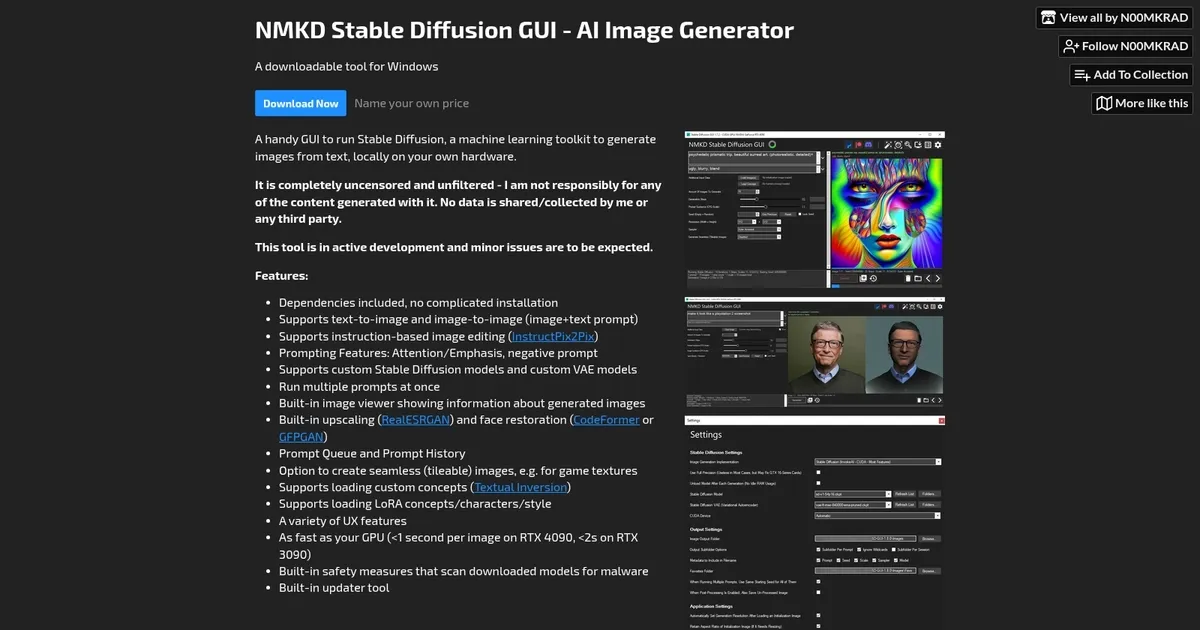
NMKD Stable Diffusion GUI Homepage
Categories Image Generation & Editing

NMKD Stable Diffusion GUI - screenshot

Generates AI images from text prompts locally using Stable Diffusion models on your hardware

NMKD Stable Diffusion GUI

The NMKD Stable Diffusion GUI – AI Image Generator is a specialized tool designed to facilitate the generation of images from text inputs, translating descriptive language into visual content. The application operates locally on the user’s hardware, ensuring privacy and control over the content creation process.

Leveraging the capabilities of the Stable Diffusion machine learning model, it can produce uncensored and unfiltered images based on user prompts.

NMKD Stable Diffusion GUI supports a range of features, such as supporting text-to-image and image-to-image transformations, inclusion of dependencies for hassle-free operation, and the ability to run multiple prompts simultaneously. It also offers advanced functionalities like instruction-based image editing, custom model support, built-in upscaling and face restoration, prompt queue and history, and the generation of seamless images suitable for textures.

Aside from its core functionalities, NMKD Stable Diffusion GUI provides an integrated image viewer, support for loading custom and LoRA concepts, and various user experience enhancements. It promises impressive performance metrics, capable of rendering images in less than a second on high-end GPUs.

Finally, we should mention that the tool is under active development, with ongoing updates to introduce new features and improvements. If you want to support its further development, you can support NMKD through a Patreon page.

NMKD Stable Diffusion GUI Homepage
Categories Image Generation & Editing

What are the key features? ⭐

  • Text-to-Image Generation: Creates original images from detailed text prompts using Stable Diffusion models.
  • Image-to-Image & InstructPix2Pix: Transforms uploaded images with text guidance or natural-language editing instructions.
  • Built-in Upscaling & Face Restoration: Applies RealESRGAN for higher resolution and CodeFormer/GFPGAN for facial detail fixes.
  • LoRA Support & Training: Loads and trains LoRA models for custom styles, characters, or concepts directly in the app.
  • Prompt Queue & History: Runs multiple prompts in sequence and saves generations with metadata for easy reuse.

Who is it for? 🤔

NMKD Stable Diffusion GUI helps Windows users who want a simple, offline way to generate AI images without complex setups or subscriptions. Its ideal for beginners exploring text-to-image creation, hobbyists tweaking portraits or concepts locally, and creators needing uncensored results on their own hardware, especially if they have an Nvidia GPU and prefer avoiding command-line tools or heavier interfaces.

Examples of what you can use it for 💭

  • Beginner AI artist: Generates quick concept art from descriptive prompts without installation hassles.
  • Digital texture creator: Produces seamless tileable images for game assets or backgrounds using the dedicated mode.
  • Photo editor enthusiast: Edits existing pictures with InstructPix2Pix by describing changes like add rain or change outfit.
  • Character designer: Fine-tunes custom LoRAs to consistently produce specific styles or faces across batches.
  • Hobbyist upscaler: Takes low-res sketches, generates variations, upscales them, and restores faces for polished results.

Pros & Cons ⚖️

  • Easy one-click setup
  • Completely offline & private
  • Fast on good GPUs
  • Includes upscaling & fixes
  • Windows-only
  • Limited recent updates

FAQs 💬

Is NMKD Stable Diffusion GUI completely free?
Yes, its free to download and use, though you can pay what you want as donationware on itch.io.
What hardware do I need to run it well?
An Nvidia GPU with at least 6-8 GB VRAM works for basic generation, 10+ GB recommended for higher resolutions or faster speeds.
Does it support newer models like SDXL?
Basic support exists in later versions but may require manual tweaks, its strongest with SD 1.5 checkpoints.
Can I use models from Civitai?
Yes, download .safetensors or .ckpt files and place them in the models folder, then select them in the app.
Is it safe and private?
It runs locally with no data sent online, plus it scans models for malware before loading.
How does it compare to Automatic1111?
NMKD is simpler to start with fewer features, while Automatic1111 offers more extensions and community support.
Does it work on AMD GPUs?
Limited support exists through specific docs and setups, but Nvidia is the primary focus.
Can I edit images with text instructions?
Yes, InstructPix2Pix lets you describe edits like make the sky sunset or add a hat.
Visit NMKD Stable Diffusion GUI

Related tools ↙️

  1. Dawn AI Dawn AI Generates personalized avatars and images from selfies using advanced AI technology
  2. Imajinn Imajinn Transforms user photos into artistic images and custom visuals using AI
  3. Imgix Imgix Optimizes images in real-time using AI for faster web delivery
  4. Cloudinary Cloudinary Manages, transforms, optimizes, and delivers images and videos with AI-powered features
  5. SVG AI SVG AI Transforms text prompts into scalable vector icons and logos instantly
  6. Blackshark.ai Blackshark.ai Creates photorealistic 3D digital twins from satellite imagery using AI
Last update: March 8, 2026
Share
Promote NMKD Stable Diffusion GUI
light badge
Copy Embed Code
dark badge
Copy Embed Code
neutral badge
Copy Embed Code
About Us | Contact Us | Suggest an AI Tool | Privacy Policy | Terms of Service

Copyright © 2026 Best AI Tools
415 Mission Street, 37th Floor, San Francisco, CA 94105





