Pixify AI keywording tool
Generates titles, descriptions, and keywords for uploaded images and videos using AI
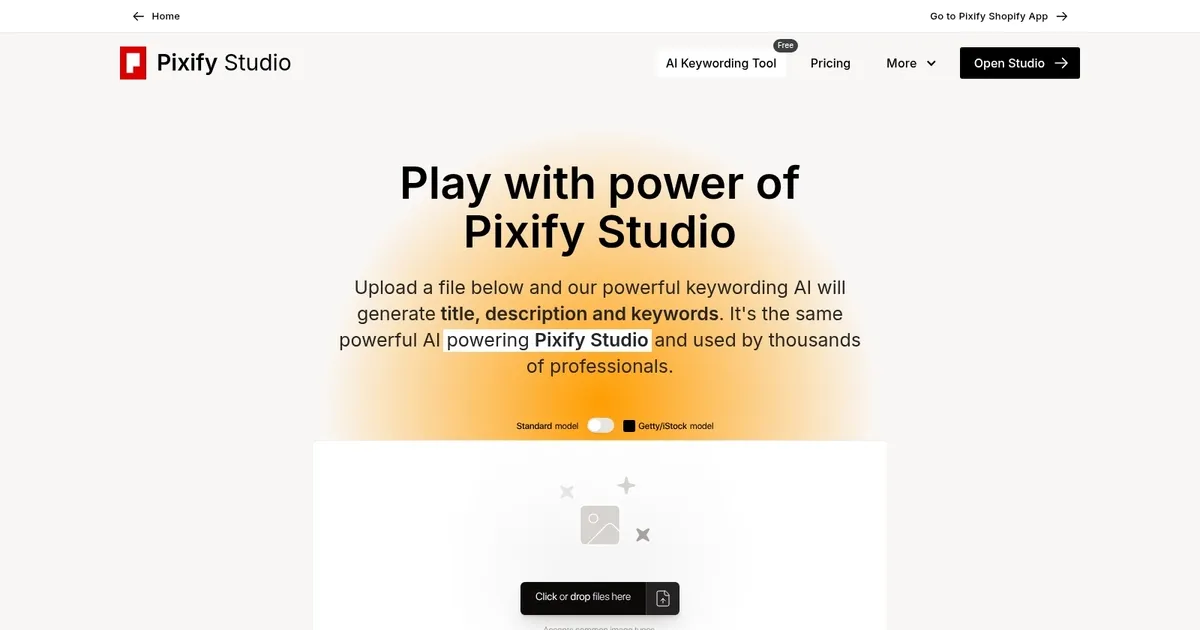
Pixify Studio is a powerful platform designed to support high-volume and efficiency-oriented tasks, particularly in keywording. Evolved initially from AI Keyworder, it allows users to upload thousands of files by drag-and-drop or FTP for swift processing.
The platform facilitates seamless operations for users, enabling the productive management of content through straightforward uploading, immediate processing to reveal generated keywords, descriptions, and titles, as well as the ability to efficiently edit and finalize these outputs before exporting.
With features like folder organization to maintain a tidy workflow, ample storage for substantial file quantities, customization options for output specifics, and an API for tailored instructions – Pixify Studio is a comprehensive solution tailored to the needs of bulk content creators and “keyworders.”
The tool allows for the easy export of generated data values into CSV format, thus streamlining the integration of processed information into users’ workflows. It also includes other customization settings, such as the ability to adjust the generated length of titles, descriptions, and keywords.
If any of this has intrigued you, hop over to Pixify Studio’s website and see how it can benefit your business. Good luck!
Homepage Screenshot 📸
What are the key features? ✨
- AI-Powered Metadata Generation: Automatically creates titles, detailed descriptions, and relevant keywords from uploaded images or videos in seconds.
- Custom Instructions: Allows users to add specific guidance for tailored output, refining results to match style or agency needs.
- Bulk and Folder Uploads: Supports uploading entire folders or via FTP including subfolders for efficient large-scale processing in the full Studio.
- Video Support: Handles videos with no limits on file size or length, generating metadata for motion content.
- Lightroom Classic Plugin: Integrates directly into Adobe Lightroom for seamless keywording within existing photo editing workflows.
Who is it for? 🤔
Examples of what you can use it for 💡
- Stock Photographer: Uploads batches of travel photos to generate optimized titles, descriptions, and keywords that boost visibility on agency sites.
- Microstock Contributor: Processes hundreds of lifestyle or product images quickly to prepare them for upload to Shutterstock or Adobe Stock.
- Video Content Creator: Tags short stock footage clips with relevant metadata to make them searchable without manual effort.
- Studio Professional: Uses bulk FTP uploads and custom instructions to handle client photo sets efficiently for commercial use.
- Lightroom User: Leverages the plugin to auto-generate metadata inside Adobe Lightroom during editing sessions.
Pros & Cons ⚖️
- Fast and accurate generation
- Clean, intuitive interface
- Strong conceptual keywords
- Video and bulk support
- Higher pricing than rivals
- Subscription-only credits
FAQs 💬
Ready to try Pixify AI keywording tool?
Generates titles, descriptions, and keywords for uploaded images and videos using AI
Visit Pixify AI keywording toolPixify AI keywording tool alternatives 🔗