

logo-darklogo-darklogo-darklogo-dark
  • Home
  • Browse
    • Assistant
    • Coding
    • Image
    • Productivity
    • Video
    • Voice
    • Writing
    • All Categories
    • AI Use Cases
  • My Favorites
  • Suggest a Tool
✕
Home › Image Generation & Editing›
Published by Dusan Belic on August 30, 2023

PhotoEditor.ai

PhotoEditor.ai
PhotoEditor.ai Homepage
Categories Image Generation & Editing

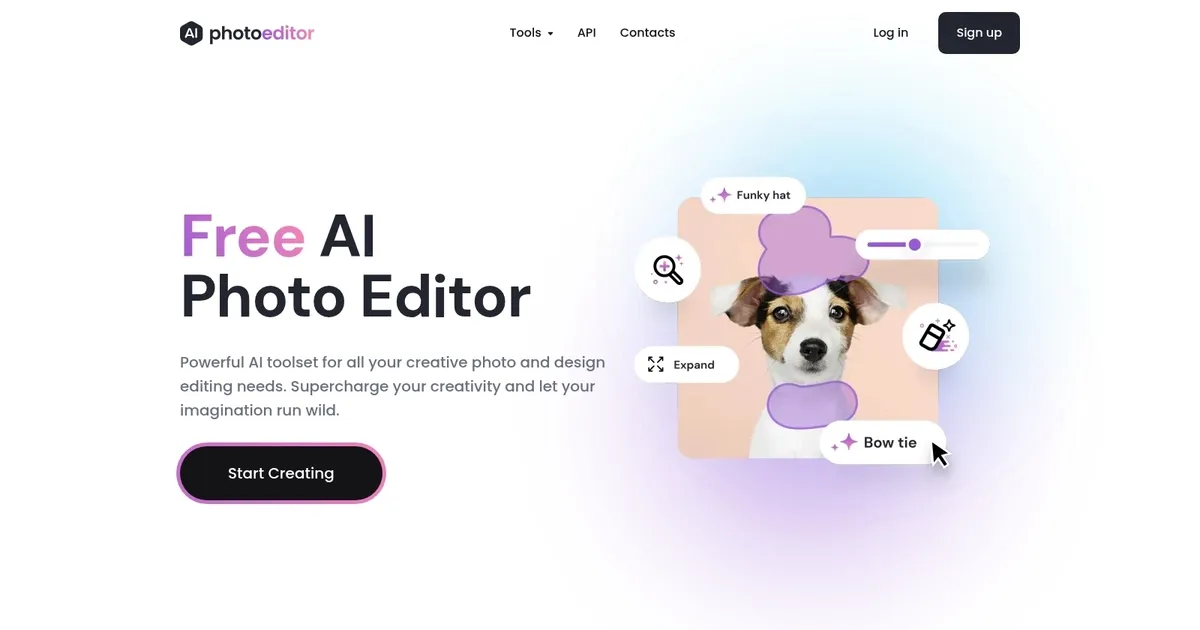
PhotoEditor.ai - screenshot

Remove objects, people, blemishes or text from your images in seconds

PhotoEditor.ai

PhotoEditor.ai is a sophisticated visual AI platform designed to transform the way we edit photos. Leveraging so-called advanced “inpainting technology,” it enables users to effortlessly remove unwanted objects, text, or people from images — providing exceptional results that surpass traditional editing methods.

In other words, PhotoEditor.ai can significantly streamline the editing process, making it accessible to users who may not have extensive design skills​​.

The service enables tasks such as object removal, blemish correction, and text deletion from images. All this can be accomplished with minimal effort​​, with AI doing the “heavy lifting” on the user’s behalf.

Lastly, we’ll add that if you start using PhotoEditor.ai and see room for its improvement, make sure to send them your two cents. The company encourages feedback and communication with its users, so that in the end – we all get a better product.

PhotoEditor.ai Homepage
Categories Image Generation & Editing

What are the key features? ⭐

  • Enhance: Instantly fixes blurred or old photos to make them crisp and vivid using AI restoration.
  • Cleanup: Removes unwanted objects, text, people, or watermarks from images with intelligent inpainting.
  • Remove BG: Automatically extracts subjects by removing backgrounds from portraits or product photos in seconds.
  • Inpaint: Enables generative fill to edit or add elements anywhere in a photo via brush or text prompts.
  • Image Generator: Creates entirely new images from text descriptions using advanced AI models.

Who is it for? 🤔

PhotoEditor.ai suits casual users seeking quick photo improvements without software installs, social media creators who need fast polished posts, small business owners managing product or real-estate images, e-commerce sellers requiring clean backgrounds and distraction-free shots, and hobbyists experimenting with enhancements, object removal, or creative generative edits like expanding frames and text-to-image ideas.

Examples of what you can use it for 💭

  • social media creator: Quickly removes distractions or enhances selfies and posts to look professional without advanced editing skills.
  • e-commerce seller: Instantly cleans up product photos by removing backgrounds or unwanted objects for consistent online listings.
  • real-estate agent: Enhances property images, removes blemishes, or expands shots to show more of a room attractively.
  • content marketer: Generates custom visuals from text prompts or refines existing graphics for campaigns and ads.
  • hobby photographer: Revives blurry family photos with enhancement or experiments with creative inpainting and outpainting.

Pros & Cons ⚖️

  • Easy browser access
  • Free solid tools
  • Fast processing
  • No watermarks
  • Free resolution limit
  • Occasional wait times

FAQs 💬

Is PhotoEditor.ai completely free to use?
A free plan exists forever with three tools (Enhance, Cleanup, Remove BG) and 720px exports, no watermarks, and commercial use allowed. Pro unlocks the remaining five tools and higher resolutions.
Do I need to download anything to use PhotoEditor.ai?
No, everything runs directly in your web browser or on mobile—no software installation required.
What file formats does PhotoEditor.ai support?
It accepts JPG, PNG, HEIC, and WEBP files up to 15MB.
Can I use the generated or edited images commercially?
Yes, even on the free plan, commercial use is permitted with no watermarks added.
How does the privacy work with uploaded photos?
Images process on the server and automatically delete within one hour; they arent stored, reused, or resold.
What makes the Pro plan worth it?
Pro provides access to all eight tools, HD and 4K/8K outputs, generative features like Inpaint, Expand, and Image Generator, plus higher quality results.
Is PhotoEditor.ai good for beginners?
Yes, the interface stays simple with no design skills needed—just upload and select a tool.
How fast are the edits?
Most edits complete in seconds, though busier times or complex generative tasks might take a bit longer.
Does it work on mobile devices?
Yes, the web-based tool functions smoothly on smartphones and tablets without an app.
Can I upscale images to 8K?
Pro supports upscaling to 4K and 8K depending on the original and settings chosen.
Visit PhotoEditor.ai

Related tools ↙️

  1. Dawn AI Dawn AI Generates personalized avatars and images from selfies using advanced AI technology
  2. Cloudinary Cloudinary Manages, transforms, optimizes, and delivers images and videos with AI-powered features
  3. Imgix Imgix Optimizes images in real-time using AI for faster web delivery
  4. Imajinn Imajinn Transforms user photos into artistic images and custom visuals using AI
  5. SVG AI SVG AI Transforms text prompts into scalable vector icons and logos instantly
  6. Artisse Artisse Generates hyper-realistic photos using AI from user selfies and custom prompts
Last update: March 4, 2026
Share
Promote PhotoEditor.ai
light badge
Copy Embed Code
dark badge
Copy Embed Code
neutral badge
Copy Embed Code
About Us | Contact Us | Suggest an AI Tool | Privacy Policy | Terms of Service

Copyright © 2026 Best AI Tools
415 Mission Street, 37th Floor, San Francisco, CA 94105





