logo-darklogo-darklogo-darklogo-dark
  • Home
  • Browse
    • Assistant
    • Coding
    • Image
    • Productivity
    • Video
    • Voice
    • Writing
    • All Categories
    • AI Use Cases
  • My Favorites
  • Suggest a Tool
✕
Home › Image Generation & Editing / Video Generation & Editing ›

Picsart

Published by Dusan Belic on July 10, 2023

Picsart

Picsart
Picsart Homepage
Categories Image Generation & EditingVideo Generation & Editing
A platform for creating, customizing, and sharing images and videos

Picsart

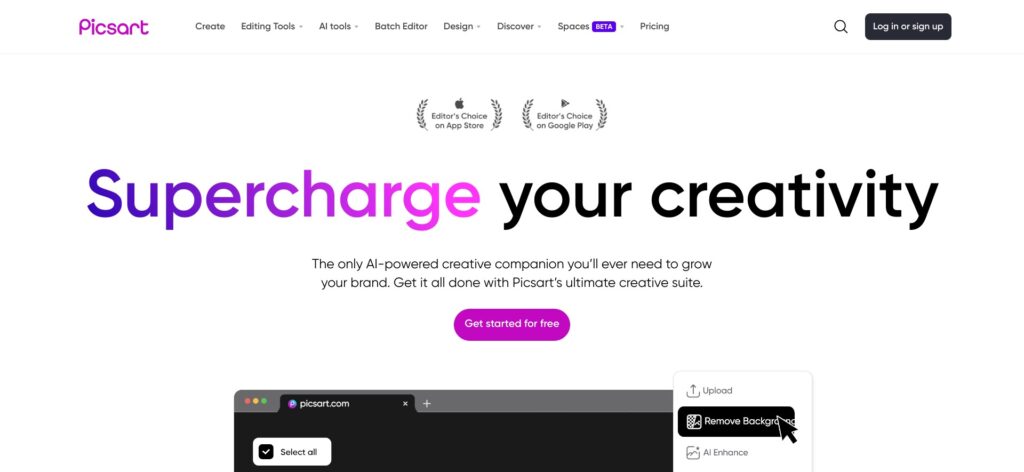
Picsart offers a collection of AI-powered tools that lets anyone create and edit images and videos.

Mostly, however, it would be the social media managers who rely on Picsart to power their creations and share them across sites like Facebook, Twitter, Instagram, LinkedIn, Pinterest, and so on.

Picsart’s online image editor is probably its most popular service, enabling anyone to create new or optimize existing images with an intuitive drag-and-drop interface. Using it, you can add text and icons, apply filters, and do much more to make your image stand out online.

Video editor is Picsart’s second most popular service, and it too allows non-experts to create videos. And again, these videos can be then shared across social networks or used in some other setting.

The best part is that many of these tools exist as mobile apps, meaning that you can take your creativity with you, no matter where you are. Whether you’re waiting in a queue or commuting to work — now you can use that idle time to create something fancy.

Picsart Homepage
Categories Image Generation & EditingVideo Generation & Editing

Video Overview ▶️

What are the key features? ⭐

  • Made for social media: Picsart's set of tools are probably best used for social media. All popular platforms are supported and you will be able to quickly create a banner or image to share for Facebook, Twitter/X, LinkedIn, Snapchat, Pinterest, and more. The dimensions are predefined, and you can also use filters and fancy text to make your images stand out.
  • Photo Editor: Picsart's free photo editor has every tool to bring your creative vision to life. From intuitive drag-and-drop features to advanced, AI-powered editing tools that practically edit photos for you, Picsart is photo editing made easy. As they say, it's made to help you build your future, one image at a time.
  • Video Editor: Like its photo editor, Picsart's video editor is also easy to use yet can quickly turn your clips into pro-grade cuts. Whether you're a first-timer cutting your teeth or a whizz looking to streamline the editing process - Picsart lends a helping hand required. You can even make videos in your browser using a full range of flexible video editing tools.
  • Mobile apps: Picsart offers not one but a set of mobile apps that let you bring your creativity with you even while on the go. The apps provided include Picsart Photo & Video Editor, Picsart Color Paint, PixelArt, EFEKT Video Maker, Picsart Animator - GIF & Video, and Picsart GIF & Sticker Maker. You can use them to dabble in doodles and create cartoons, make viral-ready social media content, and more.
  • Quicktools: Explore Picsart's set of AI-powered tools that let you generate text (AI) and edit documents and PDFs. Also, there are Quicktools for images and videos, and all they require is a simple text input to do their magic. All you need is a web browser and an internet connection.
  • Integrated with your own tools: Finally, we'll mention Picsart's business tool that lets you integrate photo and video editing capabilities into your own apps and services using APIs.

Who is it for? 🤔

As noted above, Picsart primarily caters to social media managers who need to come up with shareable images and videos on a regular basis. Also, it has found its audience among the "general marketing public" in small- and medium-sized businesses. These folks too need a quick and easy way to create various marketing materials and Picsart has just the right tool for them. Finally, we should mention freelancers here, some of whom are engaged in social media management for third parties. With Picsart, they get to save some time, while delivering great results for their clients.

Examples of what you can use it for 💭

  • Create cool images and videos for social media
  • Edit images and videos with ease
  • Stay productive while on the go with Picsart's mobile apps
  • Add creative capabilities to your own tools with Picsart's API
  • Become a serial social media content creators

Pros & Cons ⚖️

  • One site with a diverse set of tools for image and photo editing
  • It is affordable considering everything you get in the package
  • There is a limited, free plan that lets you test the service
  • Perhaps not the best solution for those already versed in Photoshop
FAQs 💬

What is Picsart, and how does its AI focus make it different from basic photo editors?
Picsart is an all-in-one creative platform that combines photo and video editing with a strong emphasis on AI tools to simplify complex tasks. Unlike basic editors that stick to simple filters or crops, Picsart's AI features—like one-tap background removal, object replacement, and text-to-image generation—let users create professional visuals quickly without needing design skills. I think this makes it ideal for beginners who want pro results fast, based on its integration of tools like GPT-powered image creation.
Who is Picsart best suited for, especially if I'm new to editing?
Picsart targets creators, small business owners, social media users, and hobbyists who need mobile-friendly tools for quick edits. If you're new to editing, its drag-and-drop interface and guided tutorials make it approachable, unlike steeper tools like Photoshop. Probably suits casual users polishing product photos or making memes more than pros handling massive workflows.
What are the main AI features in Picsart, and how do they work in practice?
Key AI tools include background remover (erases subjects instantly), AI Enhance (upscales blurry images up to 2x), object eraser (removes unwanted elements seamlessly), and text-to-image generator (creates art from prompts). In practice, users upload a photo, select the tool, and apply with one click; results often look natural but might need tweaks for precision. Recent additions like Batch AI Background handle up to 50 images at once for efficiency.
How much does Picsart cost, and what do the plans include?
Picsart offers a free plan with basic tools and limited AI access, Plus at about $5/month (billed annually) for extra templates and face retouch, Pro at $7/month for full AI suite and 4x cloud storage, and Team at $7.22/month per user for collaboration. Enterprise is custom. Free tier has ads and watermarks; paid removes them and unlocks premium assets. Prices can vary, so check the site.
Is there a free version of Picsart, and what are its limitations?
Yes, the free version gives access to core editing, thousands of templates, and some AI basics like simple filters. Limitations include ads, watermarks on exports, restricted premium stickers/fonts, and capped AI uses (e.g., no batch processing). It's great for testing, but you'll hit walls on advanced projects; many users upgrade for ad-free flow.
Does Picsart work on mobile, and how does it compare to the web version?
Absolutely, Picsart shines on iOS and Android apps, with seamless AI edits on the go—perfect for quick social posts. The web version matches most features but feels more robust for desktop workflows like batch edits. Mobile might lag on complex videos; I think web edges it for pros, though apps get 4.8/5 ratings for ease.
Can Picsart handle video editing, and what AI helps there?
Picsart supports basic video edits like trimming, effects, and text overlays, with AI for auto-enhance and clip generation from images. It's not a full pro suite like Premiere, but tools like AI video snippets from prompts make short social clips easy. Users praise it for speed, though longer videos might need exports to other apps.
How does Picsart compare to Canva or Adobe Express for AI editing?
Picsart edges out in raw AI power for photo manipulation (e.g., object replacement), while Canva wins on templates and team collab. Adobe Express is similar but ties deeper into Adobe ecosystem. If you're solo and mobile-first, Picsart feels snappier; for brands, Canva might fit better. All three are solid, depends on your flow.
What do users say about Picsart's reliability, like bugs or subscription issues?
Many love the intuitive AI but gripe about occasional lags, crashes on mobile, and tricky cancellations—some report surprise charges post-trial. Subscription sync between devices can glitch too. Positive side, support responds quick via email. Overall, it's reliable for most, but test the free tier first to avoid headaches.
Are there integrations or APIs for using Picsart in business workflows?
Yes, Picsart offers APIs for background removal and image gen, integrating with eCommerce like Shopify or Zapier for automated edits. Enterprise plans add custom support and volume discounts. Great for SMBs scaling product visuals, though it's more consumer-focused than full dev platforms.

Related tools ↙️

  1. Just Think Just Think Generates AI content including chat responses, speech audio, artistic images, and animated videos
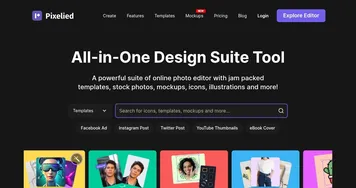
  2. Pixelied Pixelied An AI-powered online photo editor with templates, stock photos, mockups, icons, illustrations, and more
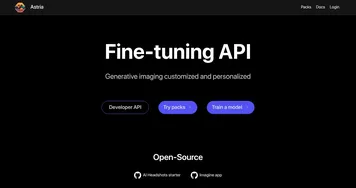
  3. Astria Astria The AI tool that lets you create custom, unique images and videos
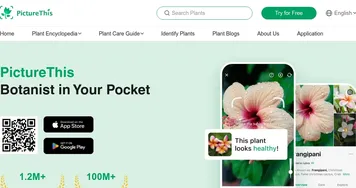
  4. PictureThis PictureThis Identifies plants from photos, offering care tips and species info
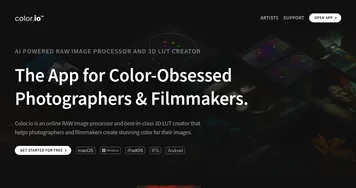
  5. Color.io Color.io The web-based app offers powerful tools to emulate analog film styles
  6. WatermarkRemover.io WatermarkRemover.io An image watermark removal tool
Last update: November 12, 2025
Share
Promote Picsart
light badge
Copy Embed Code
light badge
Copy Embed Code
light badge
Copy Embed Code
About Us | Contact Us | Suggest an AI Tool | Privacy Policy | Terms of Service

Copyright © 2026 Best AI Tools
415 Mission Street, 37th Floor, San Francisco, CA 94105