logo-darklogo-darklogo-darklogo-dark
  • Home
  • Browse
    • Assistant
    • Coding
    • Image
    • Productivity
    • Video
    • Voice
    • Writing
    • All Categories
    • AI Use Cases
  • Events
  • My Favorites
  • Suggest a Tool
✕
Home › Image Generation & Editing›
Published by Dusan Belic on August 30, 2023

Pixify AI keywording tool

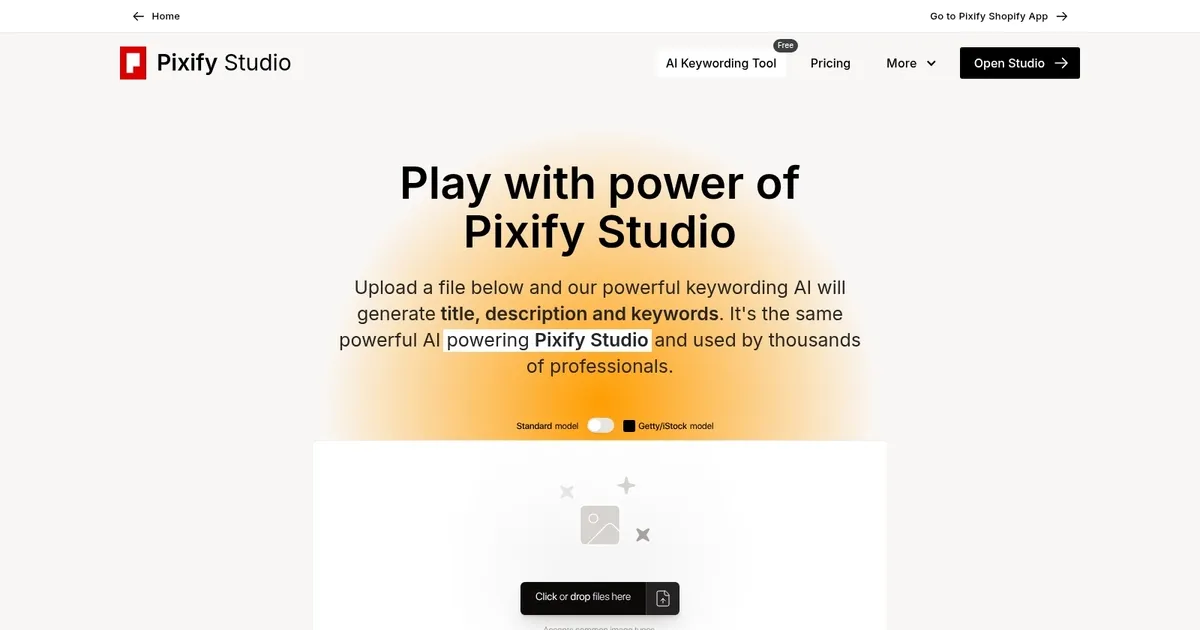
Pixify AI keywording tool
Pixify AI keywording tool Homepage
Categories Image Generation & Editing

Pixify AI keywording tool - screenshot

Generates titles, descriptions, and keywords for uploaded images and videos using AI

Pixify AI keywording tool

Pixify Studio is a powerful platform designed to support high-volume and efficiency-oriented tasks, particularly in keywording. Evolved initially from AI Keyworder, it allows users to upload thousands of files by drag-and-drop or FTP for swift processing.

The platform facilitates seamless operations for users, enabling the productive management of content through straightforward uploading, immediate processing to reveal generated keywords, descriptions, and titles, as well as the ability to efficiently edit and finalize these outputs before exporting.

With features like folder organization to maintain a tidy workflow, ample storage for substantial file quantities, customization options for output specifics, and an API for tailored instructions – Pixify Studio is a comprehensive solution tailored to the needs of bulk content creators and “keyworders.”

The tool allows for the easy export of generated data values into CSV format, thus streamlining the integration of processed information into users’ workflows. It also includes other customization settings, such as the ability to adjust the generated length of titles, descriptions, and keywords.

If any of this has intrigued you, hop over to Pixify Studio’s website and see how it can benefit your business. Good luck!

Pixify AI keywording tool Homepage
Categories Image Generation & Editing

What are the key features? ⭐

  • AI-Powered Metadata Generation: Automatically creates titles, detailed descriptions, and relevant keywords from uploaded images or videos in seconds.
  • Custom Instructions: Allows users to add specific guidance for tailored output, refining results to match style or agency needs.
  • Bulk and Folder Uploads: Supports uploading entire folders or via FTP including subfolders for efficient large-scale processing in the full Studio.
  • Video Support: Handles videos with no limits on file size or length, generating metadata for motion content.
  • Lightroom Classic Plugin: Integrates directly into Adobe Lightroom for seamless keywording within existing photo editing workflows.

Who is it for? 🤔

This tool helps stock photographers, microstock contributors, travel and culture shooters, studio professionals, and anyone producing visual content for platforms like Getty, iStock, Adobe Stock, or Shutterstock. It suits creators who spend significant time on metadata and want to speed up titling, describing, and keywording so images sell faster, especially those handling dozens to thousands of files monthly and valuing polished, agency-friendly output over the cheapest option.

Examples of what you can use it for 💭

  • Stock Photographer: Uploads batches of travel photos to generate optimized titles, descriptions, and keywords that boost visibility on agency sites.
  • Microstock Contributor: Processes hundreds of lifestyle or product images quickly to prepare them for upload to Shutterstock or Adobe Stock.
  • Video Content Creator: Tags short stock footage clips with relevant metadata to make them searchable without manual effort.
  • Studio Professional: Uses bulk FTP uploads and custom instructions to handle client photo sets efficiently for commercial use.
  • Lightroom User: Leverages the plugin to auto-generate metadata inside Adobe Lightroom during editing sessions.

Pros & Cons ⚖️

  • Fast and accurate generation
  • Clean, intuitive interface
  • Strong conceptual keywords
  • Video and bulk support
  • Higher pricing than rivals
  • Subscription-only credits

FAQs 💬

Is the Free AI Keywording Tool completely free to use?
Yes, the playground tool is free, though limited to one request per minute to keep it available for everyone.
What file types does Pixify support?
It supports images and videos, with no file size or length limits on videos in the full Studio version.
Can I use custom instructions in the free version?
Yes, you can add custom instructions to guide the AI output even in the free playground.
How does Pixify compare to PhotoTag.ai?
Pixify offers a cleaner UI and good conceptual keywords, but PhotoTag.ai and similar tools sometimes provide lower costs or stronger focus on buyer-search intent.
Is there a Lightroom integration?
Yes, Pixify Studio includes a Lightroom Classic plugin for generating metadata directly in Adobe workflows.
Does Pixify have a model for Getty or iStock?
Yes, a specialized model matches Getty Images controlled vocabulary, available in Studio and testable in the free tool.
Are my files used to train the AI?
No, Pixify states that user files are not used for AI training and are deleted when you choose.
What happens if I need to process many files?
The free version limits speed, but paid Studio plans provide monthly credits for bulk processing and folder uploads.
Is there an API available?
Yes, an API exists in early access; credits are shared with the main platform.
Who should try this tool first?
Stock contributors tired of manual keywording should test the free playground with their own images to see if the output quality saves time.
Visit Pixify AI keywording tool

Related tools ↙️

  1. Dawn AI Dawn AI Generates personalized avatars and images from selfies using advanced AI technology
  2. Imajinn Imajinn Transforms user photos into artistic images and custom visuals using AI
  3. Imgix Imgix Optimizes images in real-time using AI for faster web delivery
  4. Cloudinary Cloudinary Manages, transforms, optimizes, and delivers images and videos with AI-powered features
  5. SVG AI SVG AI Transforms text prompts into scalable vector icons and logos instantly
  6. Blackshark.ai Blackshark.ai Creates photorealistic 3D digital twins from satellite imagery using AI
Last update: March 8, 2026
Share
Promote Pixify AI keywording tool
light badge
Copy Embed Code
dark badge
Copy Embed Code
neutral badge
Copy Embed Code
About Us | Contact Us | Suggest an AI Tool | Privacy Policy | Terms of Service

Copyright © 2026 Best AI Tools
415 Mission Street, 37th Floor, San Francisco, CA 94105





