logo-darklogo-darklogo-darklogo-dark
  • Home
  • Browse
    • Assistant
    • Coding
    • Image
    • Productivity
    • Video
    • Voice
    • Writing
    • All Categories
    • AI Use Cases
  • My Favorites
  • Suggest a Tool
✕
Home › Design Generation›
Published by Dusan Belic on August 30, 2023

Plask Motion

Plask Motion
Plask Motion Homepage
Categories Design Generation
Converts video footage into professional 3D character animations using AI motion capture

Plask Motion

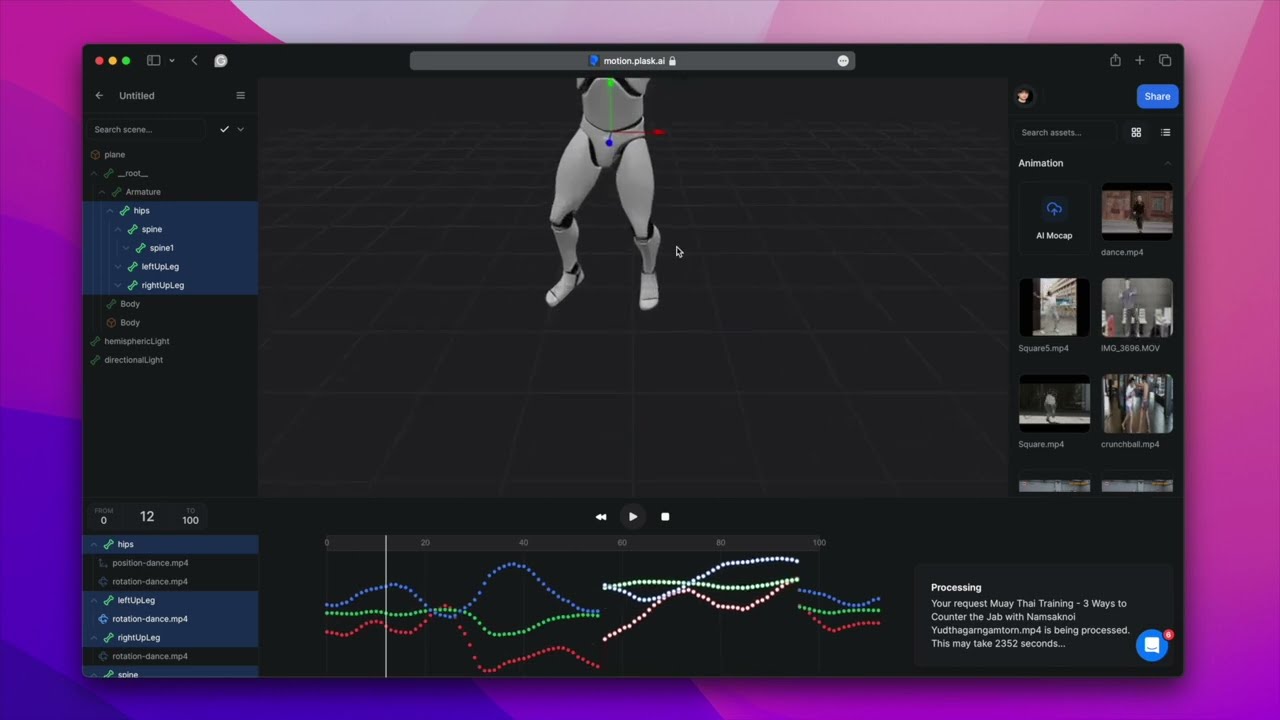
Plask Motion is an AI-powered motion capture (mocap) animation tool designed to revolutionize the 3D workflow, especially in rapid prototyping. It enables users to generate high-quality animations from video footage swiftly and efficiently.

Plask’s advanced AI algorithms can translate 2D movements into animated 3D models by simply uploading a video. This transformation process significantly simplifies animation creation for applications in gaming, film, virtual reality, and other computer-generated projects.

Plask Motion also offers a range of features to enhance animation quality and integrate into various platforms. The service includes an outsourcing option for users looking for expert assistance, an SDK for seamless motion integration into products, and an extensive library of tutorials and user reviews for community-based learning.

Plask supports free and personal 3D models, offering diverse applications from educational packages to gaming development and media entertainment.

With its intuitive interface and high precision, Plask Motion has garnered positive testimonials from a broad spectrum of users and is considered a valuable tool for both indie developers and professional animators.

Plask Motion Homepage
Categories Design Generation

Video Overview ▶️

Plask Motion - Video Overview

What are the key features? ⭐

  • AI Motion Capture: Extracts accurate body motion data from single-camera video footage without markers.
  • 3D Animation Editor: Provides browser-based tools to apply, edit, and refine captured motions on 3D models.
  • AI Cinematography: Automates lighting, camera movements, and professional post-processing effects.
  • Seamless Exports: Outputs animations in formats compatible with Unity, Unreal Engine, Blender, and Maya.
  • Stable AI Mode: Improves foot placement and reduces sliding for more natural-looking results.

Who is it for? 🤔

Plask Motion helps indie game developers, animators, content creators, filmmakers on tight budgets, educators teaching 3D animation, and social media producers who want to prototype character movements quickly. It suits anyone needing fast motion capture without investing in expensive suits or multi-camera rigs, especially those already working in Unity, Blender, or similar environments.

Examples of what you can use it for 💭

  • Indie game developer: Prototypes character animations from phone-recorded reference videos for quick iteration in Unity or Unreal.
  • Content creator: Converts viral dance or performance clips into 3D versions for stylized TikTok or YouTube shorts.
  • Animator or filmmaker: Blocks out cinematic scenes rapidly using AI-generated motion before manual refinement in Maya or Blender.
  • Educator or student: Demonstrates motion capture concepts hands-on without specialized hardware in a classroom setting.
  • Pre-production artist: Tests actor performances in 3D form early to visualize storyboards or pitch concepts.

Pros & Cons ⚖️

  • Fast video-to-3D conversion
  • Generous free daily credits
  • Browser-based ease of use
  • Strong export compatibility
  • Limited finger detail
  • Artifacts in complex motions

FAQs 💬

What kind of videos work best with Plask Motion?
Videos with clear, well-lit full-body views from a single static camera and minimal occlusion deliver the cleanest results. Neutral starting poses like T-pose help too.
Does Plask support multi-person motion capture?
It can detect and separate multiple people in a shot, but accuracy drops with heavy overlap or fast group movement compared to single-subject clips.
Can I use my own 3D models in Plask?
Yes, upload custom models in compatible formats like GLB or FBX, then retarget the captured motion onto them.
What file formats does Plask export?
Common formats include FBX, BVH, and GLB, with good compatibility for Unity, Unreal Engine, Blender, and Maya.
Is there a free version available?
Yes, a free tier provides daily credits for processing short clips, sufficient for testing and light personal use.
How accurate is the motion capture from a single camera?
It performs well for natural body movements and locomotion, though very fast actions or heavy twists may need minor cleanup.
Does Plask handle finger or hand movements?
Finger tracking remains limited, so detailed hand actions usually require additional work in external software.
Can I process long videos?
Longer clips are supported on paid plans with higher credit allowances; free tier caps at shorter durations per day.
What makes Plask different from DeepMotion?
Plask emphasizes browser accessibility and generous free usage, while DeepMotion often excels in smoother complex dynamics.
Is Plask suitable for professional production?
It works well for prototyping, pre-viz, and indie projects, though final polished shots frequently need extra refinement elsewhere.
Visit Plask Motion

Related tools ↙️

  1. MyArchitectAI MyArchitectAI Transforms architectural designs and sketches into photorealistic renders in seconds using AI
  2. Typeset Typeset Automates design and writing for ebooks, presentations, and social graphics quickly
  3. Architect Render Architect Render Generates photorealistic architectural renderings from sketches, photos, or designs in seconds
  4. Flowstep Flowstep Generates user flows, wireframes, and UI designs from simple text prompts
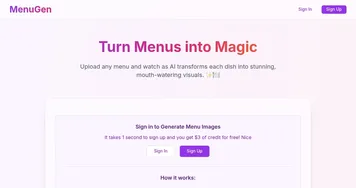
  5. MenuGen MenuGen Transforms menu photos into AI-generated dish images.
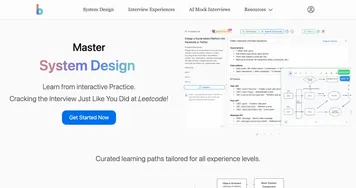
  6. Bugfree.ai Bugfree.ai Prepares users for system design and behavioral interviews with AI mocks and practice
Last update: February 28, 2026
Share
Promote Plask Motion
light badge
Copy Embed Code
dark badge
Copy Embed Code
neutral badge
Copy Embed Code
About Us | Contact Us | Suggest an AI Tool | Privacy Policy | Terms of Service

Copyright © 2026 Best AI Tools
415 Mission Street, 37th Floor, San Francisco, CA 94105