logo-darklogo-darklogo-darklogo-dark
  • Home
  • Browse
    • Assistant
    • Coding
    • Image
    • Productivity
    • Video
    • Voice
    • Writing
    • All Categories
    • AI Use Cases
  • My Favorites
  • Suggest a Tool
✕
Home › Video Generation & Editing ›

Rask AI

Published by Dusan Belic on July 10, 2023

Rask AI by Brask Inc.


Rask
Rask AI Homepage
Categories Video Generation & Editing
An AI-powered tool specialized in video localization and dubbing

Rask AI

Rask AI is a powerful tool for video localization and dubbing, leveraging advanced AI tech to simplify and enhance the process of making content accessible and engaging for a global audience.

It offers a comprehensive suite of features — including automated speech-to-text, translation, voice cloning, and support for multiple speakers — to maintain the natural tone and authenticity of the original content while making it accessible in over 130 languages.

Rask AI is dedicated to improving content accessibility and engagement across various sectors. Its application extends beyond mere translation, encompassing education, marketing, content creation, corporate training, customer support, and game development. All this makes Rask AI a valuable asset for anyone looking to reach a broader, more diverse audience by removing language barriers and enriching the content with natural-sounding voiceovers​​.

Rask AI is available in several subscription plans to accommodate different needs and budgets, starting from the Basic plan, which includes 25 minutes of video translation per month. More robust plans, such as the Pro and Business plans, cater to users with greater demands. There’s also a Custom Enterprise plan for those needing over 3,000 minutes per month. Importantly, Rask AI offers a free trial, allowing users to test its capabilities before committing to a subscription​​​​.

In conclusion, Risk AI is a great tool to try out, as you can do it for free. Then, you can decide whether it fits your unique needs and only then pay for the more robust plan. No need to spend your hard-earned money in advance.

Rask AI Homepage
Categories Video Generation & Editing

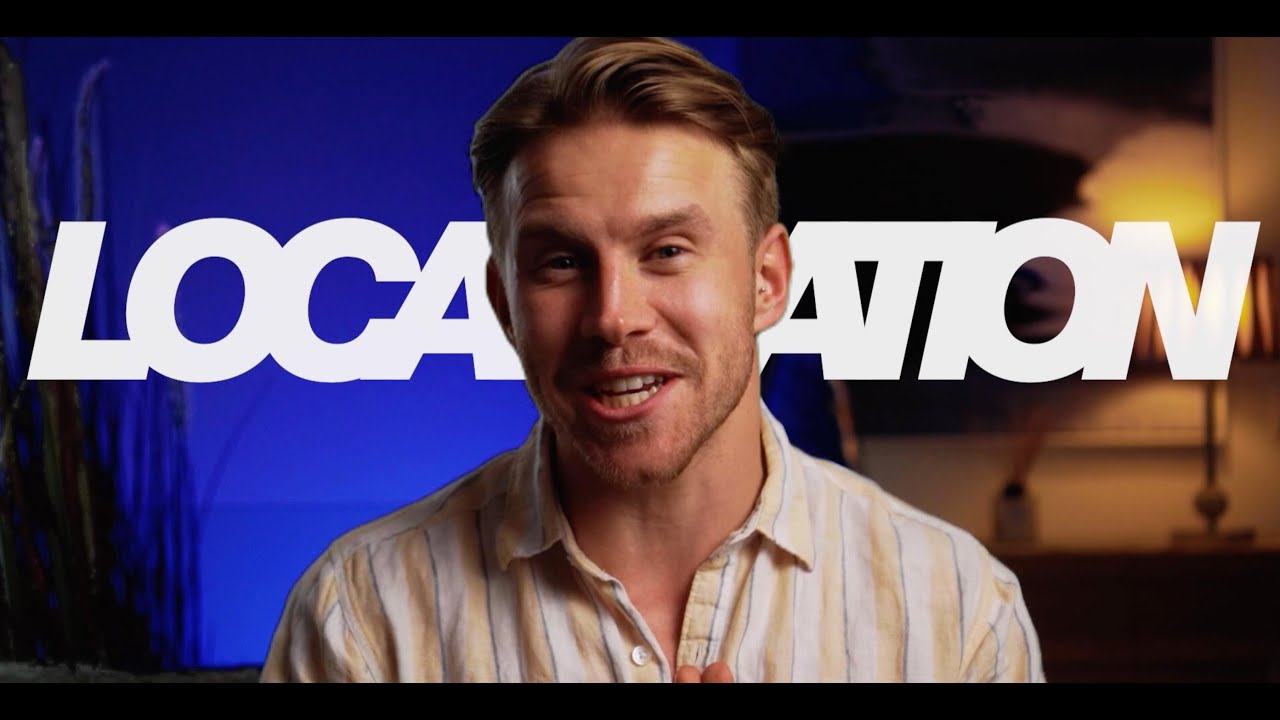
Video Overview ▶️

What are the key features? ⭐

  • Automated speech-to-text and translation: Rask AI can listen to the audio in your videos and convert it into written text. Then, it can translate this text into more than 130 languages.
  • Voice cloning: This feature allows Rask AI to replicate the voice from your original video in a different language.
  • Support for multiple speakers: If your video has several people talking, Rask AI can identify and manage each speaker separately.
  • Subtitle integration: You can add subtitles to your videos by uploading SRT files. Rask AI will sync these subtitles with the translated audio automatically.
  • Free trial: Before committing to a paid plan, Rask AI offers a free trial that lets you upload a few videos, giving you a taste of its voice cloning and video translation capabilities.

Who is it for? 🤔

The targeted market of Rask AI encompasses content creators, businesses, and educators looking to expand their reach and engage with a global audience by overcoming language barriers. This includes YouTubers, filmmakers, marketing professionals, and e-learning platforms interested in translating and dubbing their videos into multiple languages to make their content accessible to people worldwide. Moreover, companies seeking to localize training materials for their international workforce or customer support videos to better serve customers in various regions also find Rask AI's services highly beneficial​​​​.

Examples of what you can use it for 💭

  • Teachers and e-learning platforms can use Rask AI to translate and dub educational videos into multiple languages
  • Marketers can localize promotional videos and ads for different regions
  • YouTubers, filmmakers, and digital content creators can use Rask AI to add multi-language audio tracks to their content
  • Companies with a global workforce can translate and dub training materials and internal communication videos
  • Businesses can create multilingual video guides and support materials, helping them offer better customer service to a diverse client base

Pros & Cons ⚖️

  • Great for overcoming language barriers
  • Support for multiple speakers is awesome
  • You can try it for free
  • Occasional inaccuracies in translation and voice cloning

FAQs 💬

What is Rask AI mainly used for?
Rask AI specializes in translating, dubbing, and localizing video and audio content into over 130 languages while preserving voice authenticity through cloning and lip-sync.
How many languages does Rask AI support?
It supports translation, transcription, and dubbing in over 130 languages, with voice cloning available in 32 languages.
Does Rask AI offer voice cloning?
Yes, VoiceClone lets you replicate your own voice for translations, helping maintain a personal or brand-consistent sound in supported languages.
Can Rask AI handle videos with multiple speakers?
Yes, it features multi-speaker detection to accurately identify and translate different voices in the same video.
Does it include lip-sync functionality?
Yes, the AI applies lip-sync to match translated audio with mouth movements for a more realistic viewing experience.
What types of content work best with Rask AI?
It excels with YouTube videos, podcasts, educational courses, marketing materials, and lectures, supporting files up to several hours long.
Is there subtitle generation and translation?
Yes, it auto-generates, translates, and adds customizable subtitles to improve accessibility and engagement.
How user-friendly is the interface for beginners?
Most users find it intuitive and easy to use, even without technical experience, with quick upload and processing steps.
Can teams collaborate on projects in Rask AI?
Yes, teamspaces allow multiple people to work together in real time on translation and editing projects.
Does Rask AI support YouTube video translation directly?
Yes, you can input YouTube links for fast transcription, translation, and dubbing without downloading the file first.

Related tools ↙️

  1. MagicShot MagicShot Creates stunning visuals, audio, and video from text prompts in seconds
  2. AutoCut AutoCut An AI-powered video editing tool that simplifies and speeds up editing
  3. Imagine Explainers Imagine Explainers Transforms complex topics into engaging AI-generated explainer videos in minutes
  4. Runway Runway Generates and edits AI-powered videos from text prompts
  5. AI Video Cut AI Video Cut Converts long videos into short, viral-ready clips for social media platforms
  6. immersity AI immersity AI Enables the instant conversion of 2D images into 3D animations
Last update: January 17, 2026
Share
Promote Rask AI
light badge
Copy Embed Code
light badge
Copy Embed Code
light badge
Copy Embed Code
About Us | Contact Us | Suggest an AI Tool | Privacy Policy | Terms of Service

Copyright © 2026 Best AI Tools
415 Mission Street, 37th Floor, San Francisco, CA 94105