
Recraft

Recraft is a premium AI-powered image generation and editing tool which has managed to gain traction among professional designers, illustrators, and marketers. It offers a suite of features that streamline the creative process, enabling users to easily produce high-quality visuals. With over 3 million users across 200 countries, Recraft has helped create more than 350 million images.
Recraft’s AI Image Generator allows users to create customized digital illustrations and art using advanced AI tech. This tool ensures high-quality and unique outputs tailored to individual needs.
There is also the AI Vector Generator, which enables the production of scalable vector graphics suitable for different design purposes, from logos to marketing materials. The platform also offers a Mockup Generator for the quick creation of realistic mockups for presentations or promotional content.
Combined, these tools aim to enhance efficiency and creativity — making sophisticated design accessible to users of all skill levels.
Furthermore, there are a few additional AI features we should mention — including the AI Eraser, Background Remover, and Image Upscaler. Plus, the platform’s Infinite Canvas supports real-time collaboration, allowing teams to share projects, receive immediate feedback, and observe live navigation within the workspace.
However, while Recraft offers a solid set of features, some users have identified areas for improvement. For instance, the free version makes all user creations public, necessitating a paid plan for private projects. Also, a learning curve is associated with mastering all the platform’s features, which might require time and practice.
Nevertheless, Recraft remains a powerful tool for those seeking to enhance their digital design capabilities. Check it out.
Video Overview ▶️
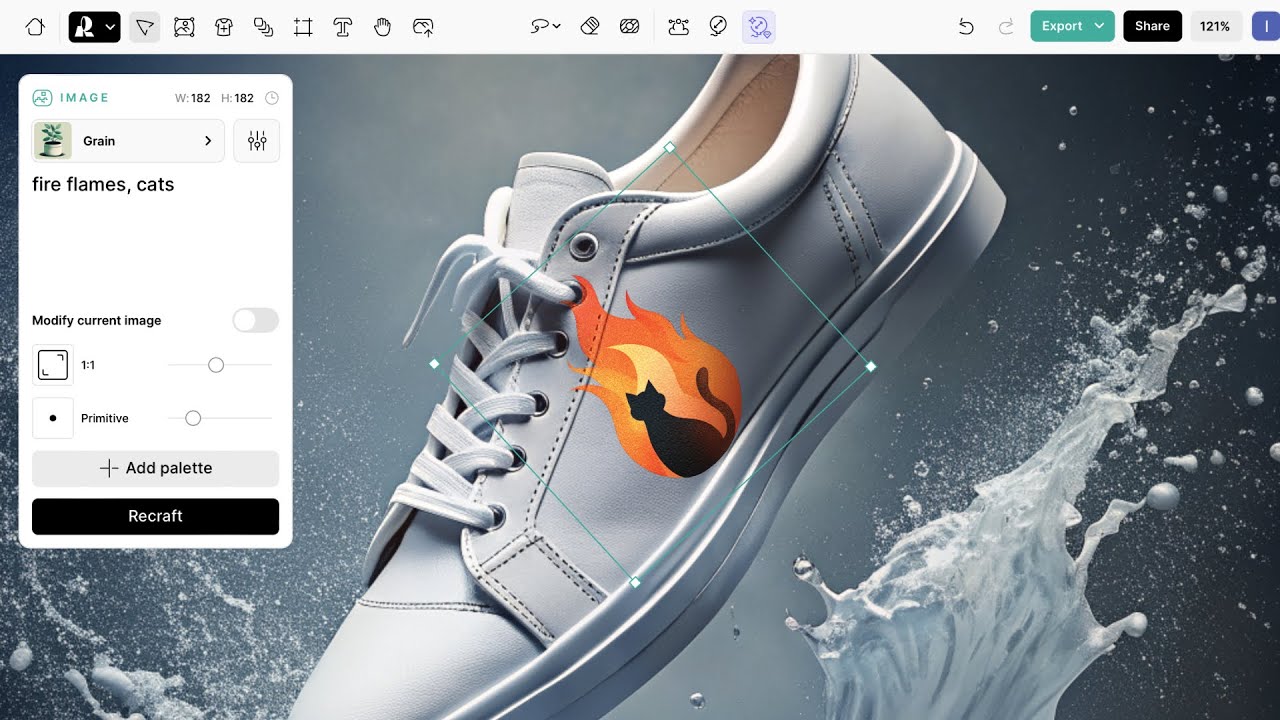
What are the key features? ⭐
- AI Image Generator: Create customized digital illustrations and art using advanced AI technology.
- AI Vector Generator: Produce scalable vector graphics suitable for various design purposes, from logos to marketing materials.
- Mockup Generator: Quickly create realistic mockups for presentations or promotional content.
- AI editing tools: Utilize features like the AI Eraser, Background Remover, and Image Upscaler to fine-tune your designs.
- Infinite Canvas for collaboration: Engage in real-time collaboration with team members, sharing projects and receiving immediate feedback within a live workspace.
Who is it for? 🤔
Examples of what you can use it for 💭
- Designers can craft unique logos, icons, and promotional materials that align with brand identity
- Marketers can generate engaging visuals tailored for various social media platforms
- Educators can create illustrative content to aid in teaching
- Product designers can visualize concepts through realistic mockups
- Teams can work simultaneously on design projects to streamline workflows
Pros & Cons ⚖️
- A range of features, from image generation to vector creation and mockup design
- High-quality outputs that meet the standards for commercial use
- Real-time collaboration through Infinite Canvas
- Public creations on the free plan








