logo-darklogo-darklogo-darklogo-dark
  • Home
  • Browse
    • Assistant
    • Coding
    • Image
    • Productivity
    • Video
    • Voice
    • Writing
    • All Categories
    • AI Use Cases
  • My Favorites
  • Suggest a Tool
✕
Home › Image Generation & Editing›
Published by Dusan Belic on July 1, 2024

Reface

Reface
Reface Homepage
Categories Image Generation & Editing
An AI-powered app that specializes in face-swapping and creating AI avatars

Reface

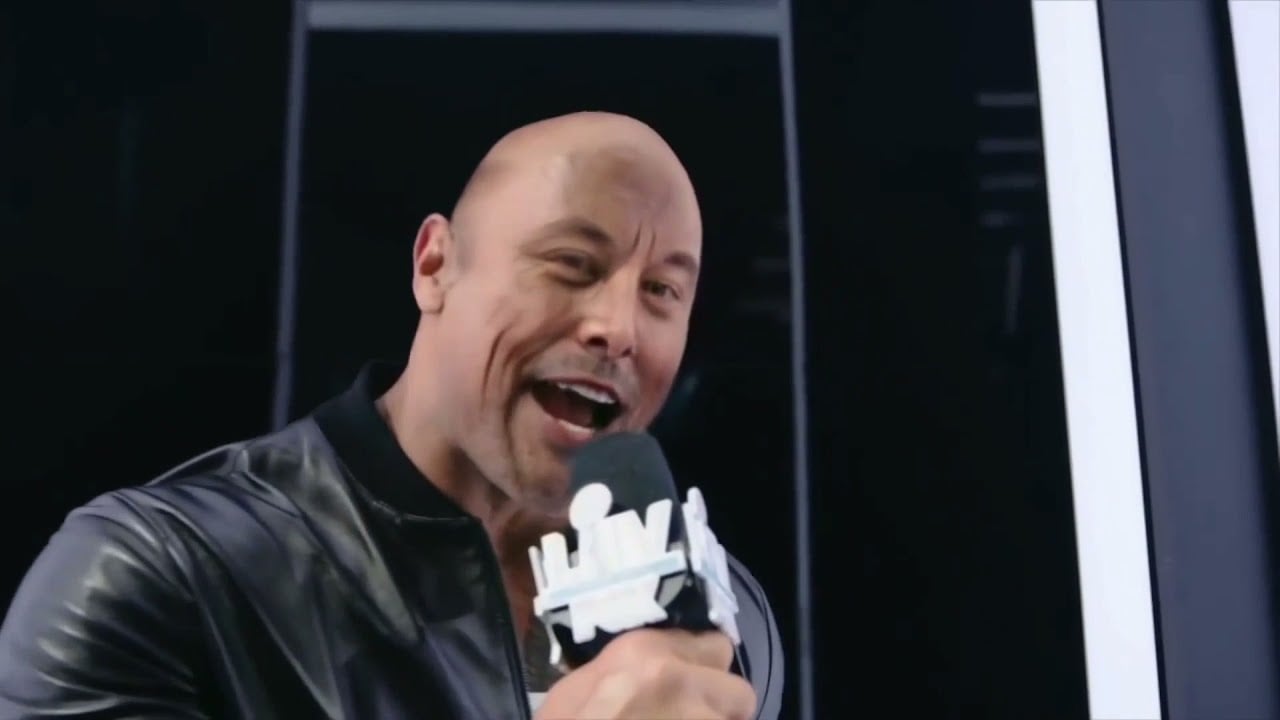
Reface is an AI-powered app that specializes in face-swapping and creating AI avatars. Users can swap their faces onto various images, GIFs, and videos — resulting in realistic and entertaining transformations.

The app’s advanced AI algorithms deliver high-quality and seamless face swaps, making the process as seamless as possible.

Beyond face-swapping, Reface includes tools to animate photos — allowing users to bring static images to life. These animations can include facial expressions and movements, adding a dynamic element to otherwise still photos. This feature can create some seriously engaging and shareable content.

Reface also provides other AI-driven tools for transforming the style of images and videos. Users can apply different artistic styles and effects to give their content a unique and personalized touch. This makes Reface valuable for content creators, influencers, and anyone else looking to add a creative flair to their digital media.

All in all, Reface is an accessible and powerful tool that leverages AI technology to offer users a wide range of creative possibilities. Whether for entertainment, social media, or professional content creation – it delivers an intuitive and enjoyable experience that can enhance any digital project.

Reface Homepage
Categories Image Generation & Editing

Video Overview ▶️

What are the key features? ⭐

  • AI face swap: Reface allows users to swap faces in videos and photos using advanced AI technology.
  • AI avatars: The app can generate AI avatars from user photos, offering a fun way to create personalized digital identities.
  • Photo animation: With the Revive feature, users can animate static photos, making subjects sing, talk, or perform various actions.
  • Restyle feature: This feature transforms photos and videos into different artistic styles, such as cartoons or sketches.
  • Easy to use: Reface's intuitive interface ensures that users of all skill levels can easily create and share content.

Who is it for? 🤔

Reface is made for a wide audience, including social media users, content creators, marketers, and businesses. Its set of tools is designed to enhance engagement and creativity, making it suitable for both individuals looking for fun and entertainment, and businesses aiming to create innovative marketing content. Ultimately, the app's ease of use makes it appealing to users of all ages and technical backgrounds, ensuring broad market reach and application.

Examples of what you can use it for 💭

  • Create and share engaging and humorous face-swapped videos and photos on social media platforms
  • Brands can utilize Reface's technology to create viral marketing campaigns by integrating face swaps into promotional videos
  • Content creators can leverage Reface to produce unique and captivating content
  • Individuals can use Reface for fun, creating animated photos of friends and family
  • Businesses can incorporate Reface's API into their digital products to enhance user engagement

Pros & Cons ⚖️

  • Multiple photo tools under one roof
  • Face swaps can look super real
  • Helps you create engaging social media images
  • Potential misuses of face swapping

FAQs 💬

What is Reface mainly used for?
Reface lets users swap their face into photos, videos, and GIFs using AI, creating fun, shareable content like memes or celebrity impersonations.
Do I need technical skills to use it?
No, it's designed for beginners. You just upload a selfie, choose a template, and the AI does the work in seconds.
Can Reface handle video face swaps?
Yes, it supports short video clips and GIFs, though results work best with clear, well-lit faces and may show minor inconsistencies in complex lighting.
Is there a web version available?
Yes, through Unboring by Reface, you can face swap and animate photos/videos directly online without downloading the app.
What kind of templates or content can I use?
There's a large, regularly updated library including viral dances, movie scenes, cartoons, and custom AI styles like anime or vintage filters.
Does it work on both photos and videos?
Absolutely, the tool handles both static images and short videos/GIFs, with additional features for animating still photos.
Is Reface suitable for creating social media content?
Definitely, many users rely on it for quick, engaging posts on platforms like TikTok and Instagram thanks to its speed and fun templates.
How realistic are the face swaps?
Results are often surprisingly good for casual use, especially in photos, but video swaps might have slight blending issues with lighting or movement.
Can I create AI avatars with Reface?
Yes, it includes tools to generate on-trend AI avatars and figures from your photos.
What platforms support Reface?
It's available as a mobile app on iOS and Android, plus a web version for face swapping and video restyling.
Visit Reface

Related tools ↙️

  1. Dawn AI Dawn AI Generates personalized avatars and images from selfies using advanced AI technology
  2. Cloudinary Cloudinary Manages, transforms, optimizes, and delivers images and videos with AI-powered features
  3. Imgix Imgix Optimizes images in real-time using AI for faster web delivery
  4. Imajinn Imajinn Transforms user photos into artistic images and custom visuals using AI
  5. SVG AI SVG AI Transforms text prompts into scalable vector icons and logos instantly
  6. Artisse Artisse Generates hyper-realistic photos using AI from user selfies and custom prompts
Last update: January 14, 2026
Share
Promote Reface
light badge
Copy Embed Code
dark badge
Copy Embed Code
neutral badge
Copy Embed Code
About Us | Contact Us | Suggest an AI Tool | Privacy Policy | Terms of Service

Copyright © 2026 Best AI Tools
415 Mission Street, 37th Floor, San Francisco, CA 94105