logo-darklogo-darklogo-darklogo-dark
  • Tool Categories
    • 🎨Art & Creative Design505
    • 🏢Business Management644
    • 💻Coding & Development515
    • 👮Detection83
    • 🧠General Use727
    • 🏥Health & Wellness55
    • 📷Image & Photo Analysis100
    • 🖼️Image Generation & Editing618
    • 📐Interior & Architectural Design37
    • 🎓Learning & Education483
    • ⚖️Legal & Finance90
    • 🎭Lifestyle & Entertainment236
    • 📢Marketing & Advertising627
    • 🎧Music & Audio138
    • 👔Office & Workplace1,014
    • 🔬Research & Data Analysis372
    • 👥Social Media245
    • 🎥Video Generation & Editing426
    • 👧🏻Virtual Companion135
    • 🎤Voice Generation & Editing381
    • ✍️Writing & Editing808
    • All Categories
    • AI Use Cases
  • News
  • Events
    • Academic Conferences
    • Developer Conferences
    • Expos / Trade Shows
    • Industry Summits
    • Workshops / Training
    • All Events
    • Past Events
  • Saved Tools
  • Suggest a Tool
✕
Home › Video Generation & Editing › Animation Generation› Rokoko Vision
Rokoko Vision

Rokoko Vision

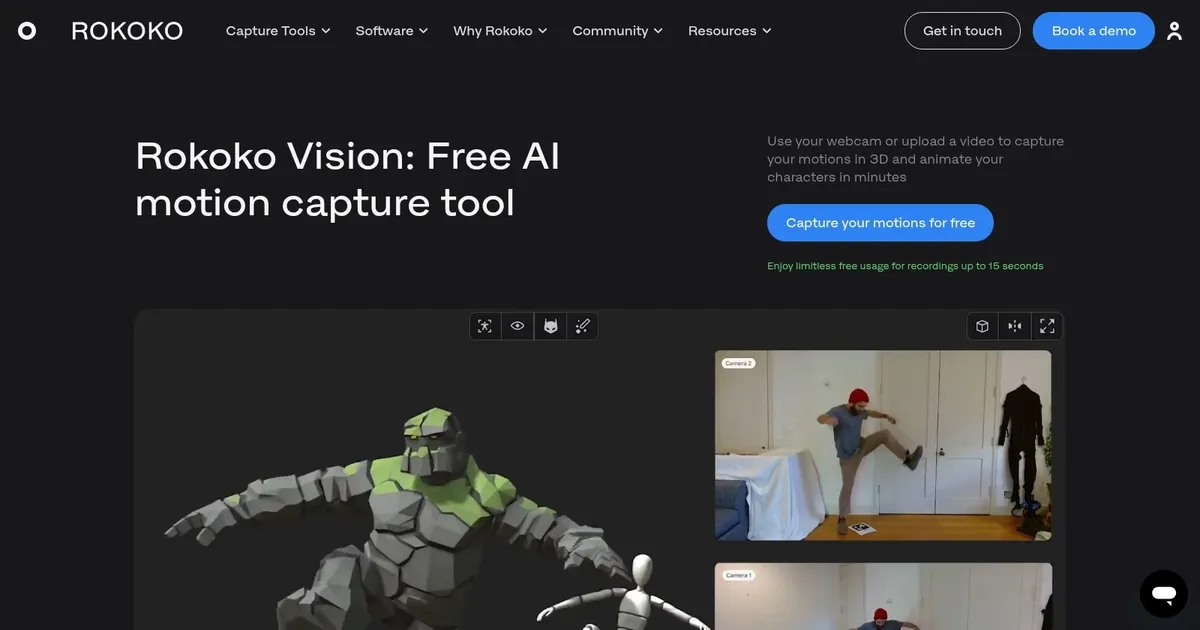
Use your webcam or upload a video to capture 3D motions and animate your characters in minutes

Rokoko Vision is an AI-driven motion capture tool designed to make motion capture accessible to a wide range of users, from beginners to studio animators. It allows individuals to use their webcam or upload a video to capture their movements in 3D, enabling them to animate their characters in minutes.

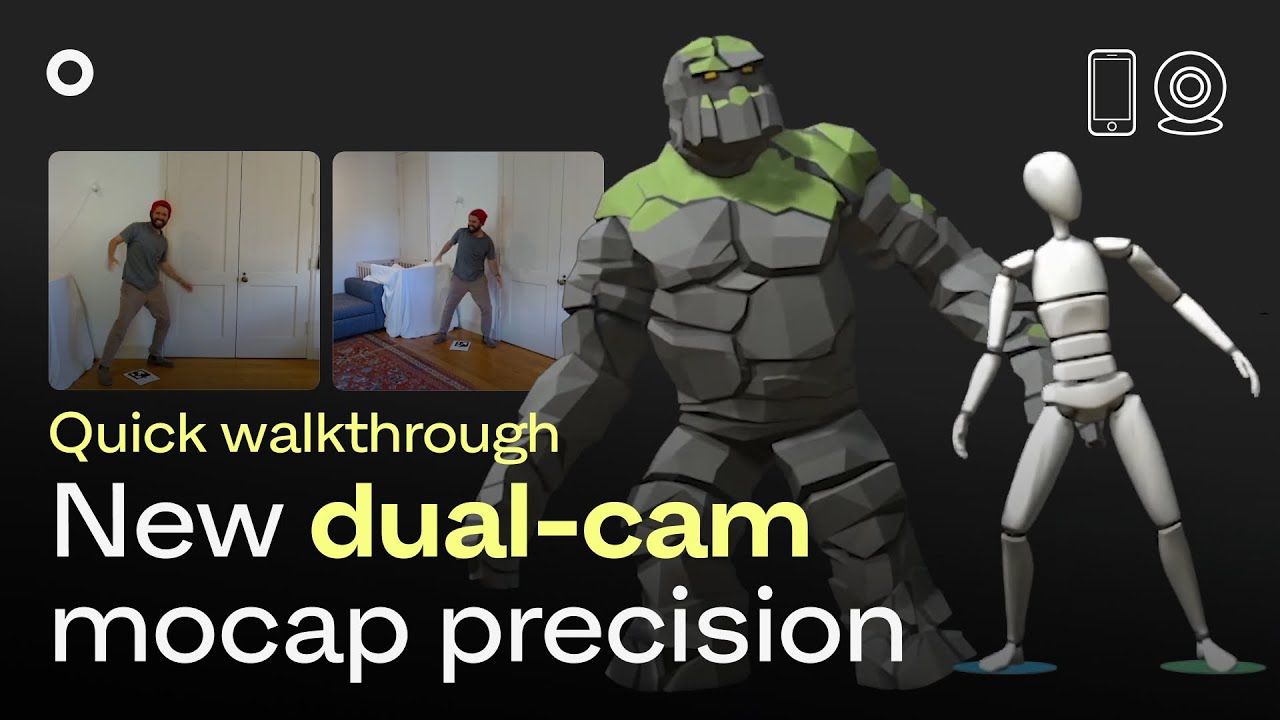
The platform offers a single-camera option for free, which is suitable for casual mocap and beginners, as well as a paid dual-camera option for enhanced accuracy and quality, suitable for professionals and experts.

The tool integrates with Rokoko Studio for viewing and cleaning up the mocap data, including a foot locking filter and the ability to upload and retarget animations onto custom characters. It allows users to export their animations in popular formats like .FBX or .BVH for use in their preferred 3D tools, such as Blender, Cinema 4D, Unity, and Unreal.

Finally, we’ll add that Rokoko Vision is easy to use, offering a simple three-step process that enables quick animation creation. It also fosters a community of creators who can access mocap technology without the need for expensive equipment or software.

Visit Rokoko Vision ↗
Categories
🎥 Video
🎞️ Animation Generation 🎠 Animated Video 📹 Video Generation
🎨 Art
🧊 3D Modeling
📷 Image Analysis
👁️ Image Recognition

Homepage Screenshot 📸

Rokoko Vision screenshot

Video Overview 🎬

Rokoko Vision - Video Overview

What are the key features? ✨

  • AI Motion Capture: extracts 3D full-body motion from webcam or video using AI
  • Rokoko Studio Integration: refines, retargets, and exports captured data in one platform
  • Single & Dual-Camera Support: single for free basic use, dual for higher accuracy and depth
  • Export Formats: outputs FBX and BVH compatible with Blender, Unity, Unreal, and more
  • Free Tier Access: unlimited use for clips up to 15 seconds with single camera

Who is it for? 🤔

Rokoko Vision helps indie animators, game developers, content creators, educators, and hobbyists who want to prototype character animations without buying expensive suits or renting a mocap stage. Anyone needing quick motion references or pre-visualization benefits most.

Examples of what you can use it for 💡

  • Indie game developer: captures short character actions to prototype gameplay mechanics in Unity or Unreal
  • 3D animator: blocks out key poses and movements for a scene before detailed keyframing
  • Content creator: animates avatars for YouTube videos or social media using simple webcam recordings
  • Film student: pre-visualizes actor performances in Blender without access to professional mocap gear
  • Educator: demonstrates motion principles to students by recording live examples in class

Pros & Cons ⚖️

  • Free entry-level access
  • Easy webcam setup
  • Fast processing
  • Seamless Studio workflow
  • 15-second clip limit (free)
  • Occasional tracking drift

FAQs 💬

What do I need to start using Rokoko Vision?
A computer with a webcam, a well-lit room, and a free Rokoko account. For better results use fitted clothing and a plain background.
Is Rokoko Vision completely free?
Yes for single-camera captures up to 15 seconds. Dual-camera mode requires a subscription after the 14-day trial.
Does it support real-time motion capture?
No, it processes clips after recording or uploading, usually taking 30-40 seconds for short segments.
Can it track multiple people at once?
No, it captures one performer per clip.
What file formats can I export?
FBX and BVH, compatible with most 3D tools like Blender, Maya, Unity, and Unreal Engine.
Does it capture fingers or face?
No, it focuses on full-body motion only. Use Rokoko's other tools for fingers or face.
How accurate is single-camera vs dual-camera?
Dual-camera gives noticeably better depth and fewer errors, especially during turns or overlapping limbs.
What software do I use to edit the capture?
Rokoko Studio handles trimming, cleanup, retargeting, and export.
Can I upload pre-recorded videos?
Yes, upload any clear video showing full-body motion as long as it meets the length limit.
Is it suitable for professional production?
Best for pre-viz, prototyping, or indie work. Complex scenes usually need inertial mocap for top accuracy.

Ready to try Rokoko Vision?

Use your webcam or upload a video to capture 3D motions and animate your characters in minutes

Visit Rokoko Vision ↗

Rokoko Vision alternatives 🔗

  1. Kling AI Kling AI Generates cinematic videos from text or images with realistic motion
  2. Veo Veo Generates high-quality videos with audio from text or image prompts
  3. Runway Runway Generates and edits AI-powered videos from text prompts
  4. Sora Sora Generates hyperrealistic videos from text prompts with synchronized audio
  5. Deep Nostalgia Deep Nostalgia An AI-driven service that animates photos, making it seem as though people are moving and expressing emotions.
  6. PixVerse PixVerse An AI-driven tool designed to help users create fancy videos with ease
Share
Rokoko Vision screenshot enlarged
Promote Rokoko Vision
light badge
Copy Embed Code
dark badge
Copy Embed Code
neutral badge
Copy Embed Code
Best AI Tools

Discover the best AI tools for any use case

Explore
  • Tool Categories
  • AI Use Cases
  • AI Events
  • AI News
  • Saved Tools
Company
  • About Us
  • Contact Us
  • Media & Partnerships
  • Suggest a Tool
Legal
  • Privacy Policy
  • Terms of Service
Copyright © 2026 Best AI Tools 415 Mission Street, 37th Floor, San Francisco, CA 94105