logo-darklogo-darklogo-darklogo-dark
  • Home
  • Browse
    • Assistant
    • Coding
    • Image
    • Productivity
    • Video
    • Voice
    • Writing
    • All Categories
    • AI Use Cases
  • Events
  • My Favorites
  • Suggest a Tool
✕
Home › Image Generation & Editing›
Published by Dusan Belic on August 30, 2023

Stablecog

Stablecog
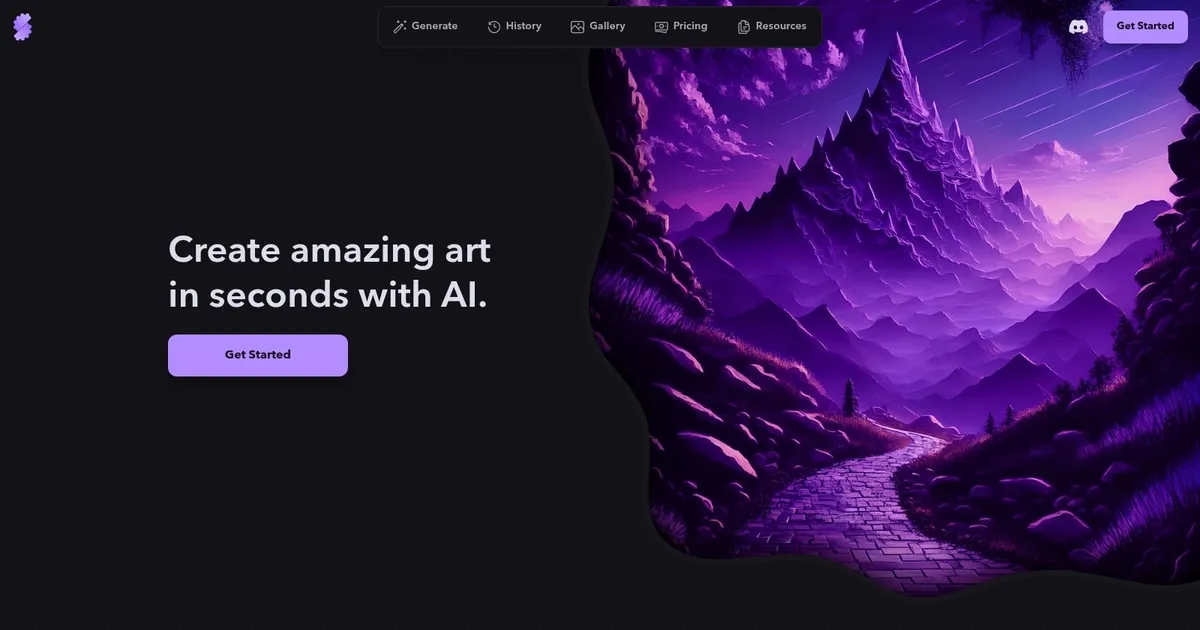
Stablecog Homepage
Categories Image Generation & Editing

Stablecog - screenshot

Generates high-quality AI images from text prompts or input images

Stablecog

Stablecog is an AI-powered tool designed to transform how people create art. It lets users generate unique and stunning visual pieces in seconds by simply describing their desired outcome.

Whether users want to create something within a specific genre, like a “majestic cat in a psychedelic, violet-toned fantasy landscape,” or experiment with different styles – Stablecog’s AI engine can bring their visions to life. The platform lets you start from scratch with text descriptions or build upon an existing image, enabling both original creations and artistic transformations based on pre-existing artwork.

In addition to its easy-to-use creation process, Stablecog offers a convenient way to get started with a discount for the first month, encouraging new users to explore its capabilities. The tool is designed to be accessible, offering a “free to try” option, to a broad audience, from art enthusiasts to professionals.

Finally, we should mention the gallery feature that lets users view and draw inspiration from previously generated artworks.

Stablecog Homepage
Categories Image Generation & Editing

What are the key features? ⭐

  • Text-to-Image Generation: Creates original images from detailed text prompts in seconds using advanced diffusion models.
  • Image-to-Image Transformation: Generates new variations or styles based on an uploaded reference image while preserving key elements.
  • Multiple Model Support: Accesses leading open-source models like FLUX.1 and Stable Diffusion variants for different artistic outcomes.
  • Batch Generation: Produces several image variations simultaneously, especially on paid plans for faster iteration.
  • Community Gallery: Browses and searches user-created images for inspiration and prompt ideas.

Who is it for? 🤔

Stablecog works well for hobbyists, content creators, designers, and casual experimenters who want fast, high-quality AI images without complicated setups or high costs. It's especially useful for people needing quick visuals for social media, brainstorming concepts, prototyping ideas, or personal projects, and anyone put off by steeper learning curves in more technical tools.

Examples of what you can use it for 💭

  • Digital artist: Uses text prompts to rapidly prototype concepts or explore styles without manual drawing.
  • Content creator: Generates custom thumbnails, illustrations, or visuals for videos, blogs, and posts in minutes.
  • Game developer: Creates character concepts, environments, or assets from descriptions to aid early design phases.
  • Marketer: Produces on-brand imagery or ad mockups tailored to campaigns without hiring photographers.
  • Student or hobbyist: Experiments with creative ideas, surreal art, or fun visuals for personal enjoyment or school projects.

Pros & Cons ⚖️

  • Fast and easy to use
  • Generous free daily limit
  • Strong model quality
  • Affordable paid plans
  • Limited free daily generations
  • Fewer advanced editing tools

FAQs 💬

What is Stablecog?
Stablecog is a web-based AI image generator that creates images from text prompts or input images using models like FLUX.1 and Stable Diffusion.
Is Stablecog free to use?
Yes, it offers a free plan with a daily limit of around 20 generations, with paid plans for higher volume.
Do I need to install anything to use Stablecog?
No, it runs entirely in your browser with no downloads or local setup required.
What models does Stablecog support?
It includes FLUX.1 for high detail and accuracy, plus various Stable Diffusion models for different styles.
Can I use my own images as a starting point?
Yes, the image-to-image feature lets you upload an image and generate new versions or styles from it.
How does pricing compare to other tools?
Paid plans start low and provide high monthly quotas, often more generous per dollar than credit-based competitors.
Is there a community gallery?
Yes, users can browse and search a public gallery of creations for inspiration.
Does Stablecog work on mobile?
It is web-based and accessible on mobile browsers, though the experience is optimized for desktop.
What makes Stablecog different from Midjourney?
It offers a simpler web interface, no Discord requirement, and flat-rate pricing instead of subscription tiers focused on artistic communities.
Can beginners use Stablecog effectively?
Yes, its minimal interface and quick generations make it beginner-friendly while still delivering strong results.
Visit Stablecog

Related tools ↙️

  1. Dawn AI Dawn AI Generates personalized avatars and images from selfies using advanced AI technology
  2. Imajinn Imajinn Transforms user photos into artistic images and custom visuals using AI
  3. Imgix Imgix Optimizes images in real-time using AI for faster web delivery
  4. Cloudinary Cloudinary Manages, transforms, optimizes, and delivers images and videos with AI-powered features
  5. SVG AI SVG AI Transforms text prompts into scalable vector icons and logos instantly
  6. Blackshark.ai Blackshark.ai Creates photorealistic 3D digital twins from satellite imagery using AI
Last update: February 25, 2026
Share
Promote Stablecog
light badge
Copy Embed Code
dark badge
Copy Embed Code
neutral badge
Copy Embed Code
About Us | Contact Us | Suggest an AI Tool | Privacy Policy | Terms of Service

Copyright © 2026 Best AI Tools
415 Mission Street, 37th Floor, San Francisco, CA 94105





