
logo-darklogo-darklogo-darklogo-dark
  • Home
  • Browse
    • Assistant
    • Coding
    • Image
    • Productivity
    • Video
    • Voice
    • Writing
    • All Categories
    • AI Use Cases
  • My Favorites
  • Suggest a Tool
✕
Home › Meeting Assistant ›

tl;dv

Published by Dusan Belic on July 10, 2023

tl;dv

tl;dv
tl;dv Homepage
Categories Meeting Assistant
AI tool that automatically transcribes, takes notes, and summarizes meetings

tl;dv

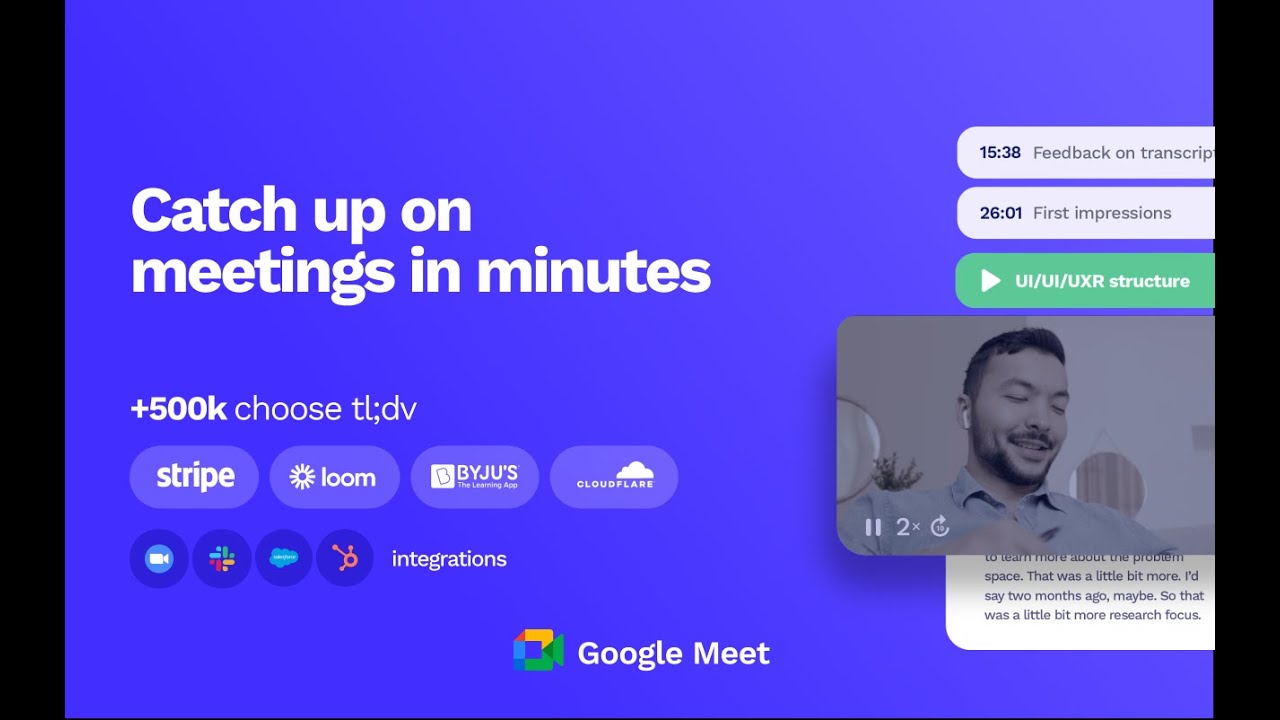
tl;dv is your very own AI meeting assistant. It lets you focus on the meeting itself, with the tool transcribing the spoken word and taking notes on your behalf in the background.

tl;dv works with Google Meet and Zoom through the Chrome extension and a dedicated Zoom app, respectively. It is this app that will do the work for you and let you relisten your meetings right after the call.

As noted, you will also be able to read the meeting’s transcription, see highlights, actionable items, and more. The service will automatically timestamp key moments so you can access them with a single click.

Another neat feature is tl;dv’s ability to create clips from meeting recordings. You can later share these with your teammates or people outside of your organization.

Finally, we need to mention that the tool integrates with other services such as Notion, Google Docs, Slack, Salesforce and HubSpot.

As of September 2023, tl;dv has more than 900,000 users.

tl;dv Homepage
Categories Meeting Assistant

Video Overview ▶️

What are the key features? ⭐

  • AI meeting transcriptions: tl;dv will automatically transcribe meetings in more than 30 languages, including German, English, French, Spanish, Japanese, Korean, Portuguese, and more languages. You can search every spoken word across any meeting with one click.
  • Timestamp key moments: Summarize the key moments during your meetings with a simple click or shortcut. The AI Meeting Note Taker will instantly summarize the topic so you can stay focused on your conversation.
  • Create clips from recordings: Want to show an awesome call moment to a client or investor? Need to share a piece of user feedback with your team? tl;dv lets you create bite-size meeting insights with its video clipper feature.
  • Search call moments: Search for topics discussed during meetings to instantly find and summarize every discussion related to the keyword. Never miss a meeting insight or forget an action point again.
  • Integrate & automate with your favorite tools: Whether it's Notion, Google Docs, Slack, Salesforce or HubSpot - tl;dv integrates seamlessly with your favorite collaboration platforms and CRMs. Share meeting moments and insights directly to your team's workspaces with no tab switching needed.

Who is it for? 🤔

After the COVID pandemic, all of us got used to online meetings. And tl;dv is there to make these meetings that much better. It acts as your in-meeting assistant that does note-taking on your behalf while also highlighting key moments in a meeting. As such, it is one of those indispensable tools many folks use these days. Heck, I know some who can't imagine going to an online meeting and not recording it with a tool like tl;dv. Are you in that group?

Examples of what you can use it for 💭

  • Automatically take meeting notes in multiple languages
  • Have more productive meetings
  • Archive your online meetings and turn them into an archive you can access whenever needed
  • Get highlights of every online meeting automatically

Pros & Cons ⚖️

  • If you're regularly conducting online meetings, this is the tool for you
  • Transcriptions in multiple languages are neat
  • Turns meetings into a source of knowledge (after some time)
  • Free plan doesn't let you copy/paste the meeting transcription

FAQs 💬

What is tl;dv?
tl;dv is an AI-powered meeting assistant that records, transcribes, and summarizes online meetings on platforms like Zoom, Google Meet, and Microsoft Teams. It helps teams capture key insights without manual note-taking, making it ideal for busy professionals who want to focus on discussions rather than documentation.
How does tl;dv integrate with my video conferencing tools?
tl;dv works seamlessly with Zoom, Google Meet, and Microsoft Teams through a simple Chrome extension or desktop app. Once installed, it joins meetings automatically, records audio and video, and starts processing transcripts right away, so you don't miss a beat.
What languages does tl;dv support for transcription and summarization?
It handles over 30 languages with more than 90% accuracy, including English variants, Spanish, French, German, Japanese, and Chinese. This makes it a strong choice for global teams needing multilingual meeting recaps.
Can tl;dv help with sales coaching or CRM updates?
Yes, it analyzes calls for playbook adherence, objection handling, and rep performance, then auto-updates CRMs like Salesforce with notes, outcomes, and action items. Managers get weekly AI reports on trends like common pain points to improve team strategies.
Is tl;dv secure for sensitive business meetings?
Absolutely, it features end-to-end encryption, SOC2 and GDPR compliance, and EU-based hosting with no use of your data for AI training. Recordings stay under your control, and you can opt for private AI processing if needed.
How accurate are tl;dv's AI summaries?
Summaries are generally reliable for key points and action items, but they might need a quick review for nuanced details or industry jargon. Users often praise its speed and clarity, though it's best as a starting point rather than a final draft.
Does tl;dv offer a free plan for trying it out?
It includes a free forever plan with unlimited meetings, transcriptions, and basic summaries, no credit card required. This lets you test core features without commitment before exploring advanced options.
Can I share meeting highlights or clips with my team?
Sure, you can create short video clips or "Reels" from transcripts, tag key moments, and share them via links or integrations. This keeps async updates easy, especially for remote teams catching up on missed calls.
What makes tl;dv different from tools like Otter.ai or Fireflies?
Unlike basic transcribers, tl;dv focuses on sales-specific AI coaching and automated follow-ups, plus broader integrations with over 5,000 apps. It stands out for multilingual support and aggregated insights from multiple meetings.
Is tl;dv easy to set up for beginners?
Setup takes just minutes: install the extension or app, connect your calendar, and grant meeting access. The intuitive dashboard and tutorials guide you through, though some users note a short learning curve for custom summary templates.

Related tools ↙️

  1. Noota Noota An AI meeting assistant with automatic note-taking, meeting reports, real-time coaching, and more
  2. Krisp Krisp An AI tool that removes background noises and voices that includes a transcriber
  3. Grain AI Grain AI Unlock the value and insights of your customer meetings using AI
  4. Recall.ai Recall.ai Streamlines meeting data access with APIs for recordings, transcripts, and metadata
  5. Sembly AI Sembly AI A platform that transcribes and analyzes meetings, transforming them into actionable insights
  6. Poised Poised Your magical AI assistant for better meetings, with personalized suggestions and real-time feedback
Last update: December 7, 2025
Share
Promote tl;dv
light badge
Copy Embed Code
light badge
Copy Embed Code
light badge
Copy Embed Code
About Us | Contact Us | Suggest an AI Tool | Privacy Policy | Terms of Service

Copyright © 2026 Best AI Tools
415 Mission Street, 37th Floor, San Francisco, CA 94105