logo-darklogo-darklogo-darklogo-dark
  • Home
  • Browse
    • Assistant
    • Coding
    • Image
    • Productivity
    • Video
    • Voice
    • Writing
    • All Categories
    • AI Use Cases
  • My Favorites
  • Suggest a Tool
✕
Home › Image Generation & Editing ›

WatermarkRemover.io

Published by Dusan Belic on July 10, 2023

WatermarkRemover.io by PixelBin.io

WatermarkRemover.io
WatermarkRemover.io Homepage
Categories Image Generation & Editing
An image watermark removal tool

WatermarkRemover.io

WatermarkRemover.io lets you remove watermarks from images precisely with the help of AI.

A watermark can be a logo, signature, or text superimposed onto a photograph. Usually, watermarks are transparent so the viewer can relish the image.

Beyond casual users, the tool offers an enterprise solution for big customers — allowing them to remove watermarks from images in bulk without switching back and forth to transform images.

WatermarkRemover.io also offers an API, enabling developers to integrate it into their own apps and services.

The tool supports all the popular image formats, including PNG, JPG, JPEG, and WEBP.

WatermarkRemover.io is free for images processed for personal use, though there are some limits. There are also various subscription plans for commercial and more extended use.

WatermarkRemover.io Homepage
Categories Image Generation & Editing

Video Overview ▶️

What are the key features? ⭐

  • Seamless watermark removal: WatermarkRemover.io uses artificial intelligence to remove watermarks from images efficiently.
  • Multiple formats supported: The tool is compatible with various image formats, including PNG, JPG, JPEG, and WEBP.
  • Easy to use: WatermarkRemover.io is designed for easy use, enabling quick and effortless watermark removal.
  • Free and premium options: Free for personal use, with premium plans for additional features.
  • Enterprise solutions: WatermarkRemover.io offers solutions for businesses, including API integration for more extensive applications.

Who is it for? 🤔

WatermarkRemover.io is made for both individuals and professionals who need to remove watermarks from images. This includes photographers who want to clean up their own photos, businesses needing to erase branding from stock images for presentations, and social media users who wish to clear watermarks for aesthetic reasons. The tool's ease of use and AI-driven capabilities make it suitable for different applications.

Examples of what you can use it for 💭

  • Erase logos or brand watermarks from images for a cleaner look
  • Remove unwanted marks or text from personal photographs
  • Clear watermarks for professional presentations or portfolios
  • Retrieve the original look of an image by removing added text or symbols
  • Clean images for republishing or use in different contexts

Pros & Cons ⚖️

  • Provides a simple way to remove watermarks
  • Supports all popular image formats
  • API allows integration with third-party apps
  • Won't work with every watermark (it's impossible)

FAQs 💬

What is WatermarkRemover.io and how does it work?
WatermarkRemover.io is an online AI tool that automatically detects and removes watermarks, logos, text, or stamps from images, PDFs, and videos. You upload a file via drag-and-drop or URL, the AI processes it in seconds by filling in the removed area with surrounding pixels to keep quality intact, and you download the clean version. It's great for quick fixes without any editing skills needed.
Is there a free version available?
Yes, the free tier lets you process single images up to 5,000 x 5,000 pixels without signing up, or three images after a quick sign-up. Videos cap at two minutes, and PDFs at 25 pages, but for unlimited or batch use, you'll need a paid plan.
What file formats does it support?
It handles common image types like JPG, JPEG, PNG, WebP, and HEIC, plus PDFs for documents and MP4, MOV, WebM for videos. This covers most everyday needs, though complex layered files might need manual tweaks elsewhere.
Does it preserve image quality after removal?
Mostly yes, the AI aims to blend the removed area seamlessly with nearby details, avoiding blur in most cases. Users report sharp results on simple watermarks, but intricate or transparent ones over busy backgrounds might show slight artifacts, so preview before downloading.
Is it safe to upload my files to WatermarkRemover.io?
It seems secure, with files processed temporarily and deleted after use, no long-term storage mentioned. Reviews on sites like Scamadviser rate it legit, but always check for HTTPS and avoid sensitive personal images just in case.
Can I use it for commercial purposes?
For your own content, sure, but only if you own the rights, removing watermarks from others' work without permission is illegal and unethical. The tool reminds users of this, and free outputs are for personal use only.
How long does processing take?
Typically 5-10 seconds per image, based on tests from reviews, even for high-res files up to 5,000 pixels. Videos take a bit longer, around 20-30 seconds for short clips, making it faster than manual editing in Photoshop.
What are the limitations of the free plan?
Free access limits you to small batches, no bulk processing, and caps on file size or length, like 2-minute videos. For pros handling hundreds of files, the premium integration with Pixelbin.io unlocks unlimited runs, but that's paid.
Does it work on mobile devices?
Absolutely, it's browser-based, so it runs smoothly on phones or tablets via Chrome or Safari, with drag-and-drop uploads. No app needed, though touch screens might feel a tad clunky for previews compared to desktop.
What if the watermark isn't removed perfectly?
The AI handles most cases well, but if traces linger, try uploading a higher-res version or use the preview to reprocess. For stubborn spots, alternatives like manual tools in GIMP might help, though this tool shines for automation.

Related tools ↙️

  1. Photosonic AI Art Generator Photosonic AI Art Generator An AI-powered platform from Writesonic that generates custom, unique artwork based on text prompts.
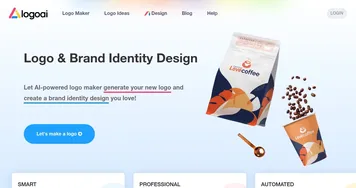
  2. LogoAI LogoAI Generate your new logo & create matching stationery
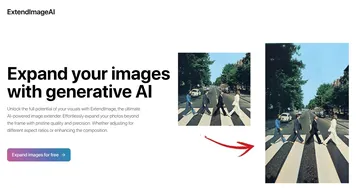
  3. ExtendImage.AI ExtendImage.AI Extend and create images with generative AI using Dalle, Stable Diffusion and Midjourney
  4. Beauty Calculator Beauty Calculator An AI tool offering a unique experience in digital self-assessment
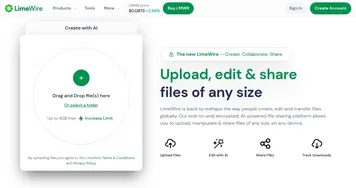
  5. LimeWire LimeWire A fancy AI content creation platform for generating and monetizing digital art
  6. Retouch4me Retouch4me With these AI plugins, you don't need to be a professional retoucher to get a high-end result
Last update: November 22, 2025
Share
Promote WatermarkRemover.io
light badge
Copy Embed Code
light badge
Copy Embed Code
light badge
Copy Embed Code
About Us | Contact Us | Suggest an AI Tool | Privacy Policy | Terms of Service

Copyright © 2026 Best AI Tools
415 Mission Street, 37th Floor, San Francisco, CA 94105