Audionotes.app

When you first encounter Audionotes, it feels like stumbling upon a clever assistant who’s ready to tidy up your mental clutter. This AI-powered tool, accessible at www.audionotes.app, takes your scattered voice memos, text snippets, or even YouTube links and turns them into neat, structured notes. It’s like having a super-organized friend who listens to your ramblings and hands you a polished outline. I think it’s particularly handy for anyone juggling meetings, lectures, or creative brainstorms, and it’s no surprise it’s gaining traction among busy professionals and students alike.
The magic starts with its ability to handle multiple input types. Record a 60-minute meeting, upload a video, or paste a YouTube link, and Audionotes churns out transcripts, summaries, or action items in 19 languages. The Smart Transcripts feature, which separates speakers in a recording, is a standout. Imagine you’re in a hectic team meeting, voices overlapping, and Audionotes calmly sorts out who said what, delivering a clean transcript you can search later. It also integrates with tools like Notion and Zapier, so your notes can flow into your existing workflow. This cross-platform sync, available on iOS, Android, web, and Chrome, makes it a breeze to capture ideas whether you’re on your phone or laptop.
But it’s not all smooth sailing. Some users might find the interface a bit plain, lacking the visual flair of competitors like Otter or Fireflies. While Audionotes prioritizes function over form, a more engaging design could make long-term use more enjoyable. Another potential hiccup is the learning curve for customizing outputs. The tool offers custom prompts to tailor notes — like turning a rant into a LinkedIn post — but figuring out the right prompts takes trial and error. I’ve seen posts on Reddit where users wished for more preset templates to simplify this.
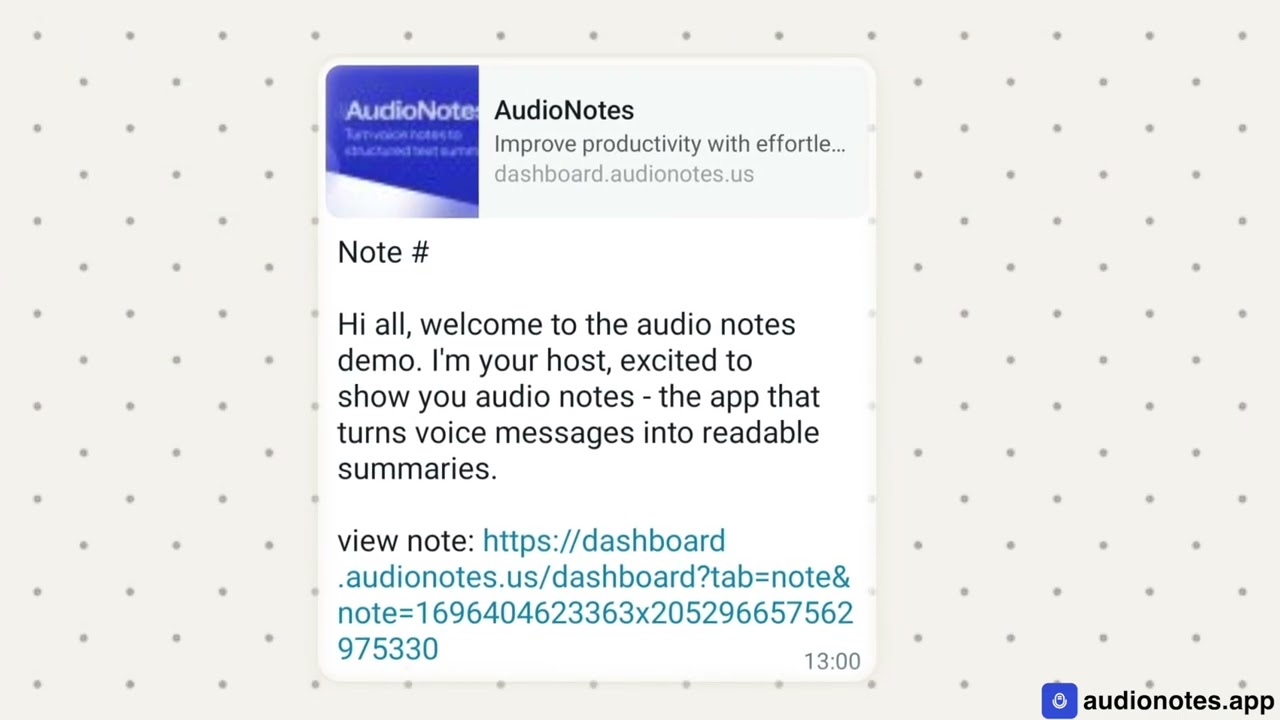
What surprised me was the WhatsApp integration in the Pro plan. You can send voice notes via WhatsApp, and Audionotes processes them into text, which is perfect for those quick ideas you dictate while stuck in traffic. Compared to VoiceNotes, which focuses heavily on casual dictation, Audionotes feels more robust for professional use, especially with its ability to handle video and image inputs. However, Notion AI might edge it out for users already embedded in Notion’s ecosystem, as it offers similar summarization with tighter integration.
Pricing-wise, Audionotes offers a free tier with basic features and a Pro plan for advanced functionality, which seems competitive with Otter and Fireflies. The free plan is generous enough for casual users, but professionals will likely need the Pro plan for heavier workloads. If you’re considering Audionotes, start with the free version to test its transcription accuracy. Play around with different input types — voice, text, or video — to see how it fits your workflow. And don’t skip the integrations; syncing with Notion or Zapier can save you hours.
Video Overview ▶️
What are the key features? ⭐
- Smart Transcripts: Separates speakers in audio for clear, searchable transcripts.
- Magic Chat: Allows querying notes for specific details or action items.
- Multi-Format Input: Processes voice, text, images, audio files, and YouTube links.
- Custom Prompts: Generates tailored content like emails or social media posts.
- Integrations: Syncs with Notion and Zapier for seamless workflow management.
Who is it for? 🤔
Examples of what you can use it for 💭
- Project Manager: Records team meetings to generate action items and summaries.
- Student: Uploads lecture videos to create detailed notes and quizzes.
- Content Creator: Turns voice ideas into polished LinkedIn or TikTok posts.
- Lawyer: Converts client discussions into structured legal notes.
- Journalist: Transcribes press conferences for accurate, searchable records.
Pros & Cons ⚖️
- Handles voice, text, and media inputs.
- Accurate speaker-separated transcripts.
- Seamless Notion and Zapier integration.
- Supports 19 languages.
- Interface lacks visual appeal.
- Custom prompts have a learning curve.