Amie
Streamlines meetings with AI-driven notes and task automation
Amie bursts onto the productivity scene with a promise to make meetings less of a slog and more of a springboard for action. It’s an AI note-taker that doesn’t just transcribe but thinks, organizes, and automates your workflow. Imagine a tool that records your Zoom call, pulls out key points, and hands you a tidy list of action items without a creepy bot crashing your meeting. That’s Amie in a nutshell. It’s built for anyone who’s ever drowned in post-meeting follow-ups or struggled to recall what was said in last week’s strategy session. I think it’s a clever take on the chaos of modern work life, blending calendar, email, and task management into one sleek package.
What sets Amie apart is its knack for context. Unlike competitors like Fireflies or Otter, which focus heavily on transcription, Amie goes further, turning raw meeting audio into structured summaries and actionable tasks. Its bot-free recording feature is a standout, letting you control the process via a clean, notch-based interface on your Mac. You can pause recordings for off-the-record chats or split them if you’re hopping between calls in the same room. The AI understands 17 languages fluently (and 82 more with some limitations), which is a boon for global teams. Integrations with tools like Hubspot, Notion, and Slack mean your meeting insights don’t stay siloed — they flow into your existing systems.
I’m impressed by how Amie handles private notes. You can jot down thoughts before or during a meeting, and the AI uses them to tailor summaries, ensuring they align with your priorities. The automatic action item generator is another gem, suggesting tasks you can add to your to-do list with one click. It’s like having a personal assistant who’s always paying attention. Users rave about the time saved — some claim up to 90% of follow-up tasks are automated, which feels like a productivity superpower. The calendar integration, supporting Google and Apple, keeps your schedule tight, and the AI can even reshuffle your day if plans change.
But it’s not all smooth sailing. The tool’s reliance on integrations might frustrate users who don’t use Hubspot or Notion. If your team’s on a less common CRM, you’re stuck waiting for Amie to add support (though you can request integrations via their support email). Some users on forums like Reddit mention occasional glitches with language detection, especially in silent moments of calls, though recent updates have improved this. Pricing-wise, Amie offers a free trial, with paid plans (Pro and Business) that feel competitive with Fathom but pricier than basic transcription tools. If you’re just looking for raw transcripts, you might find cheaper alternatives.
A surprise delight? The shareable pages feature. Amie creates auto-generated pages for recurring meetings or client interactions, letting you track progress over time or share summaries with colleagues. It’s like a mini-CRM baked into the app. For teams, this could be a game-changer, though solo users might not tap its full potential. My advice: start with the free trial, record a few meetings, and see if the AI’s summaries match your workflow. If you’re juggling multiple tools, test the integrations early to avoid surprises.
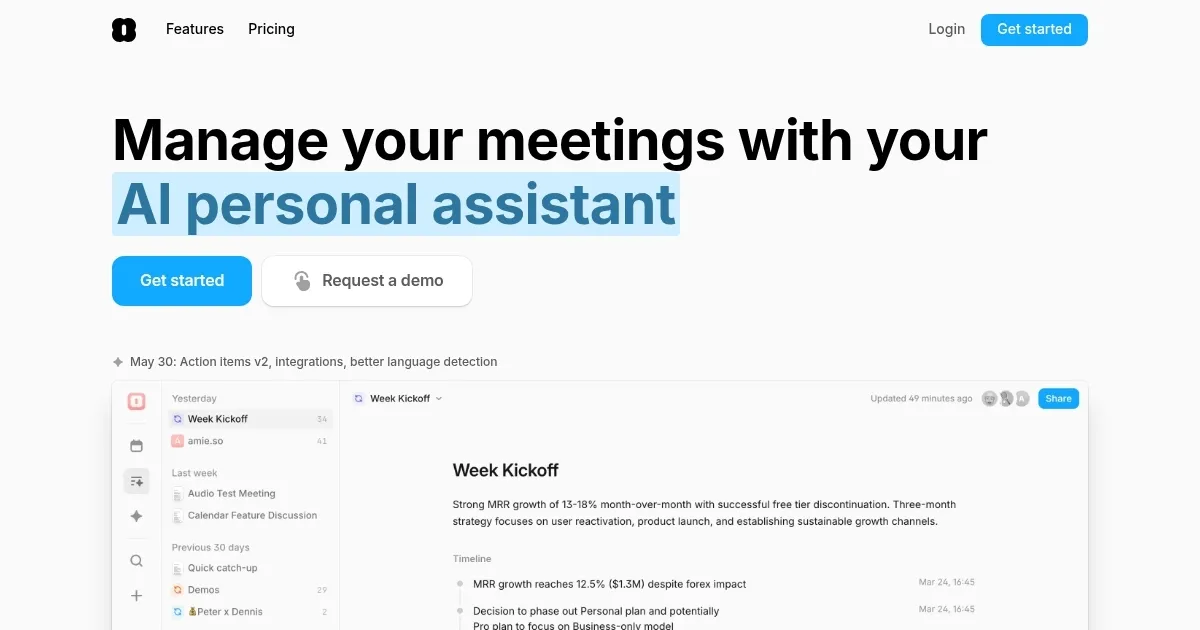
Homepage Screenshot 📸
Video Overview 🎬

What are the key features? ✨
- Bot-Free Recording: Captures meetings without intrusive bots, using a notch-based interface.
- AI Summaries: Generates concise summaries tailored to private notes and meeting context.
- Action Items: Automatically creates tasks from meetings, exportable to tools like Notion.
- Shareable Pages: Organizes meeting notes into pages for recurring events or clients.
- AI Chat: Queries past meetings or drafts emails with full meeting context.
Who is it for? 🤔
Examples of what you can use it for 💡
- Project Manager: Records team meetings and auto-generates tasks for project timelines.
- Sales Rep: Tracks client calls with shareable pages to monitor deal progress.
- Freelancer: Uses AI summaries to quickly draft follow-up emails for clients.
- Remote Team Lead: Manages multilingual calls with accurate transcriptions.
- Startup Founder: Integrates meeting notes with Hubspot for CRM updates.
Pros & Cons ⚖️
- Bot-free recording enhances privacy
- AI summaries save hours weekly
- Multilingual support for global teams
- Pricing higher than basic tools
FAQs 💬