logo-darklogo-darklogo-darklogo-dark
  • Home
  • Browse
    • Assistant
    • Coding
    • Image
    • Productivity
    • Video
    • Voice
    • Writing
    • All Categories
    • AI Use Cases
  • Events
  • My Favorites
  • Suggest a Tool
✕
Home › Design Generation›
Published by Dusan Belic on August 30, 2023
Calligrapher.ai

Calligrapher.ai

Calligrapher.ai Homepage
Categories Design Generation

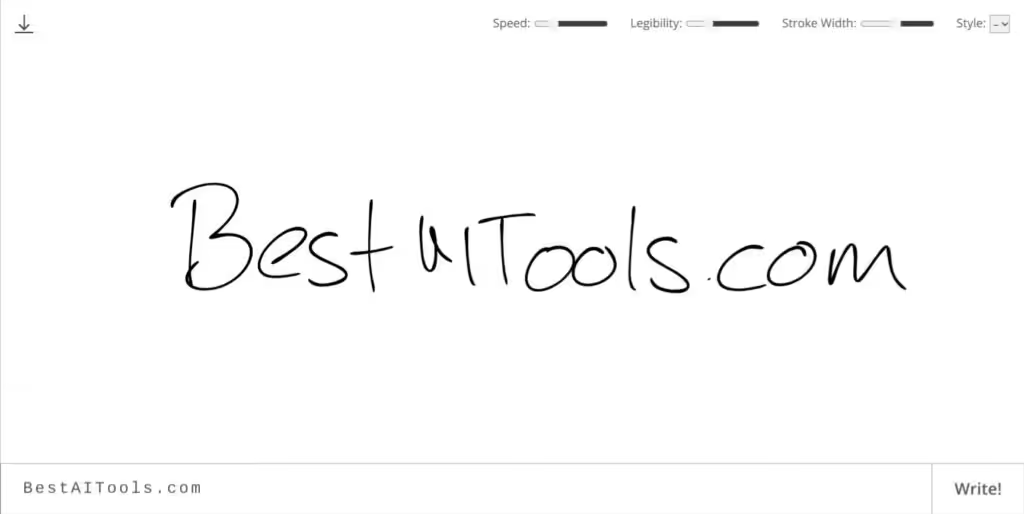
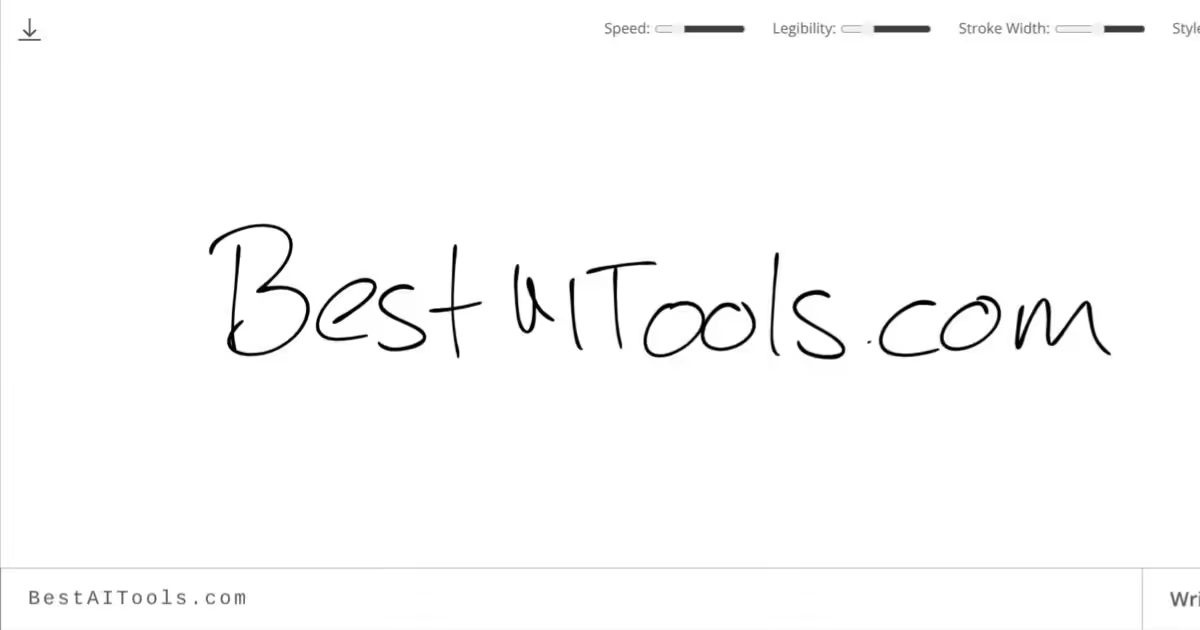
Calligrapher.ai - screenshot

Converts typed text into realistic, varied handwriting animations using AI

Calligrapher.ai

Calligrapher.ai is an advanced AI tool designed to mimic human handwriting through computer generation. This innovative technology allows users to create realistic handwritten text digitally, providing options to customize various aspects of handwriting — including legibility, stroke width, and style.

In that sense, the tool caters to a range of needs — from personalizing digital notes and invitations to creating unique designs or artwork that requires a human touch without needing actual handwriting.

Calligrapher.ai also includes a few settings that enable users to fine-tune the appearance of the handwriting to match specific requirements or preferences. This, in turn, allows it to generate custom handwritten text that closely resembles natural human handwriting.

Whether for professional designers seeking to incorporate handwritten notes into their artwork or individuals aiming to add a personal touch to digital communications, Calligrapher.ai offers a solution worth trying out.

Calligrapher.ai Homepage
Categories Design Generation

What are the key features? ⭐

  • Recurrent Neural Network Handwriting Synthesis: Uses an RNN to generate unique, animated handwriting from text, trained on real handwriting datasets.
  • Multiple Print and Cursive Styles: Choose from nine distinct styles ranging from neat print to flowing cursive variations.
  • Customizable Animation and Appearance: Adjust sliders for download speed (animation pace), legibility, and stroke width to fine-tune realism and look.
  • Live In-Browser Generation: Runs directly in the browser with no server dependency, providing instant previews.
  • SVG Vector Export: Download results as scalable SVG files suitable for editing, printing, or digital integration.

Who is it for? 🤔

Calligrapher.ai helps designers, hobbyists, educators, and content creators who want quick, believable handwritten effects without drawing by hand. It's especially useful for people making invitations, social media graphics, mock letters, educational materials, or playful digital art where authentic-looking script adds warmth or personality. Anyone needing vector handwriting fast, without complex software or subscriptions, finds it handy.

Examples of what you can use it for 💭

  • Graphic Designer: Creates handwritten-style titles or notes for posters, cards, and branding assets using SVG exports.
  • Teacher or Educator: Generates personalized-looking worksheets, quotes, or feedback notes to engage students visually.
  • Social Media Creator: Adds realistic handwriting overlays to memes, reels, or posts for a personal, nostalgic touch.
  • Role-Playing Game Master: Produces in-game letters or journal entries that look hand-scribbled for immersive storytelling.
  • Hobbyist Crafter: Turns typed messages into printable calligraphy for DIY cards, scrapbooks, or custom gifts.

Pros & Cons ⚖️

  • Completely free to use
  • Instant browser-based results
  • Unique output every time
  • Vector SVG downloads
  • Limited to short texts
  • No batch or long-form support

FAQs 💬

Is Calligrapher.ai free to use?
Yes, the tool is completely free with no sign-up or payment required.
What file format does it export?
It exports handwriting as SVG vector files, which scale without losing quality.
Does it work on mobile devices?
Yes, it runs in modern browsers on phones and tablets, though performance is best on desktop for longer inputs.
How many handwriting styles are available?
There are nine styles, covering a mix of print and cursive options.
Can I generate very long paragraphs?
It handles short to medium text best. Very long inputs may need to be split for good results.
Is my text sent to a server?
No, generation happens entirely in your browser for privacy.
What makes the handwriting look realistic?
A recurrent neural network trained on real handwriting samples creates natural variations in strokes and connections.
Can I use the output commercially?
Yes, SVGs are yours to use in personal or commercial projects since the tool is free and open-inspired.
Visit Calligrapher.ai

Related tools ↙️

  1. MyArchitectAI MyArchitectAI Transforms architectural designs and sketches into photorealistic renders in seconds using AI
  2. Typeset Typeset Automates design and writing for ebooks, presentations, and social graphics quickly
  3. Architect Render Architect Render Generates photorealistic architectural renderings from sketches, photos, or designs in seconds
  4. Flowstep Flowstep Generates user flows, wireframes, and UI designs from simple text prompts
  5. MenuGen MenuGen Transforms menu photos into AI-generated dish images.
  6. Bugfree.ai Bugfree.ai Prepares users for system design and behavioral interviews with AI mocks and practice
Last update: February 28, 2026
Share
Promote Calligrapher.ai
light badge
Copy Embed Code
dark badge
Copy Embed Code
neutral badge
Copy Embed Code
About Us | Contact Us | Suggest an AI Tool | Privacy Policy | Terms of Service

Copyright © 2026 Best AI Tools
415 Mission Street, 37th Floor, San Francisco, CA 94105