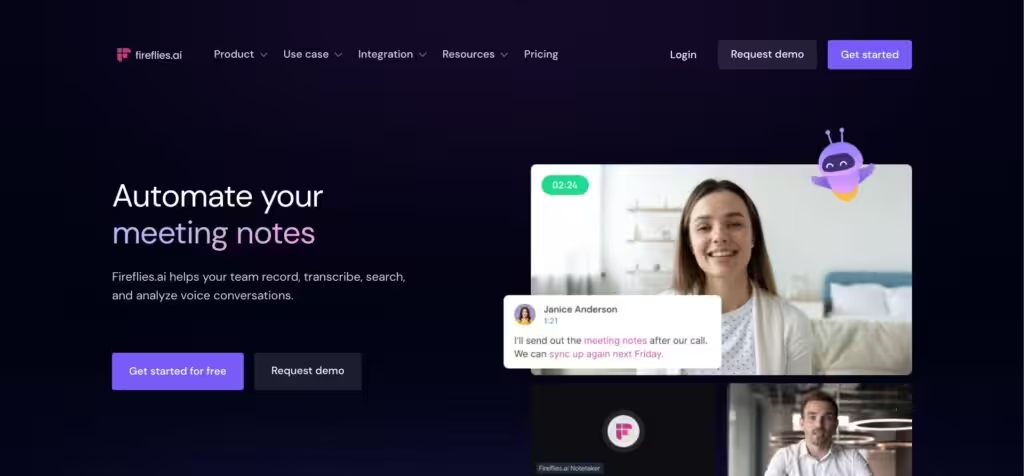
Bring ChatGPT to meetings to transcribe, search, and analyze voice conversations
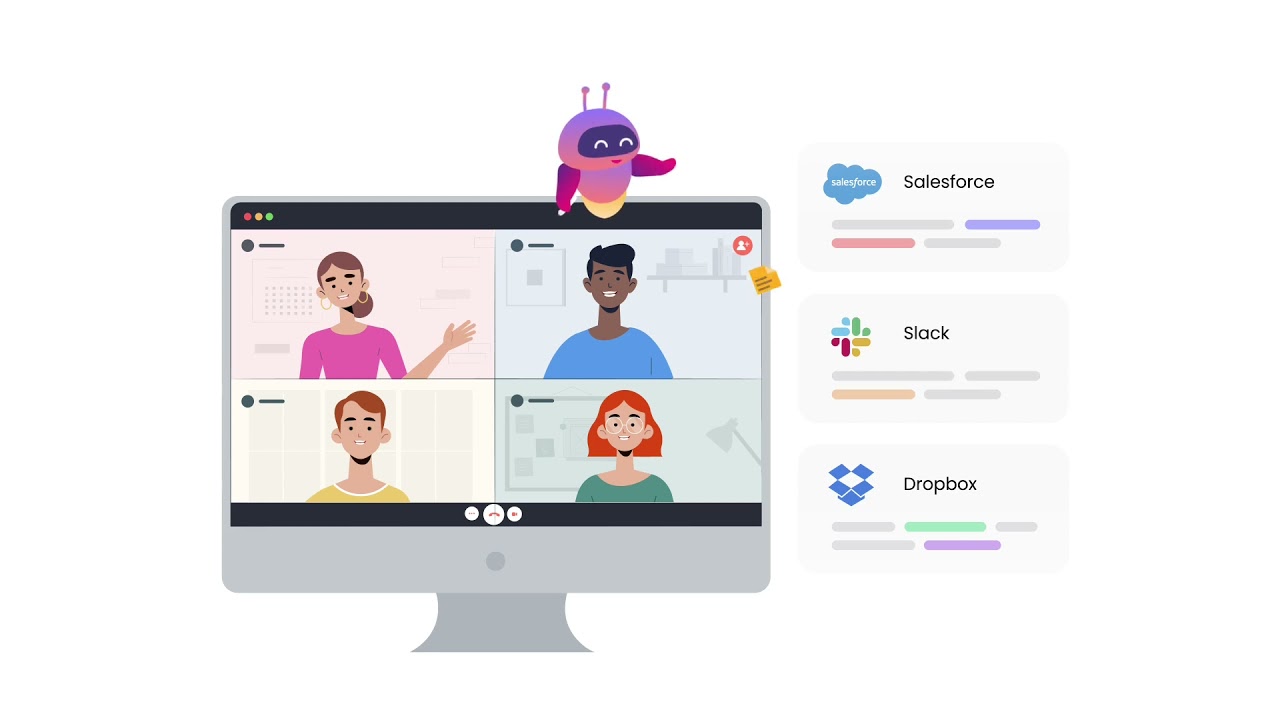
Fireflies uses generative AI to bring ChatGPT to meetings, helping you record, transcribe, search, and analyze voice conversations. The service works with popular video-conferencing apps — including Google Meet, Zoom, Teams, Webex, Ringcentral, Aircallm, etc. It can also work with dialers and audio files to create transcripts in minutes.
After the meeting, there is the option to use an AI-powered search to review what has been said in 5 minutes. Fireflies will highlight action items, tasks, questions, and other key metrics — and all you to filter and listen to key topics discussed.
In addition, it also supports multiple users, so that your team can add comments, pin and react to specific parts of conversations; as well as create soundbites and share the most memorable moments from meetings.
The service is definitely not the “only game in town” with its competitors including services, such as Otter.ai, Dialpad, Tactiq, and tl;dv.
Fireflies is used by over 100,000 organizations, including the likes of Netflix, Nike, Uber, Expedia, Delta Airlines, and more.
FAQs
💬
What is Fireflies.ai, and how does it help with meetings?
Fireflies.ai is an AI-powered meeting assistant that automatically records, transcribes, and summarizes conversations across platforms like Zoom, Google Meet, and Microsoft Teams. It joins as a bot named Fred, captures real-time notes, extracts action items, and lets you search past meetings, saving hours on manual follow-ups. I think it's especially useful for busy teams who want to focus on discussion rather than jotting everything down.
Does Fireflies.ai work with my video conferencing tools?
Yes, it integrates seamlessly with major platforms including Zoom, Google Meet, Microsoft Teams, Webex, and even in-person via mobile app or file uploads. You can also connect it to CRMs like Salesforce or HubSpot for auto-syncing notes. Recent updates in 2025 added support for Slack Huddles and Discord, making it versatile for hybrid work.
How accurate is the transcription in Fireflies.ai?
Transcription accuracy hovers around 85-90% in clear conditions, supporting over 100 languages with speaker identification. It handles accents and technical terms pretty well, but might stumble on heavy jargon or noisy environments, according to 2025 user reviews on G2 and Trustpilot. You can edit transcripts easily afterward.
Is there a free version of Fireflies.ai, and what are the limits?
Absolutely, the Free plan gives unlimited transcription but caps AI summaries and storage at 800 minutes per seat. It's great for testing solo or small teams, with no credit card needed. Paid plans start at $10/month for unlimited features, and many users say the free tier alone justifies trying it out.
What about privacy and security when using Fireflies.ai?
Fireflies.ai complies with GDPR, SOC 2 Type II, and HIPAA, with options for private storage and zero data retention. You control who sees transcripts, and it doesn't train on your data. That said, some folks on Reddit in 2025 raised eyebrows about early bot-joining practices, but current controls let you opt for bot-free recording via desktop app.
Can Fireflies.ai generate action items and summaries automatically?
Yes, it pulls out key points, assigns tasks, and creates customizable summaries right after meetings, including sentiment analysis and talk-time tracking. The AskFred feature even answers questions like "What were the next steps?" from past calls. Users in recent Quora threads call it a game-changer for follow-ups, though it might need tweaks for super-specific workflows.
How easy is it to set up Fireflies.ai for the first time?
Setup takes about 5 minutes: connect your calendar, invite the bot to meetings, or use the Chrome extension. No downloads required for basics, and it auto-joins scheduled calls. A few 2025 reviews mention a slight learning curve for integrations, but the dashboard is intuitive once you're in.
What integrations does Fireflies.ai offer besides video platforms?
It connects to over 50 tools, like Slack for alerts, Asana for tasks, and Notion for notes. In 2025, new ones like Shortcut for project stories and CRM auto-fills were added. This makes it a solid pick if your team uses multiple apps, reducing the hassle of copying info around.
Is Fireflies.ai good for sales or recruiting teams?
Definitely, with AI apps for call coaching, objection handling, and lead insights. It tracks customer needs and generates follow-ups, helping close deals faster. Recruiters love sending transcripts to ATS like Greenhouse. Based on VentureBeat coverage this year, it's a top choice for conversation intelligence in those fields.
How does Fireflies.ai compare to alternatives like Otter.ai?
Fireflies edges out with better analytics and unlimited storage on paid plans, while Otter is cheaper for basic transcription. Both are strong, but Fireflies shines in multi-language support and real-time suggestions. If bots bother you, Otter feels less intrusive, per 2025 comparisons on sites like G2.