
logo-darklogo-darklogo-darklogo-dark
  • Home
  • Browse
    • Assistant
    • Coding
    • Image
    • Productivity
    • Video
    • Voice
    • Writing
    • All Categories
    • AI Use Cases
  • My Favorites
  • Suggest a Tool
✕
Home › Image Generation & Editing›
Published by Dusan Belic on August 30, 2023

Hama

Hama
Hama Homepage
Categories Image Generation & Editing

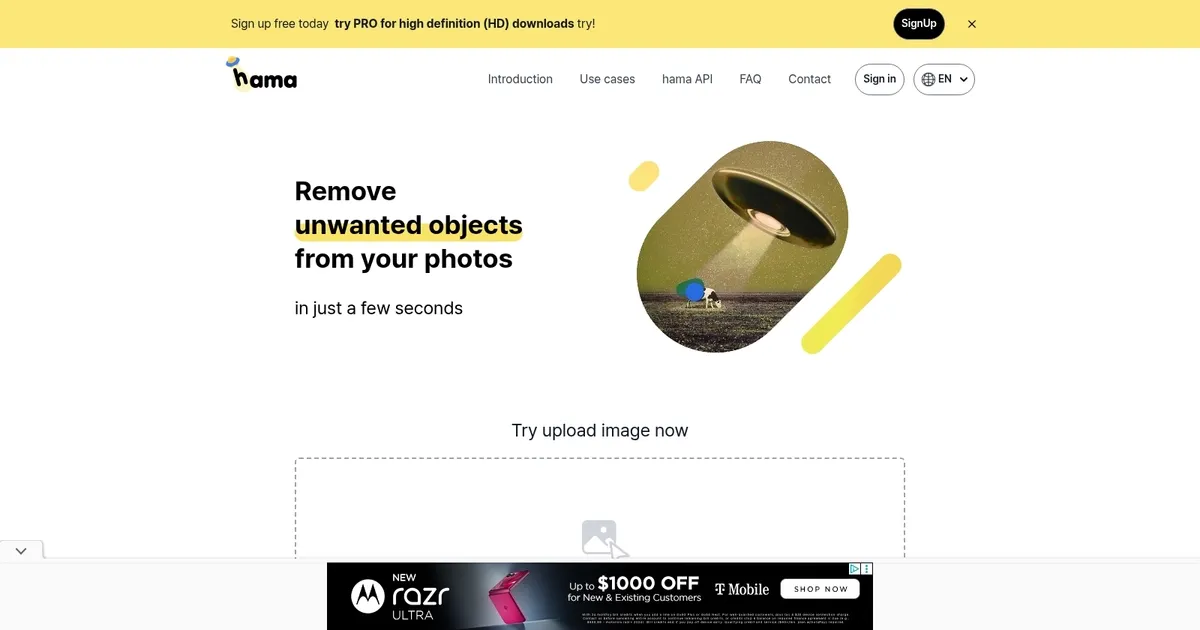
Hama - screenshot

Removes unwanted objects, people, text from images quickly using AI brush tool

Hama

Hama is an AI-powered web application designed to efficiently remove unwanted objects from photos. It simplifies photo editing by allowing users to easily erase objects such as spots, freckles, pimples, wrinkles, and various blemishes. Moreover, Hama can remove obstructions from pictures, making it particularly useful for enhancing landscape or cityscape photos.

Users can interact with the application by uploading an image directly onto the platform and utilizing specific features, such as erasing objects with a few clicks. The process involves uploading the original image along with a mask image to the Hama API, which then processes these inputs to produce a final image free of unwanted elements.

Hama caters to a wide range of use cases, including applications in photo apps, template businesses, e-commerce platforms, web builders, maps, media, and other related sectors that require high-quality image manipulation. It is easy to use with functionalities such as drag-and-drop uploading and the option to execute multiple erasures for enhanced results.

In addition, Hama provides information on its pricing model and tips for achieving better erasure results. There is also a PRO version for high-definition downloads.

Hama Homepage
Categories Image Generation & Editing

What are the key features? ⭐

  • AI Object Removal: Erases unwanted objects, people, text or blemishes from photos by brushing over them and letting AI inpaint naturally.
  • Repeat Erase Mode: Allows multiple brush passes over the same area to improve results on challenging sections.
  • API Integration: Enables developers to embed the removal functionality into photo apps, e-commerce platforms, web builders or other services.
  • Free Basic Editing: Offers unlimited standard-resolution edits without strict restrictions for casual users.
  • HD Export Option: Provides higher definition downloads through the PRO upgrade for professional-quality outputs.

Who is it for? 🤔

Hama suits casual photographers who want quick fixes for vacation snaps or social media posts, portrait retouchers needing to smooth skin fast, e-commerce sellers cleaning product images, real estate or map providers removing obstructions from visuals, and small business owners or developers integrating object removal into their workflows without heavy software.

Examples of what you can use it for 💭

  • Casual photographer: Removes photobombers or stray objects from travel photos in seconds for cleaner social media shares.
  • Portrait editor: Erases pimples, freckles, wrinkles or minor blemishes from headshots without complex retouching steps.
  • E-commerce seller: Clears unwanted reflections, text or props from product images to create professional listings quickly.
  • Real estate agent: Eliminates temporary obstructions like signs or people from property and street-view photos.
  • Developer or SaaS creator: Integrates the API into custom photo editing apps or web platforms for seamless object removal features.

Pros & Cons ⚖️

  • Fast and simple to use
  • Natural-looking results often
  • Free tier generous
  • Repeat erase improves output
  • HD needs PRO upgrade
  • Complex backgrounds can need extra work

FAQs 💬

What does Hama actually do?
It removes unwanted objects, people, text, blemishes or obstructions from photos using AI after you brush over them.
Is Hama free to use?
Yes, basic editing and standard-resolution downloads are free with no strict limits, though PRO unlocks HD exports.
Do I need to be precise with the brush?
No, rough brushing usually works fine, and repeating over stubborn spots often gives better results.
What kinds of images work best?
It excels on landscapes, cityscapes, portraits and product shots; very intricate patterns may require multiple passes.
Is there an API for developers?
Yes, the Hama API lets you send an image and mask, then receive the cleaned version for integration into apps or sites.
How fast is the removal process?
Most edits complete in just a few seconds after you submit the brushed mask.
Are there size limits for uploads?
No strict limits are heavily enforced for standard use, though very large files may perform better with PRO.
Can it remove people from group photos?
Yes, it handles removing individual people or photobombers effectively in many cases, especially with repeat brushing.
How does it compare to Cleanup.pictures?
Hama offers more manual brush control and API access, while Cleanup.pictures leans toward fully automatic one-click removal.
Is PRO worth it?
If you need higher-definition exports for print, professional work or sharper online use, the PRO upgrade is useful.
Visit Hama

Related tools ↙️

  1. Dawn AI Dawn AI Generates personalized avatars and images from selfies using advanced AI technology
  2. Cloudinary Cloudinary Manages, transforms, optimizes, and delivers images and videos with AI-powered features
  3. Imgix Imgix Optimizes images in real-time using AI for faster web delivery
  4. Imajinn Imajinn Transforms user photos into artistic images and custom visuals using AI
  5. SVG AI SVG AI Transforms text prompts into scalable vector icons and logos instantly
  6. Artisse Artisse Generates hyper-realistic photos using AI from user selfies and custom prompts
Last update: March 3, 2026
Share
Promote Hama
light badge
Copy Embed Code
dark badge
Copy Embed Code
neutral badge
Copy Embed Code
About Us | Contact Us | Suggest an AI Tool | Privacy Policy | Terms of Service

Copyright © 2026 Best AI Tools
415 Mission Street, 37th Floor, San Francisco, CA 94105




